Android 13 Easter Egg Bubbles: How to Find and Play With the Hidden Emoji Screen
What Is the Android 13 Easter Egg?
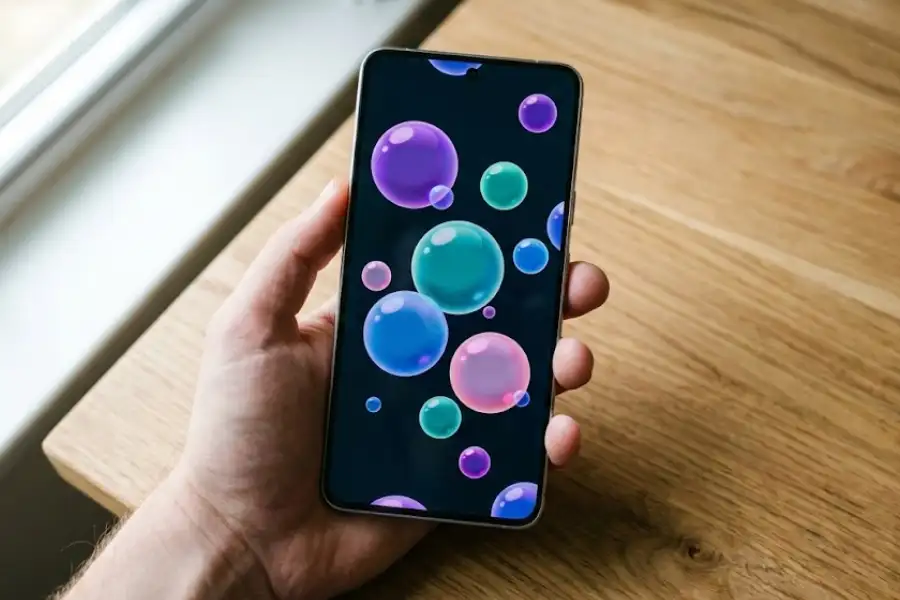
The Android 13 Easter egg is a hidden, interactive screen that fills your phone with colorful floating bubbles. When you press and hold on the bubbles, they turn into fun emojis like cats, aliens, hearts, zodiac signs, and turtles wearing crowns. Google placed this Easter egg inside Android 13 (codenamed Tiramisu), and it works on every phone running that version, including Samsung Galaxy, Google Pixel, OnePlus, Xiaomi, Motorola, and others.
Unlike the Android 11 cat-collecting mini-game or the Flappy Bird clone from Android 5, the Android 13 Easter egg is not a game. It is a visual, interactive experience with 14 different emoji sets hidden inside. The bubbles also pick up colors from your wallpaper through Google’s Material You design system, so every person’s bubbles look different.
You do not need to download anything. You do not need root access. The whole thing is already sitting inside your phone’s Settings app, waiting for you.
How Do You Find the Easter Egg in Android 13?
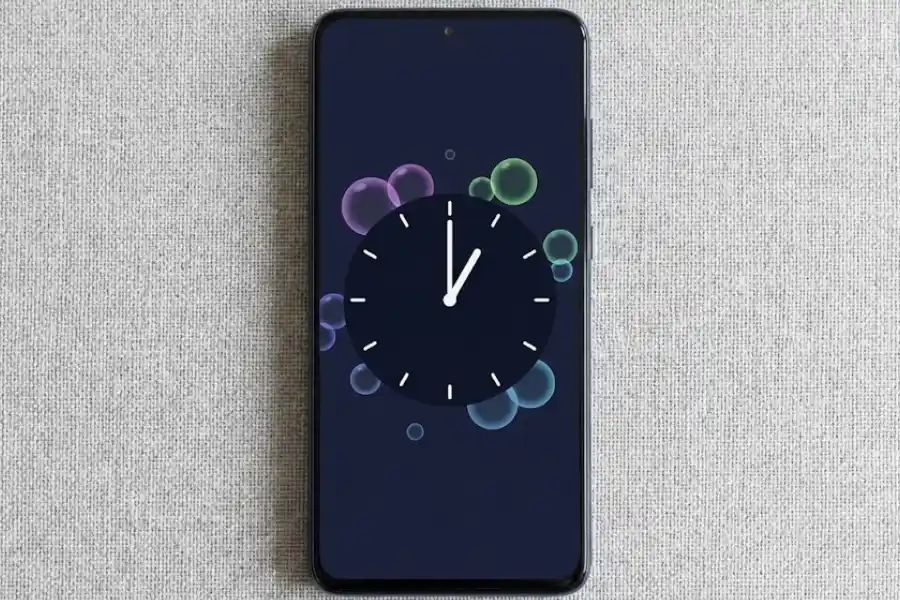
To find the Android 13 Easter egg, go to Settings > About phone > Android version, then tap the version number several times until a clock appears. Set the clock to 1:00 PM (13:00), and the bubble screen will show up. Here are the full steps:
Step 1: Open Your Phone’s Settings
Swipe down from the top of your screen and tap the gear icon. You can also find the Settings app inside your app drawer.
Step 2: Go to “About Phone”
Scroll to the bottom of the Settings menu and tap on About phone. On some phones made by Samsung or Xiaomi, it might say “About device” instead.
Step 3: Tap on “Android Version”
Inside the About phone page, find Android version. This is the same hidden menu where you tap the Build Number to unlock Developer Options in Android, but for this egg, we tap the Version instead. A new screen will appear showing your Android version number, security patch date, and baseband version.
Step 4: Tap the Version Number Quickly, Several Times
Now tap the number “13” several times in a row, fast. After about 5 to 7 taps, a clock face will pop up on your screen.
Step 5: Move the Clock Hands to 1:00
This is the step where most people get stuck. You need to drag the clock hands so the hour hand points to 1 and the minute hand points straight up to 12. This makes the time read 1:00 PM, which is 13:00 in 24-hour format. Google used this as a clever nod to the number 13 in Android 13.
Once the clock reads 1:00, the screen fills with floating, colorful bubbles. You are in.
Step 6: Press and Hold to See the Emojis
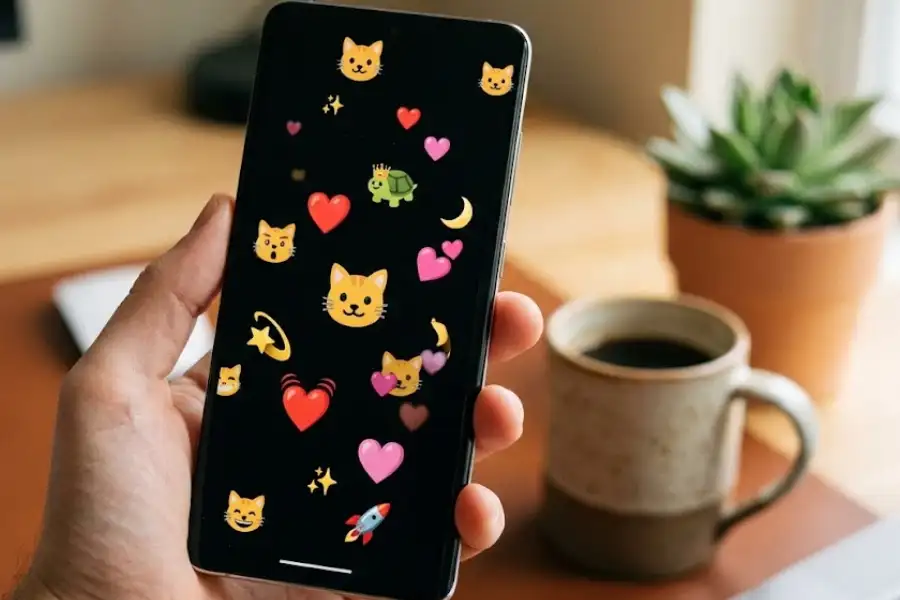
Place your finger anywhere on the screen and hold it down. The bubbles will turn into random emojis. Keep holding, and the emojis switch to a different group. There are 14 emoji groups in total. You can cycle through all of them by continuing to long-press.
What Emojis Are Hidden in the Android 13 Easter Egg?
There are 14 emoji groups hidden inside the Android 13 Easter egg. Each time you long-press the screen, it picks a few emojis from one of the sets below. This information comes from the source code analysis done by 9to5Google when Android 13 Beta 3.3 was released in 2022.
| # | Emoji Set | What Shows Up on Screen |
|---|---|---|
| 1 | Fruit | Apples, watermelons, cherries, grapes, and other fruit emojis |
| 2 | Cat Faces | Smiling cats, crying cats, heart-eyes cats |
| 3 | Regular Faces | Smiley faces, laughing faces, thinking face |
| 4 | Expressive Eyes | Faces with big, exaggerated eye expressions |
| 5 | Melting Face | The popular melting face emoji in different sizes |
| 6 | Hearts and Love | Red hearts, sparkling hearts, growing hearts |
| 7 | Outer Space | Rockets, stars, aliens, and UFOs |
| 8 | Moon Phases | Full moon, crescent moon, new moon, and other lunar emojis |
| 9 | Aquatic Life | Fish, whales, dolphins, octopus, and sea creatures |
| 10 | Monkeys | See-no-evil, hear-no-evil, speak-no-evil monkeys |
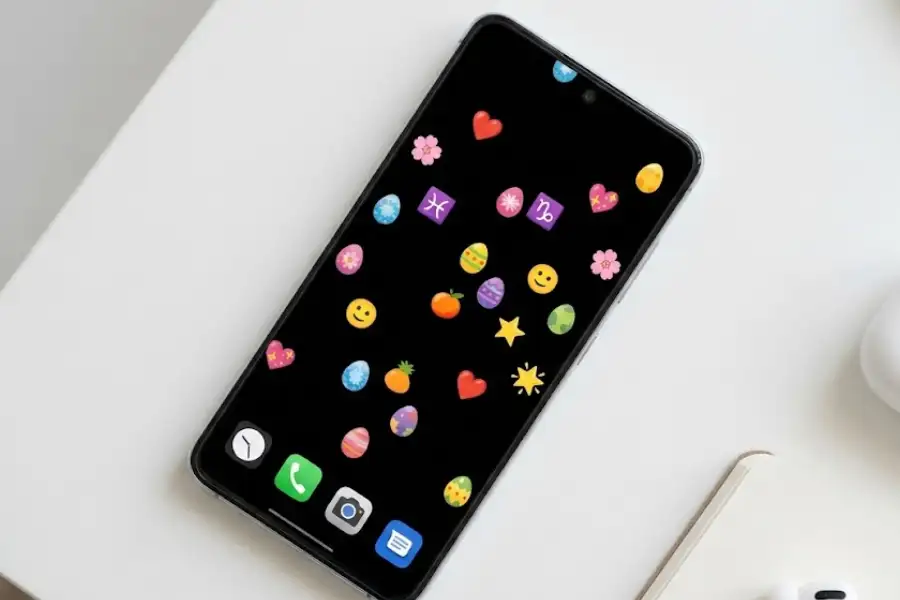
| 11 | Zodiac Signs | All 12 astrological sign emojis, from Aries through Pisces |
| 12 | Clocks | Clock-face emojis showing different hours |
| 13 | Flowers | Sunflowers, roses, tulips, cherry blossoms |
| 14 | Turtle King | A turtle emoji surrounded by stars and crowns (a fan favorite) |
The Turtle King set has picked up a small following online. People love the randomness of a crowned turtle floating across their phone screen. It is one of those odd, fun details that makes the Easter egg worth trying.
Why Do the Android 13 Easter Egg Bubbles Match Your Wallpaper Colors?
The bubbles match your wallpaper because Android 13 uses Google’s Material You design system, which is part of Material Design 3. Material You was first introduced with Android 12 in 2021. It reads the main colors from your current wallpaper and applies those colors across your entire phone, including the notification shade, quick settings, app icons, widgets, and the Easter egg.
So if your wallpaper has warm orange tones, the Easter egg bubbles will show up in shades of orange. Switch to a blue wallpaper, and the bubbles turn blue. It is not random. Every person’s Easter egg screen looks a little different because of this.
Android 13 expanded Material You with six new color styles: Tonal Spot (the default), Spritz, Vibrant, Expressive, Rainbow, and Fruit Salad. These styles let you pick how your wallpaper colors are spread across the phone. The Easter egg bubbles follow whatever style and palette you have set.
Can You Use the Android 13 Easter Egg as a Wallpaper?
Yes. You can screenshot the emoji screen and use it as a phone wallpaper. Most other guides do not mention this trick, but it works well and gives you a one-of-a-kind background. Here is how:
- Open the Android 13 Easter egg using the steps above.
- Long-press the screen until you see an emoji set you like.
- To get a clean black background, do a long swipe up from the bottom of the screen. This hides the navigation bar and system overlays.
- Take a screenshot (usually Power + Volume Down on most Android phones).
- Go to your gallery, open the screenshot, and set it as your wallpaper.
You now have a custom wallpaper that no one else has, made from a feature already sitting on your phone. No extra apps, no downloads.
What If the Android 13 Easter Egg Is Not Showing Up?
If you followed the steps and the Easter egg did not appear, here are the most common reasons and fixes:
- Your phone is not running Android 13. Go to Settings, then About phone, and check your Android version number. If it says Android 12, 11, 10, or anything else, this specific Easter egg will not appear. Each Android version has a completely different Easter egg.
- The clock is not set to the right time. The hour hand must point directly at 1, and the minute hand must sit straight up at 12. The time should read exactly 1:00 (13:00 in 24-hour format). Even a slight offset can stop it from triggering.
- Your manufacturer changed the settings layout. Brands like Xiaomi (MIUI/HyperOS), Huawei (EMUI/HarmonyOS), and Samsung (One UI) sometimes rearrange the About phone section. The Easter egg should still be there, but the path might be slightly different. Try searching “Android version” in your Settings search bar.
- You are not tapping fast enough. Tap the version number quickly, like rapid-fire tapping. Slow, spaced-out taps may not register.
What Is the Codename for Android 13?
The internal codename for Android 13 is Tiramisu. Google gives every Android version a dessert codename during development. You can see the full list of Android versions and their codenames on Wikipedia. Older versions like Android 4.4 KitKat, Android 5.0 Lollipop, Android 8.0 Oreo, and Android 9.0 Pie used these names publicly. Starting from Android 10, Google stopped advertising the dessert names but continued using them behind the scenes.
Android 12 was codenamed Snow Cone, Android 13 is Tiramisu, Android 14 is Upside Down Cake, and Android 15 is Vanilla Ice Cream. The codename does not appear in the Easter egg itself, but it is a fun bit of trivia for anyone curious about how Google names its Android releases.
How Is the Android 13 Easter Egg Different From Other Android Easter Eggs?
Google has been hiding Easter eggs inside Android since version 2.3 Gingerbread in 2010. Each version has something different. Here is how Android 13 compares to some of the most popular ones:
| Android Version | Year | What the Easter Egg Does |
|---|---|---|
| Android 5.0 Lollipop | 2014 | A Flappy Bird clone where you dodge lollipops |
| Android 7.0 Nougat | 2016 | A cat collecting game called “Neko” (Japanese for cat) |
| Android 10 | 2019 | A Nonogram (Picross) puzzle game that reveals Android icons |
| Android 11 | 2020 | A rotary dial set to 11, leading to another cat collecting game via power menu |
| Android 12 | 2021 | Wallpaper-tinted bubbles plus a Material You color palette widget |
| Android 13 | 2022 | Wallpaper-tinted bubbles that turn into 14 different emoji sets when long-pressed |
| Android 14 | 2023 | An interactive open-world space game where you fly a spacecraft past planets |
Android 13’s Easter egg builds on the one from Android 12. The basic bubble screen is similar, but Android 13 added the emoji feature and moved the clock trigger from 12:00 to 1:00 (13:00). It feels more like an upgrade than a completely new creation.
If you prefer playable games, the Android 14 space game, the Android 5/6 Flappy Bird clone, or the Android 7/11 cat collecting games are better picks. But for a quick, colorful visual surprise that ties into your wallpaper, Android 13’s version is hard to beat.
Why Does Google Put Easter Eggs in Every Android Version?
Google puts Easter eggs in Android as a tradition started by Android developers who wanted to leave a personal, playful mark on the operating system. The first known Android Easter egg appeared in Android 2.3 Gingerbread (2010), and Google has included one in every major release since then.
There is no official statement from Google explaining the reason. But the tradition has become part of Android’s identity. Every time a new Android version comes out, tech communities and YouTube channels race to find the Easter egg first. It creates buzz, gets people talking, and gives phone users a fun reason to poke around their Settings app.
It is worth noting that Android is not the only product with Easter eggs. Google Chrome hides a dinosaur game when you lose internet, Microsoft Edge has a surfing game, and Apple has hidden features in macOS and iOS for decades. Easter eggs in software are a long-standing tradition, and Android’s are some of the most creative.
Frequently Asked Questions
Is the Android 13 Easter egg a game you can play?
No. The Android 13 Easter egg is not a game. It is an interactive visual screen that shows colorful bubbles which turn into emojis when you long-press. Unlike Android 5 (Flappy Bird), Android 7 (cat collecting), or Android 14 (space game), Android 13 does not have a playable mini-game. It is more of a visual toy.
Does the Android 13 Easter egg work on Samsung Galaxy phones?
Yes. The Android 13 Easter egg works on all Samsung Galaxy phones running Android 13 with One UI 5.0 or later. The steps are the same: go to Settings, then About phone, then Software information, tap Android version repeatedly, and set the clock to 1:00. Samsung does not remove or change the Easter egg.
Can the Easter egg harm or damage my phone?
No. The Easter egg is a completely safe, harmless feature baked into the Android operating system by Google. It does not change your settings, install anything, collect data, or use the internet. You can close it anytime by pressing the back button, swiping home, or using the recent apps button.
How do I close the Android 13 Easter egg?
Press your phone’s back button, swipe up to go to your home screen, or tap the recent apps button and swipe the Easter egg away. It closes the same way any other screen on your phone does.
Why does the clock need to show 1:00 to open the Easter egg?
Because 1:00 PM is 13:00 in 24-hour (military) time, and this is Android 13. Google used this as a clever nod to the version number. For the same reason, the Android 12 Easter egg required the clock to be set to 12:00.
Do the bubble colors change when I change my wallpaper?
Yes. The Easter egg bubbles pull their colors from your current wallpaper through Google’s Material You theming engine. If you change your wallpaper, the bubble colors will change to match. This is the same system that themes your notification shade, quick settings tiles, and app icons on Android 12 and later.
Which Android phones support the Android 13 Easter egg?
Any phone running Android 13 supports this Easter egg. This includes Google Pixel 4 and newer, Samsung Galaxy S21 and newer, OnePlus 10 and newer, Xiaomi 12 and newer, Motorola Edge series, and many other phones from Nokia, Sony, Oppo, Vivo, and Realme. If your phone’s About page shows Android 13, the Easter egg is there.
Is there a secret game hidden inside the Android 13 Easter egg?
No. Unlike Android 11 and Android 14, there is no second-level hidden game inside the Android 13 Easter egg. The emoji sets are the full extent of the hidden content. However, you can use the emoji screen to create a free custom wallpaper by taking a screenshot, which is a trick most people miss.