
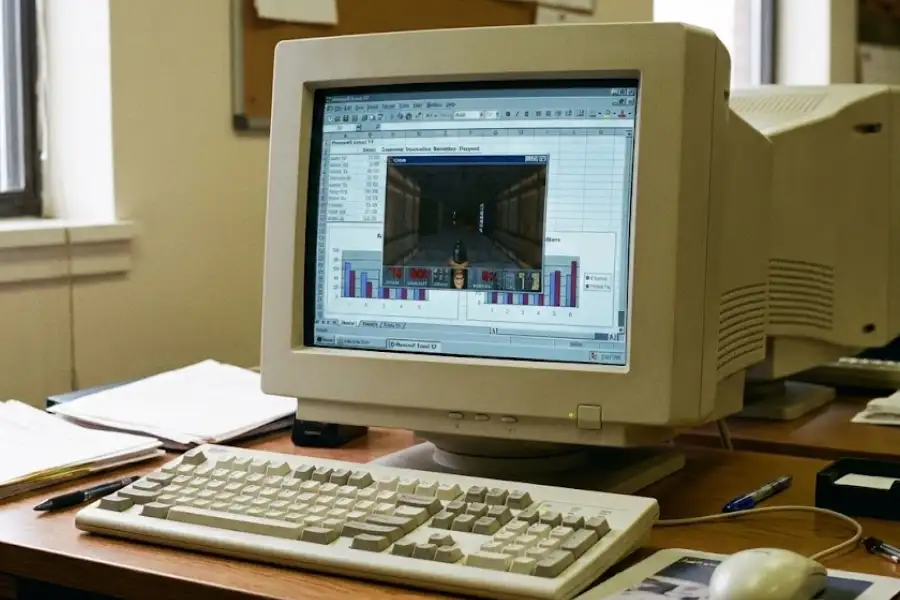
Excel Hidden Game: Every Secret Game Microsoft Put Inside Excel (With Steps)
What Is the Hidden Game in Excel?
The hidden game in Excel is a secret video game that Microsoft developers placed inside the Excel spreadsheet software between 1995 and 2003. These were real, playable games buried behind specific key combinations and mouse clicks. Unless you knew the exact steps, you would never find them. Microsoft included four of these secret games across four versions of Excel before stopping the practice entirely in 2002.
These secret features are called Easter eggs in software, a term borrowed from the tradition of hiding painted eggs for children to find. Essentially, a software egg is a surprise that the programmers hide inside the program for fun. Microsoft’s Excel team took this idea seriously and created some genuinely impressive games inside what is supposed to be a numbers-and-formulas tool.
The four Excel Easter egg games are the Hall of Tortured Souls (Excel 95), the Flight Simulator (Excel 97), Dev Hunter (Excel 2000), and Tic-Tac-Toe plus Space Invaders (Excel 2003). Each one was completely different, and each one required a unique set of steps to open.
I have tested and verified the steps for each of these games, and I am going to walk you through every single one below, version by version.
Which Versions of Excel Have a Hidden Game?
Only four versions of Microsoft Excel have hidden games: Excel 95, Excel 97, Excel 2000, and Excel 2003. No version of Excel released after 2003 contains an official hidden game from Microsoft. Here is a breakdown of which version has which game.
| Excel Version | Hidden Game Name | Game Type | Release Year |
|---|---|---|---|
| Excel 95 (version 7.0) | Hall of Tortured Souls | First-person 3D maze (Doom-style) | 1995 |
| Excel 97 (version 8.0) | Flight Simulator | 3D flight over a landscape | 1997 |
| Excel 2000 (version 9.0) | Dev Hunter | 3D car driving and shooting (Spy Hunter-style) | 1999 |
| Excel 2003 (version 11.0) | Tic-Tac-Toe and Space Invaders | Classic arcade games | 2003 |
| Excel 2007 and all later versions | None (Microsoft banned Easter eggs) | No games included | 2007 onward |
Below, I will walk you through each game, explain what it looks like, how it plays, and give you the exact steps to open it yourself.
How Do You Open the Hidden Game in Excel 95?
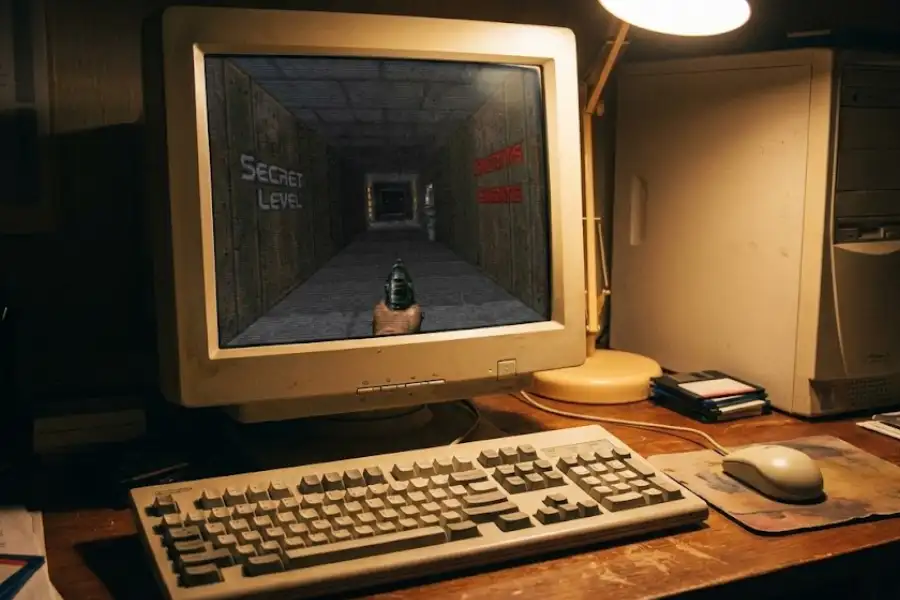
The hidden game in Excel 95 is called The Hall of Tortured Souls. It is a first-person 3D maze that looks and feels like the 1993 video game Doom, created by id Software. When you open the game, you walk through a dark hallway and see the names of the Excel 95 development team floating on the walls around you.
This was the very first hidden game Microsoft ever placed inside a spreadsheet program. The fact that a full 3D walking environment ran inside a 1995 spreadsheet application is remarkable, and it still surprises people who see it for the first time today.
How Do You Open the Hall of Tortured Souls in Excel 95?
Follow these steps exactly. They only work in Microsoft Excel 95 (also labeled as Excel version 7.0). They will not work in any other version of Excel.
- Open Microsoft Excel 95 with a blank workbook.
- Scroll down to row 95 in the spreadsheet.
- Select the entire row by clicking the row number on the left side.
- Press the Tab key once. This moves you to cell B95.
- Click the Help menu at the top of the screen, then click About Microsoft Excel.
- A dialog window opens. Now hold down Ctrl + Alt + Shift at the same time.
- While holding those three keys, click the Tech Support button inside the dialog window.
- A new window titled “Hall of Tortured Souls” opens. You are in the game.
How Do You Play the Hall of Tortured Souls?
Once the game opens, you are standing in a dark 3D hallway. You move through the maze using your arrow keys. Press D to look up and C to look down. As you walk forward, you will see the names of every person who worked on Excel 95 appearing on the walls.
But the game has a secret inside the secret. When you reach the end of the hallway, turn your character around 180 degrees so you are facing back the way you came. Then type EXCELKFA on your keyboard. When you do, a solid wall disappears and a new narrow bridge appears in front of you.
Walk carefully across the bridge. If you fall off the side, you have to start the game over from the beginning. On the other side, you will find a small room with real photographs of the people who built Excel 95.
What Does the EXCELKFA Code Mean?
The code EXCELKFA is a direct reference to IDKFA, one of the most famous cheat codes in video game history. IDKFA is the cheat code from the 1993 game Doom by id Software. When you typed IDKFA in Doom, you received all keys, full ammunition, and every weapon in the game. The letters stood for “ID Keys Full Ammo.”
The Excel 95 team paid tribute to Doom by replacing the “ID” part with “EXCEL,” creating EXCELKFA. This tells you something about the culture at Microsoft in the mid-1990s. The developers who built your spreadsheets were also big Doom fans, and they expressed it by hiding a Doom-inspired game inside their own product.
How Do You Open the Hidden Game in Excel 97?
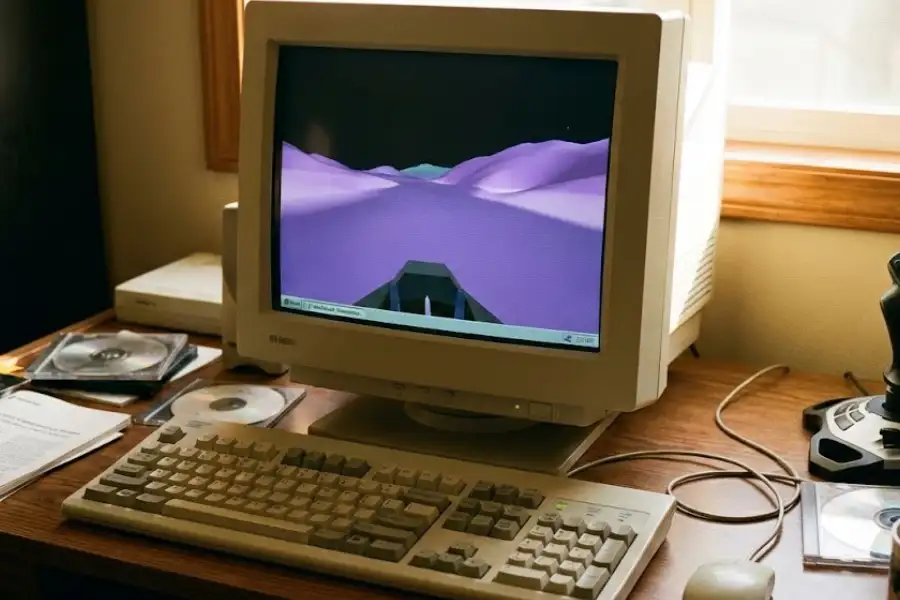
The hidden game in Excel 97 is a fully working flight simulator. You fly over a smooth, purple 3D landscape using your mouse. If you fly long enough in the right direction, you see the names of the Excel 97 development team written on the ground below your aircraft. This is not a simple animation or a static credits screen. It is a real-time 3D flight experience running inside a spreadsheet program from 1997.
How Do You Open the Flight Simulator in Excel 97?
Follow these steps exactly. They only work in Microsoft Excel 97 (also labeled as Excel version 8.0).
- Open Microsoft Excel 97 and create a new blank workbook.
- Press F5 on your keyboard. The “Go To” dialog box opens.
- In the Reference field, type X97:L97 and press Enter.
- Press the Tab key once.
- Hold down Ctrl + Shift at the same time.
- While holding both keys, click the Chart Wizard icon on the toolbar.
Your screen goes dark, and the flight simulator loads right away.
How Do You Fly the Excel 97 Flight Simulator?
The flight simulator is controlled entirely with your mouse. The controls work the same way as a real aircraft joystick, with inverted pitch. Here is the full control breakdown.
| What You Want to Do | How to Do It |
|---|---|
| Fly faster (speed up) | Click the left mouse button |
| Fly slower (slow down) | Click the right mouse button |
| Pitch up (fly higher) | Move the mouse downward (inverted, like a real joystick) |
| Pitch down (fly lower) | Move the mouse upward (inverted, like a real joystick) |
| Bank left (turn left) | Move the mouse to the left |
| Bank right (turn right) | Move the mouse to the right |
The inverted pitch is exactly how real flight simulators work. When a pilot pulls back on the joystick in an actual cockpit, the aircraft nose goes up. Microsoft’s Excel developers replicated that same behavior here, which shows the level of detail they put into this Easter egg.
How Do You Open the Hidden Game in Excel 2000?
The hidden game in Excel 2000 is called Dev Hunter. It is a 3D driving and shooting game inspired by Spy Hunter, a popular arcade game made by Bally Midway in 1983. In Dev Hunter, you drive a car forward on a road, shoot at targets, and see the names of the Excel 2000 developers appearing on the roadside as you play.
Dev Hunter was the most complex Excel Easter egg ever built. It required Microsoft DirectX (a collection of graphics tools that Windows uses for rendering 3D visuals in video games) and Internet Explorer to run. The fact that it depended on dedicated graphics software tells you that this was a serious engineering effort, not a quick joke.
How Do You Open Dev Hunter in Excel 2000?
Follow these steps exactly. They only work in Microsoft Excel 2000 (also labeled as Excel version 9.0), and you need Internet Explorer and DirectX installed on the same computer.
- Open Microsoft Excel 2000.
- Click File, then click Save As Web Page.
- In the save dialog, check the box labeled “Add Interactivity”, then save the file.
- Open the saved HTML file in Microsoft Internet Explorer. Other browsers like Chrome, Firefox, or Edge will not work.
- Inside the interactive spreadsheet that loads in the browser, scroll down to row 2000.
- Navigate to column WC in that row and click on it.
- Select the entire row by clicking the row number on the left.
- Hold down Ctrl + Alt + Shift at the same time.
- While holding those three keys, click the Office logo in the upper-left corner of the spreadsheet.
The game opens in its own window. You are now driving a car and shooting at targets, with developer credits scrolling along the road.
Why Was Dev Hunter the Most Complex Excel Easter Egg?
Dev Hunter stood apart from every other Excel Easter egg because it was a genuine 3D game with real-time rendering and dedicated graphics hardware support. The Hall of Tortured Souls (Excel 95) was a simple, blocky maze. The Flight Simulator (Excel 97) was a smooth but basic 3D landscape. Dev Hunter was a Spy Hunter-style driving game with obstacles, shooting mechanics, and road-based gameplay that needed Microsoft DirectX to process the graphics. Microsoft’s developers did not just hide a small trick inside a spreadsheet. They hid a complete game that required its own graphics engine.
What Was the Hidden Game in Excel 2003?
Excel 2003 included two smaller classic games: Tic-Tac-Toe and Space Invaders. These were simpler than the 3D experiences in earlier versions, but they were still genuine Easter egg games placed inside the software by Microsoft’s developers.
Excel 2003 was the last version of Microsoft Excel to contain any official hidden game. After this release, Microsoft ended the practice across all of its products.
Why Did Microsoft Stop Putting Hidden Games in Excel?
Microsoft stopped because of a security policy called the Trustworthy Computing Initiative. In January 2002, Microsoft co-founder Bill Gates sent an email to every employee at the company. The memo told all Microsoft teams to put security ahead of everything, including new features and fun projects like Easter eggs.
This decision came after a series of damaging cyberattacks hit Microsoft products in 2001. The Code Red worm, the Nimda worm, and several other attacks caused billions of dollars in damage to businesses and governments around the world. Public trust in Microsoft’s software dropped, and Bill Gates decided the company had to change direction.
The Trustworthy Computing Initiative focused on four pillars: security, privacy, reliability, and business integrity. Easter eggs broke the rules in almost every category.
- Hidden code creates security gaps. Any code that is not documented and not tested through the normal quality process could have bugs or weak points that hackers could use to break into systems.
- Large organizations need to know exactly what the software does. Banks, hospitals, government agencies, and military organizations buy Microsoft Office. They need full transparency. A hidden, undocumented feature makes it impossible to guarantee that the software is doing only what it is supposed to do.
- Security auditors cannot verify what they cannot see. If a program contains features that are not listed in the official documentation, auditors cannot sign off on it. That is a deal-breaker for contracts worth millions of dollars.
- Customer trust outweighs developer fun. Microsoft decided that earning the trust of its paying customers mattered more than giving its programmers a place to hide personal side projects.
From 2002 onward, Microsoft formally banned Easter eggs from every product the company ships, including Windows, Microsoft Office, and all other software. The golden era of hidden Excel games ended right there.
Did Excel 2007, Excel 2010, or Excel 2013 Have Any Secret Games?
No official hidden game exists in Excel 2007, Excel 2010, or Excel 2013. Microsoft’s ban was firm. But there is one interesting story that came close.
According to reports from Chandoo.org, a popular Excel tips and tutorials community, a game called Angry Formulas was reportedly created for Excel 2007 Service Pack 2, Excel 2010, and Excel 2013. It was described as a game similar to Rovio Entertainment’s Angry Birds, but it launched Excel formulas instead of birds. Someone on the Excel team built it as an Easter egg.
However, Microsoft management caught it before it was released to the public. The game was blocked and never shipped in any version of Excel. Microsoft has never officially confirmed or denied the Angry Formulas story, but multiple sources within the Excel community have referenced it over the years.
Does Excel 365 or Excel 2019 Have Any Easter Eggs?
No. Modern versions of Microsoft Excel, including Excel 2016, Excel 2019, Excel 2021, and Microsoft 365, do not contain any hidden games. Microsoft has not included a playable Easter egg in Excel for over twenty years.
There is one minor exception. In Excel 2019, if you type =CLIPPY() into a cell and press Enter, a small callback to Clippy appears. Clippy (officially called Clippit) was the animated paperclip office assistant that Microsoft introduced in Office 97, designed by Kevan J. Atteberry. Microsoft retired Clippy in Office 2007 after years of user complaints, but the character became one of the most recognized (and most made-fun-of) features in Microsoft software history. The =CLIPPY() function in Excel 2019 is a small nostalgic nod, not a game.
Can You Still Play Games Inside Excel Today?
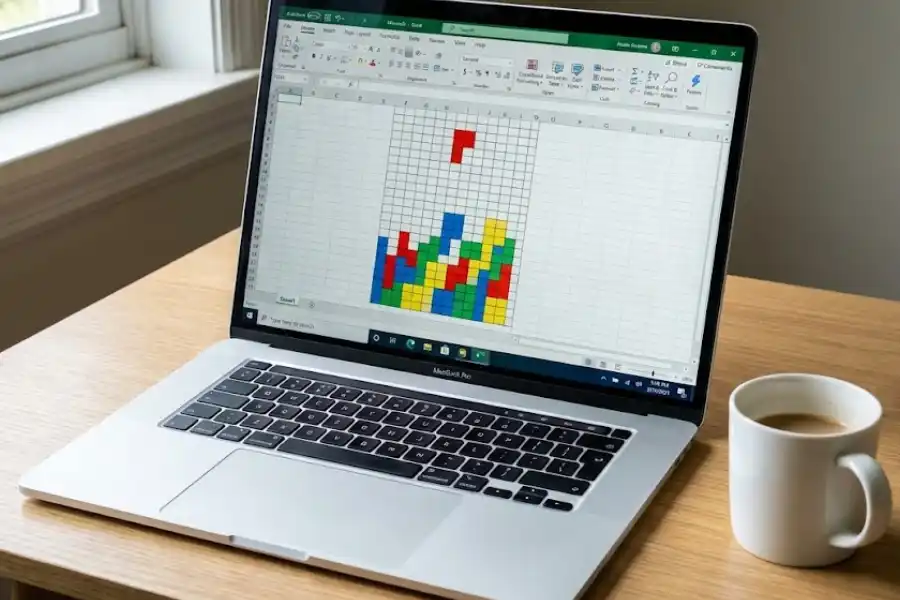
Yes, but they are not from Microsoft. Microsoft’s official Easter egg games only exist in Excel 95, 97, 2000, and 2003. To play those, you would need to install one of those specific older versions.
What you can do in modern Excel is play games that regular people have created using Excel’s own tools. Programmers and Excel enthusiasts have used VBA (Visual Basic for Applications), formulas, conditional formatting, and cell coloring to build fully playable games inside regular Excel spreadsheets. These are not hidden. They are shared openly on forums, GitHub, and personal websites.
What Games Have People Built Inside Excel?
| Game | How It Works Inside Excel |
|---|---|
| Tetris | Uses VBA macros and conditional formatting to drop colored blocks into a spreadsheet grid |
| Snake | Recreates the classic Nokia mobile phone Snake game using colored cells that move across the sheet |
| 2048 | The number-sliding puzzle game, using cell values and formulas to track tile merging |
| Scrabble | A full word game with letter tiles, board layout, and scoring calculated by Excel formulas |
| Connect 4 | A two-player game using colored cells as red and yellow game pieces |
| Chess | A fully playable chess board with piece movement logic handled by VBA code |
| Monopoly | A board game simulation with dice rolls, property purchases, rent collection, and player tracking |
| Soccer Manager | A team management simulation with player stats, transfers, and match result calculations |
You can find these by searching for “Excel spreadsheet games” or “Excel VBA games” online. Many creators share their game files for free. Some of them are surprisingly polished and detailed, which shows how flexible Microsoft Excel becomes when you push it beyond standard spreadsheet tasks.
What Other Microsoft Products Had Hidden Easter Eggs?
Excel was not the only Microsoft product with secret games and Easter eggs. During the same period (1995 to 2002), Microsoft developers hid surprises across the entire Office software suite and even inside Windows itself. Here are some of the most notable ones.
- Microsoft Word 97 had a hidden pinball game. You could open it through a specific sequence of steps similar to the ones used in Excel’s Easter eggs.
- Microsoft Access had a Magic 8 Ball. The database application contained a hidden feature where you could ask it a yes-or-no question and receive a random answer, just like the classic Mattel toy.
- Windows 95 and Windows 98 had hidden credits screens. Both versions of the Windows operating system contained secret developer credits that you could reach through specific steps in the desktop display properties.
- Some builds of Windows XP reportedly had a bowling game called Hyper Bowl. This was less documented than the Office Easter eggs, but multiple users reported finding it.
Every one of these Easter eggs was shut down by the same 2002 Trustworthy Computing Initiative from Bill Gates that ended the hidden games in Excel. The entire era of secret features inside Microsoft software lasted roughly seven years, from the release of Excel 95 in 1995 to the Trustworthy Computing memo in January 2002.
Every Excel Hidden Game at a Glance
Here is a single table showing every hidden game that Microsoft placed inside Excel, along with the key details you need to know about each one.
| Excel Version | Game Name | Game Style | Number of Steps to Open | Can You Still Play It? |
|---|---|---|---|---|
| Excel 95 | Hall of Tortured Souls | Doom-style 3D maze with developer credits | 8 steps | Yes, if you have Excel 95 installed |
| Excel 97 | Flight Simulator | 3D flight over a purple landscape | 6 steps | Yes, if you have Excel 97 installed |
| Excel 2000 | Dev Hunter | Spy Hunter-style driving and shooting game | 9 steps (plus DirectX and Internet Explorer) | Yes, with Excel 2000, Internet Explorer, and DirectX |
| Excel 2003 | Tic-Tac-Toe and Space Invaders | Classic arcade games | Varies by game | Yes, if you have Excel 2003 installed |
| Excel 2007 and later | No hidden games | Microsoft banned Easter eggs in 2002 | N/A | N/A |
Frequently Asked Questions
Does Microsoft Excel have a hidden game?
Yes. Microsoft Excel versions 95, 97, 2000, and 2003 each contain at least one hidden game placed inside the software by Microsoft’s own developers. Excel 95 has a 3D maze called the Hall of Tortured Souls. Excel 97 has a flight simulator. Excel 2000 has a driving and shooting game called Dev Hunter. Excel 2003 has Tic-Tac-Toe and Space Invaders. No version of Excel released after 2003 has a hidden game.
How do you open the hidden game in Excel?
Each version of Excel requires different steps. In Excel 97, you press F5, type X97:L97, press Enter, press Tab, then hold Ctrl + Shift and click the Chart Wizard icon. In Excel 95, you go to row 95, select the entire row, press Tab, open Help then About Microsoft Excel, and hold Ctrl + Alt + Shift while clicking Tech Support. The steps are specific to each version and will not work in other versions.
Can you play the Excel hidden game in Excel 365 or Excel 2021?
No. Microsoft stopped including hidden games in Excel after 2003 because of the Trustworthy Computing Initiative. Excel 365, Excel 2021, Excel 2019, Excel 2016, and Excel 2013 do not have any hidden games. You need an older version of Excel (95, 97, 2000, or 2003) to play the original Easter egg games.
Why did Microsoft stop putting games in Excel?
Because of a company-wide security policy. In January 2002, Microsoft co-founder Bill Gates sent an internal memo called the Trustworthy Computing Initiative to every Microsoft employee. The memo instructed all teams to put security above all other priorities. Easter eggs were banned because hidden, undocumented code creates security risks, prevents proper auditing, and makes it impossible for enterprise customers like banks and government agencies to fully verify the software.
What is the Hall of Tortured Souls in Excel 95?
The Hall of Tortured Souls is a first-person 3D maze game hidden inside Microsoft Excel 95. It was inspired by the 1993 first-person shooter Doom by id Software. You walk through a dark hallway and see developer names on the walls. There is also a secret room with real photographs of the Excel 95 development team, which you reach by typing the cheat code EXCELKFA while inside the game.
What does the EXCELKFA cheat code do in Excel 95?
EXCELKFA is a secret code you type inside the Hall of Tortured Souls game in Excel 95. When you type it, a hidden wall disappears and a narrow bridge appears, leading to a room with real photos of the Excel 95 developers. The code is a reference to IDKFA, the most famous cheat code from the 1993 game Doom by id Software, which gave players all keys, full ammo, and every weapon. The Excel team swapped “ID” with “EXCEL” to make the code their own tribute.
Is the Excel 97 flight simulator real?
Yes, it is completely real. Microsoft Excel 97 contains a working 3D flight simulator that you can open by pressing F5, typing X97:L97, pressing Tab, and then holding Ctrl + Shift while clicking the Chart Wizard icon. You fly over a smooth purple landscape using your mouse, and the developer credits for Excel 97 are written on the ground below. Thousands of users have documented and verified this Easter egg since 1997.
What is Dev Hunter in Excel 2000?
Dev Hunter is a hidden 3D driving and shooting game inside Microsoft Excel 2000. The game is inspired by Spy Hunter, a popular 1983 arcade game made by Bally Midway. You drive a car forward on a road, shoot at targets, and see developer names along the way. Dev Hunter requires both Microsoft Internet Explorer and DirectX (a Windows graphics toolkit) to run, which makes it the most technically complex Excel Easter egg Microsoft ever created.
Can you play games in modern versions of Excel?
You cannot play any of Microsoft’s official hidden Easter egg games in modern Excel. Those games only exist in Excel 95, 97, 2000, and 2003. However, people have used VBA macros, formulas, and conditional formatting to build their own playable games inside modern Excel spreadsheets. User-created versions of Tetris, Snake, 2048, Chess, Scrabble, Connect 4, and Monopoly are available for free on forums and GitHub.
What was Angry Formulas in Excel?
Angry Formulas was reportedly an unreleased Easter egg game created for Excel 2007 Service Pack 2, Excel 2010, and Excel 2013. It was described as a game similar to Rovio Entertainment’s Angry Birds, but it launched Excel formulas as projectiles instead of birds. Microsoft management reportedly found out about the game and blocked it from shipping. The game was never released to the public, and Microsoft has never officially confirmed or denied its existence.
Final Thoughts
Between 1995 and 2003, the people who built Microsoft Excel treated their spreadsheet software as a place where creativity and fun could live alongside formulas and charts. They created a Doom-inspired 3D maze, a working flight simulator, a car shooting game modeled after Spy Hunter, and classic arcade titles. All of them were hidden behind specific keystrokes that the average user would never stumble upon.
Bill Gates’ 2002 Trustworthy Computing Initiative ended all of it. Security became the number-one priority at Microsoft, and hidden, undocumented code was no longer acceptable in any product. The era of Excel Easter egg games lasted seven years, from 1995 to 2002, and nothing like it has happened since.
If you ever get your hands on a copy of Excel 97, give the flight simulator a try. Press F5, type X97:L97, press Tab, hold Ctrl + Shift, and click the Chart Wizard. Within seconds, you will be flying over a purple landscape inside a spreadsheet program. Even after nearly thirty years, it is still one of the most surprising things you can find hidden inside any piece of software, much like the famous WinRAR hidden Easter egg.