Microsoft Edge Surf Easter Egg: How to Play, All Cheat Codes and Secrets
Did you know there is a full surfing game hiding inside your Microsoft Edge browser right now?
No download. No install. No sign-up. You just type one short address and start playing.
Microsoft placed a full arcade-style surfing game inside Edge. It is called the Edge Surf game, and it is one of the best-kept Software Eggs in any web browser today. I have spent hours playing it, testing every mode, and tracking down every secret. And in this article, I am going to share everything I found.
You will learn how to open the game, how each mode works, all 4 cheat codes, the Konami code trick, and a few secrets that almost nobody talks about online.
What Is the Microsoft Edge Surf Easter Egg?
The Microsoft Edge surf Easter egg is a free, hidden arcade game that comes pre-loaded inside the Microsoft Edge browser. It was created by Microsoft as a fun way to keep users entertained, especially when they lose their internet connection.
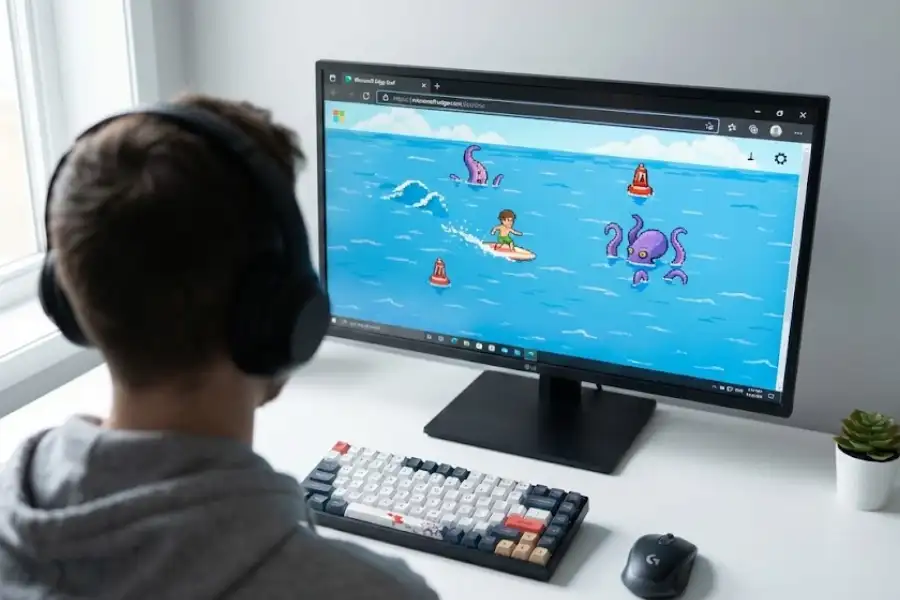
In the game, you control a surfer on a surfboard in the middle of the ocean. You steer left and right to dodge obstacles like islands, ships, rocks, and sharks. You collect hearts for extra lives and grab speed power-ups to move faster. If you survive long enough, a giant sea monster called the Kraken starts chasing you from behind.
The game has 3 different modes (Endless, Time Trial, and Zig Zag), 4 cheat codes, multiple playable characters, gamepad support, and several secrets that most players never find. It works on Windows, Mac, Linux, Android, and iOS.
Think of it like Google Chrome’s Dinosaur game, but with a lot more going on. Where the Chrome Dino is a simple side-scroller, Edge Surf has multiple modes, power-ups, cheat codes, and even controller support.
When Was the Edge Surf Game Released and Where Did It Come From?
The Edge Surf game was first introduced in November 2019 as part of a small Easter egg hunt inside early versions of Microsoft Edge. At that time, only a handful of testers found it.
In February 2020, Microsoft opened it up to Edge Insiders, the group of users who test new Edge features before they go public. Then in May 2020, with the release of Edge version 83.0.478.37, the game became available to everyone.
The game is a direct tribute to SkiFree, a classic game that shipped with Windows Entertainment Pack in 1991. In SkiFree, you skied down a snowy mountain dodging trees, rocks, and other skiers. If you made it far enough, a giant Yeti would run you down and eat you.
Edge Surf follows the same idea, but on water. The skier becomes a surfer. The trees become islands. And the Yeti becomes the Kraken.
In 2021, Microsoft even released a limited-time winter theme that turned the ocean into a snow-covered mountain and replaced the Kraken with the SkiFree Yeti. That was a direct nod to the 1991 original.
How Do You Open the Surf Game in Microsoft Edge?
To open the Edge surf game, open Microsoft Edge, type edge://surf in the address bar, and press Enter. The game loads right away. There is nothing to download or install.
Here are the steps:
- Open Microsoft Edge on your computer, phone, or tablet.
- Click on the address bar at the top of the screen.
- Type edge://surf and press Enter.
- The game appears. Pick a character and start playing.

You can also play by visiting https://www.microsoft.com/en-us/edge/surf in any browser. But the edge://surf method has one big advantage: it works even when you are completely offline. The game is stored inside the browser itself, so you do not need an internet connection.
On Windows 11, you can even open this game during the operating system installation. If you are waiting for an update to finish, Edge is available, and so is the game.
How Do You Play the Edge Surf Game?
Playing the game is simple. After the game loads, you see a character selection screen. Use the left and right arrows to pick your surfer. You can choose from several characters, including a penguin and a dolphin.
Press the Spacebar to start surfing.
Your surfer moves forward on its own. All you do is steer left and right to avoid obstacles. Collect hearts to get extra lives. Pick up lightning bolts for speed power-ups. And try to survive as long as possible.
It sounds easy, but the speed picks up fast, and once the Kraken starts chasing you, things get tense very quickly.
What Are the Keyboard Controls for Edge Surf?
Here are the keyboard controls for the Edge Surf game:
| Key | What It Does |
|---|---|
| Left Arrow | Move left |
| Right Arrow | Move right |
| Up Arrow or W | Stop your surfer |
| Down Arrow | Start moving again |
| F | Use speed power-up |
| Spacebar | Pause the game |
Can You Play Edge Surf with a Mouse or Touchscreen?
Yes. The game supports both mouse and touchscreen controls.
- Mouse: Double-click to start. Move the pointer left or right to steer your surfer. Double-click again to trigger a speed power-up.
- Touchscreen: Double-tap to start. Swipe left or right to move. Double-swipe down for a speed power-up.
Does Edge Surf Work with a Game Controller?
Yes, and this is something most people do not know. The Edge Surf game fully supports game controllers. You can connect an Xbox controller, a PlayStation controller, a Nintendo Switch Pro controller, or even an Xbox Adaptive Controller and play with it.
The game also supports controller rumble, so you can feel the vibrations during gameplay. Use the joystick or D-pad to steer, the A button (on Xbox) to pause, and the right trigger for speed power-ups.
I tested this with an Xbox Series X controller on Windows 11, and it worked perfectly without any extra setup.
What Are the 3 Game Modes in Edge Surf?
The Edge Surf game has three game modes: Endless, Time Trial, and Zig Zag. Each mode plays differently and tests a different skill. You can switch between them using the gear icon in the top-right corner of the start screen.
What Is Endless Mode in Edge Surf?
Endless mode is the default mode. You surf for as long as you can while dodging obstacles and collecting items. Your goal is to get the highest score possible before you run out of lives or the Kraken catches you.
The Kraken is a giant tentacled sea monster that follows you from behind. The longer you survive, the faster it gets. If you pick up a dog during your run, it rides on your board and protects you from the Kraken temporarily.
What Is Time Trial Mode in Edge Surf?
Time Trial mode gives you a fixed course, and your goal is to finish it as fast as you can. Coins appear along the path, and every coin you collect shaves a small amount of time off your final result.
This is the best mode if you like racing against your own best times and pushing for faster runs.
What Is Zig Zag Mode in Edge Surf?
Zig Zag mode is about precision. You have to surf through a series of gates placed along the water. The goal is to pass through as many gates in a row as you can. If you miss one, your streak resets to zero, but you keep playing until you run out of lives.
This is the hardest of the three modes, but also the most rewarding when you put together a long streak.
What Are the Cheat Codes for the Edge Surf Game?
The Edge Surf game has 4 cheat codes that you can type on the start screen before pressing play. These are real cheat codes that change how the game works. Most people have no idea they exist.
Here are all four cheat codes:
| Cheat Code | What It Does | Does It Disable Scoring? |
|---|---|---|
| MICROSOFT | Gives you infinite lives. The Kraken can still catch you. | Yes |
| EDGE | Gives you unlimited energy and speed power-ups. | Yes |
| BIG | Makes your character much bigger on screen. | No |
| SAFE | Makes you invincible and gives you a dog companion that protects you from the Kraken. | Yes |
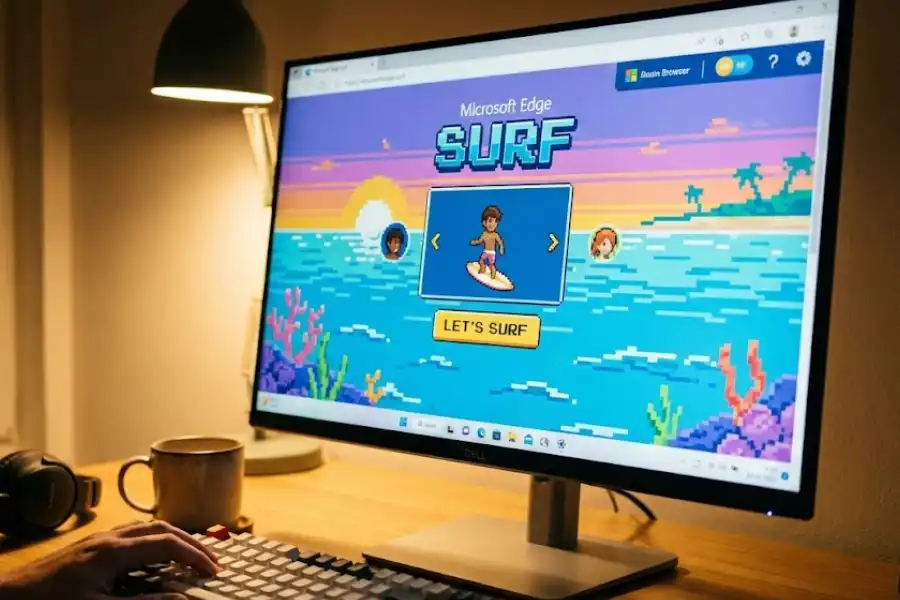
How to enter them: Go to edge://surf and wait for the start screen to load. Before pressing play, just type the cheat code on your keyboard. The letters will not show up on screen, but the cheat activates in the background. Then start the game normally.
Three of the four cheats (MICROSOFT, EDGE, and SAFE) turn off your score. So if you are chasing a high score, skip those. The BIG cheat keeps scoring on, but it makes your character larger, which means you are a bigger target for obstacles.
What Secrets and Easter Eggs Are in the Edge Surf Game?
Beyond the cheat codes, the Edge Surf game has several well-kept secrets that very few players know about. I spent time testing each one to make sure they still work as of the latest version of Edge. Here is what I found:
How Do You Get the Ninjacat Character in Edge Surf?
To get the Ninjacat character, go to the character selection screen and enter the Konami Code using your keyboard:
Up, Up, Down, Down, Left, Right, Left, Right, B, A
If you enter it correctly, your character changes into Ninjacat. This is a well-known Microsoft mascot that shows up in various Microsoft products and internal materials. In the Surf game, Ninjacat appears as a cat riding a fire-breathing unicorn.
The Konami Code is a famous cheat code sequence originally created by Kazuhisa Hashimoto for the 1986 Konami game Gradius. It has since appeared in hundreds of games, apps, and websites as an Easter egg. Microsoft included it here as a tribute.
The Ninjacat change only lasts for one match. You need to enter the code again each time.
Can You Turn Into the Kraken in Edge Surf?
Yes, you can. This is one of the most surprising secrets in the game.
Around 800 to 900 meters into your run in Endless mode, steer hard to the left side of the screen. Look for a small green circle floating in the water. If you move into that circle and stay inside it, your character turns into the Kraken.
Instead of running from the monster, you become the monster. It completely flips the game around. Very few players even know this trick exists because it requires you to survive long enough and be in exactly the right spot.
Is There a Dog You Can Find Without Using Cheats?
Yes. The SAFE cheat code gives you a dog companion right from the start. But there is also a way to find a dog without any cheats at all.
If you surf straight down from the start without turning left or right, there is a dog waiting at about 3,300 meters. When you reach it, the dog jumps onto your surfboard and protects you from the Kraken until you crash into an obstacle.
Getting to 3,300 meters without turning is extremely hard. It is one of the toughest challenges in the game because you have to rely entirely on timing to avoid obstacles.
What Is the Tux Character in Edge Surf?
Tux is an exclusive character that only appears when you play the Edge Surf game on a Linux computer. Tux is the official mascot of the Linux operating system, a small black-and-white penguin.
To see Tux, you need to be running Microsoft Edge version 96 or newer on any Linux distribution. When you open the game on Linux, Tux shows up as a selectable character on the start screen. This character is not available on Windows, Mac, Android, or iOS.
It is a friendly gesture from Microsoft toward the Linux community, and it is the kind of small detail that shows the developers put thought into details that match where you are playing from.
What Is the Zoom-Out Trick in Edge Surf?
The zoom-out trick is not a cheat code, but it gives you a real advantage during gameplay.
While playing, hold Ctrl on your keyboard and scroll your mouse wheel down to zoom the browser page out to 50%. This makes the playing field much wider on your screen, which means you can see obstacles coming from farther away. You get more time to react, and you can plan your path better.
This trick does not disable scoring, so you can use it in normal play. On a laptop without a mouse, you can pinch inward on your touchpad to zoom out. You can also change the zoom level from Edge’s settings menu (click the three dots in the top-right corner).
I tested this trick at 50% zoom and it made a noticeable difference in how far ahead I could see. If you are going for high scores, this one is worth trying.
What Are the Best Tips to Get a High Score in Edge Surf?
After playing several hours of Edge Surf across all three modes, here are the tips that made the biggest difference in my scores:
- Use the keyboard for control. Keyboard gives you the most precise left-right movement. Mouse and touch work fine for casual play, but keyboard is better for high scores.
- Save your speed power-ups. Do not use them the moment you pick them up. Hold them for tight spots, or use them to escape when the Kraken gets close.
- Collect hearts early in your run. Hearts give you extra lives. The more lives you have early, the longer you last when the game gets faster in the later stages.
- Try the zoom-out trick. Zooming your browser to 50% gives you a much wider view of what is coming. It does not disable your score.
- Learn the obstacle patterns. After a few runs, you start to notice that certain obstacle layouts repeat. Once you recognize them, dodging becomes much easier.
- Grab shields when you see them. Shields give you one free hit protection. They can save your run when an obstacle appears too fast to dodge.
Does Edge Surf Have Accessibility Settings?
Yes. Microsoft included two accessibility options in the Surf game that you can turn on from the settings menu (the gear icon on the start screen):
- High Visibility Mode: This outlines the hitboxes around every obstacle, making it much easier to see exactly where the danger zones are. It is helpful for players with vision difficulties, or for anyone who wants a clearer view of the game.
- Reduced Speed Mode: This slows the game speed way down. It gives you much more time to react and is great for younger players or anyone who finds the default speed too fast.
Neither of these settings affects your score, so you can turn them on without any penalty.
This is worth noting because very few browser games include accessibility options. The fact that Microsoft added these shows a level of care that you do not see often in free hidden games.
How Does Edge Surf Compare to the Chrome Dinosaur Game?
The Chrome Dinosaur game (also called Chrome Dino or the T-Rex game) is Google Chrome’s offline game. Edge Surf is Microsoft Edge’s version. Both show up when you lose your internet connection, but they are very different in what they offer.
| Feature | Edge Surf | Chrome Dino |
|---|---|---|
| Game Style | Top-down ocean surfing | Side-scrolling desert runner |
| Number of Game Modes | 3 (Endless, Time Trial, Zig Zag) | 1 (Endless only) |
| Playable Characters | Multiple, plus secret ones | 1 (T-Rex) |
| Control Options | Keyboard, Mouse, Touch, Gamepad | Keyboard and Touch only |
| Cheat Codes | 4 codes + Konami code | None |
| Power-ups | Speed ups, shields, hearts | None |
| Works Offline | Yes | Yes |
| Graphics | Colorful, detailed artwork | Black-and-white pixel art |
| Year Released | 2020 | 2014 |
| Inspired By | SkiFree (1991) | Original concept |
Chrome Dino is simpler and loads faster. It is great for a 30-second distraction. But Edge Surf offers a much fuller experience with more variety, more things to do, and real replay value across its three modes. If I had to pick one to play for more than five minutes, I would pick Edge Surf every time.
Can You Play Edge Surf on Android and iPhone?
Yes. The Edge Surf game works on both Android and iOS devices.
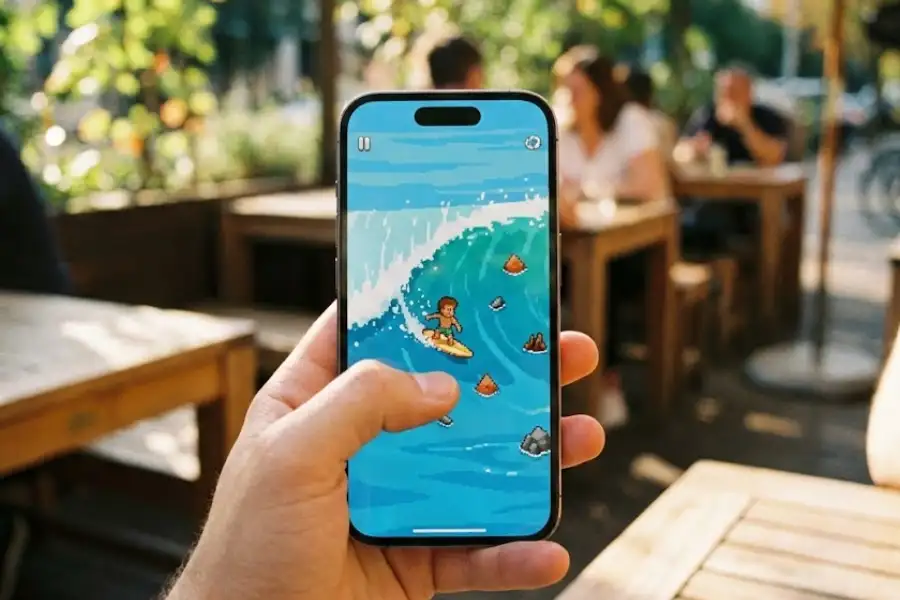
To play on your phone or tablet:
- Install the Microsoft Edge app from the Google Play Store (Android) or Apple App Store (iOS).
- Open Edge.
- Type
edge://surfin the address bar and tap Go. - The game loads up. Use touch controls to play.
On mobile, you swipe left and right to steer and double-tap to use speed power-ups. The game adjusts to your screen size on its own, so it looks and plays well on both small phones and larger tablets.
What Other Browsers Have Games Like Edge Surf?
Most major browsers have at least one game tucked inside them. Here are the ones worth knowing about:
- Google Chrome: Type
chrome://dinoto play the Dinosaur game. You jump over cacti as a T-Rex in a desert. - Mozilla Firefox: Firefox has a small Pong game tucked inside its customization menu.
- Opera GX: Type
opera://operiusto play Operius, a full space shooter game with levels and enemies. - Vivaldi: Vivaldi browser has two games inside it: a platformer and a side-scrolling shooter.
Out of all of these, Edge Surf is the most fully-featured. It is the only browser game with multiple modes, cheat codes, gamepad support, and accessibility options. For a game that is completely free and requires zero setup, it is impressive.
Frequently Asked Questions
How do I open the surf game in Microsoft Edge?
Open the Edge browser and type edge://surf in the address bar. Press Enter. The game loads right away with no download needed. It also works when you have no internet connection.
Does the Edge surf game work offline?
Yes. The game is stored inside the Edge browser, so it runs even when you are completely offline. It was designed as an offline activity, similar to Chrome’s Dinosaur game.
What are the 4 cheat codes for Edge Surf?
The four cheat codes are: MICROSOFT (infinite lives), EDGE (unlimited energy), BIG (larger character), and SAFE (invincibility with a dog companion). Type any of them on the start screen before you press play.
How do you get the Ninjacat in Edge Surf?
On the character selection screen, enter the Konami Code: Up, Up, Down, Down, Left, Right, Left, Right, B, A. Your character turns into Ninjacat, a secret Microsoft mascot. You need to enter it again each time you play.
Can you play Edge Surf with an Xbox or PlayStation controller?
Yes. The game supports Xbox, PlayStation, Nintendo Switch Pro, and Xbox Adaptive controllers. Connect your controller and the game recognizes it right away. It even supports rumble feedback.
Is Edge Surf available on phones?
Yes. Install the Microsoft Edge app on Android or iOS, open it, and type edge://surf. The game runs on both platforms and adjusts to fit your screen.
Can you turn into the Kraken in Edge Surf?
Yes. Around 800 to 900 meters into Endless mode, steer far to the left and look for a green circle in the water. Move into it and stay there. Your character turns into the Kraken.
Is Edge Surf better than Chrome’s Dinosaur game?
Edge Surf has more features: 3 game modes, 4 cheat codes, multiple characters, and controller support. Chrome Dino is simpler and faster to pick up. If you want a quick distraction, Chrome Dino wins. If you want more to do, Edge Surf is the better choice.
What is the Edge Surf game inspired by?
The Edge Surf game is a tribute to SkiFree, a classic Windows game from 1991 made by Chris Pirih. In SkiFree, you skied down a mountain while avoiding a Yeti. Edge Surf puts the same concept on water, replacing the Yeti with a Kraken.
Does zooming out help in Edge Surf?
Yes. Zooming your browser out to 50% (Ctrl + scroll down) widens the playing field so you can see obstacles from farther away. This gives you more reaction time and it does not disable your score.