10 Best Snake Game Mods in 2026: Free, Safe, and Ready to Play in Minutes
Whether you are playing the classic version or the hidden discord snek 404 game, you already know how Snake works. You eat the fruit. Your snake grows. You try not to crash into the walls or yourself. Simple, fast, and satisfying.
But after a few hundred rounds, even a great game can start to feel the same.
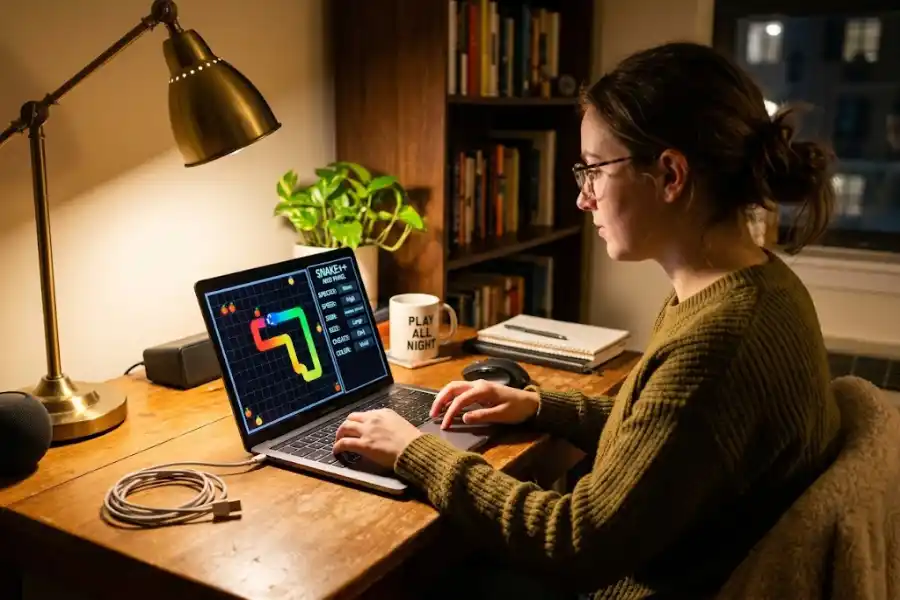
That is where snake game mods come in. Just like the hidden tricks we uncover at Software Egg, these free modifications let you change how the game looks, how it feels, and how it plays. You can add dark mode, switch to mouse controls, access new maps, or try playing with an invisible snake. Most snake game mods take less than five minutes to set up, and you do not need any coding skills at all.
This article covers the 10 best snake game mods available right now. It also shows you how to install them and answers the most common questions people ask.
Whether you have just discovered the best google snake game easter eggs or have been playing for years, you will find something here that makes the game feel exciting again.
What Are Snake Game Mods?
A mod is short for modification. It is a small file or a short piece of code that changes something about a game. You are not replacing the original game. You are just adding new features on top of it.
For the Google Snake game, mods can change things like:
- The look of the board and the snake
- The speed of the game
- The controls, such as using your mouse instead of arrow keys
- The food items your snake eats
- Whether walls are on or off
- The size of the playing board
Most snake game mods are completely free. You do not need a gaming PC or any special software. All you need is a web browser.
Why Are Snake Game Mods So Popular Right Now?
Google built its Snake game back in 2017. Millions of people play it every day just by searching for snake game on Google. It is quick to launch, fun to play, and brings back good memories for almost everyone.
But the base game only has a handful of maps and color options. Once you know how to play, there is not a whole lot left to find.
Snake game mods solve that problem. They give the game a fresh feel without making it complicated or hard to learn. A dedicated group of developers called DarkSnakeGang has spent years building and updating a full library of mods that anyone can use for free. Their work has been downloaded and played by hundreds of thousands of people worldwide.
These mods are popular because they are much more than gimmicks. They genuinely change the way you experience the game.
The 10 Best Snake Game Mods You Need to Try
1. Google Snake Menu Mod (The Best Place to Start)
If you only try one snake game mod, make it this one. The Google Snake Menu Mod by DarkSnakeGang is the most complete and widely used mod available today.
Once you install it, a special menu appears inside the game. From there, you can change nearly everything. New map shapes, different food items, custom snake colors, speed controls, and wall removal are all included.
You do not need to install anything else after this. It is the one option that covers everything for beginners and experienced modders alike.
Best for: Anyone who wants to try many different features without fuss.
2. Dark Mode Mod
This one is simple but extremely popular. The Dark Mode Mod changes the board and background to darker colors. It is much easier on your eyes, especially when you are playing at night.
You activate it by pasting a short piece of code into your browser’s developer console. No file downloads needed at all.
Best for: Players who game in low light or just prefer a darker look.
3. Animated Colors Mod
Want your snake to look alive? This mod adds animated, shifting colors to both the snake and the food. The colors change as you move across the board, giving the whole game a lively, energetic feel.
It does not change how the game plays. It only makes it look far more exciting to watch.
Best for: Players who want a visual upgrade without touching the gameplay.
4. Mouse Control Mod
Arrow keys work fine, but a mouse can feel surprisingly smooth once you get used to it. This snake game mod lets you guide your snake with your mouse cursor. The snake follows wherever your pointer moves on the screen.
It takes a few rounds to adjust, but many players find they score higher after they switch. It feels like a completely different game.
Best for: Players who find keyboard controls frustrating, or anyone who wants a fresh challenge.
5. TimeKeeper Mod
The regular Google Snake game does not show you how long you have been playing. The TimeKeeper Mod adds a timer to the top of the screen. You can now track how long you survive each round and challenge your friends to beat your time.
This mod works best when your main goal shifts from eating the most fruit to simply staying alive as long as possible. It creates a whole new type of competition.
Best for: Competitive players and anyone looking for a different kind of challenge.
6. Change Board Size Mod
The default Snake board comes in one size. This mod lets you make it bigger or smaller. A bigger board gives you more room to move around and plan your path. A smaller board makes the game significantly harder because you run out of space much faster.
It is a great way to adjust the difficulty level based on how skilled you are.
Best for: Beginners who want more breathing room, or skilled players ready for a tougher game.
7. Invisible Snake Mod (AIYIWOWTGLW)
This is the wildest snake game mod on the entire list. The name AIYIWOWTGLW stands for As If Your Internet Went Out, The Game Will Live. The concept is simple but terrifying. Your snake becomes completely invisible as it moves around the board.
You have to rely on game sounds to guess where your snake is. You cannot see yourself at all. Crashing is almost guaranteed the first several times you try it.
It is the hardest mod here, and also the most memorable one.
Best for: Players who want the ultimate challenge and a few good laughs along the way.
8. Pudding Mod
The Pudding Mod brings more variety to the entire game. It adds new types of food for your snake to eat, new snake skins to choose from, and fresh game themes. You can also track your personal high scores and hunt for a rare Golden Apple that randomly appears in the game.
Think of this as the extra features mod. It layers new goals and rewards on top of the classic experience.
Best for: Players who want more variety and long-term goals to work toward.
9. Wall-EndgameSooner Mod
This mod removes the walls from the playing board. When your snake hits the edge of the screen, instead of dying, it passes right through and reappears on the opposite side.
It sounds like it would make the game easier. It does not. Playing without walls forces you to completely rethink how you navigate the board. The strategy changes in ways most players do not expect.
Best for: Experienced players ready for a totally different kind of game.
10. Candy Mod
The Candy Mod replaces the standard fruit with colorful candy pieces. The board takes on a bright, sweet look that is a big change from the plain original style. It is lightweight, easy to activate, and does not slow down the game at all.
This mod does not change the challenge. It just makes the whole experience feel more cheerful and fun.
Best for: Casual players and younger kids who enjoy bright, colorful visuals.
How to Install Snake Game Mods (Step by Step)
There are two main ways to get started with snake game mods. The first method is the easiest.
Method 1: Use the DarkSnakeGang Website (Easiest Option)
- Open your browser and go to googlesnakemods.com
- Click the Play button on the page
- A mod selection panel will appear in the bottom right corner of the screen
- Choose any mod from the list and start playing right away
No downloads, no extensions, no coding. This method also works on mobile phones and tablets, making it the most accessible way to try snake game mods today.
Method 2: Import as a Bookmark (For the Full Menu Mod)
- Visit the DarkSnakeGang GitHub page and download the file called MoreMenu.html
- Open your browser’s Bookmark Manager by pressing Ctrl + Shift + O
- Click the three dots in the top right corner of the Bookmark Manager
- Select Import Bookmarks from the menu
- Find and select the MoreMenu.html file you downloaded
- Open Google Snake by typing snake game in your search bar and clicking Play
- Click on the imported bookmark while the game is open
- Click the gear icon inside the game to open the full mod menu
That is everything. You are now running full snake game mods inside the Google Snake game.
Are Snake Game Mods Safe to Use?
This is a fair thing to wonder. Any time you download something from the internet, it is smart to be careful.
Here is the good news. The snake game mods made by DarkSnakeGang have been used by a huge community of players for years. Their GitHub repository is fully public, which means anyone can look at the code and see what it does. There are no hidden programs, no trackers, and no data collection involved.
To stay safe, follow these simple rules:
- Only download snake game mods from trusted sources like the official DarkSnakeGang GitHub page or googlesnakemods.com
- Avoid random browser extensions that claim to mod the Snake game. These are not always safe
- If something goes wrong, just delete the bookmark file and restart your browser. The mod is completely removed
Stick to well-known sources and you will have no problems. The DarkSnakeGang community has a solid reputation built over several years, and their tools have stood up to that reputation consistently.
Frequently Asked Questions
Can I use snake game mods on my phone?
Yes. The easiest way is to visit googlesnakemods.com on your mobile browser. It works without any downloads or extra steps and runs well on smaller screens.
Do snake game mods affect my Google account?
No. These mods run entirely in your browser. They have no connection to your Google account and do not touch any of your personal data.
Can I use more than one mod at the same time?
Yes, with the Menu Mod. The DarkSnakeGang Menu Mod lets you mix and match many settings at once, so you can combine multiple features in a single game session.
Are snake game mods free?
Yes. Every mod covered in this guide is completely free to use. There are no sign-ups, no subscriptions, and no payments of any kind.
Will snake game mods stop working?
Some older mods may stop working if Google updates the Snake game. The DarkSnakeGang team regularly updates their mods when this happens. If a mod stops working, check their GitHub page for the latest version.
Is there any risk of getting banned for using mods?
No. The Google Snake game is a casual mini-game inside Google Search. There is no account penalty system connected to it. Using snake game mods on it carries no risk of any kind of punishment.
Which snake game mod is best for beginners?
Start with the Google Snake Menu Mod from googlesnakemods.com. It requires no downloads, works on any device, and gives you access to almost every feature in one place. It is the easiest option to use by far.
Final Thoughts
Snake game mods are one of the simplest ways to make an already fun game feel brand new. Whether you want dark mode for late-night sessions, a mouse-controlled snake for a fresh challenge, or the thrill of guiding an invisible snake by sound alone, there is a mod on this list that will click with you.
The best starting point is the DarkSnakeGang website at googlesnakemods.com. It is free, safe, and works on every device without installing anything. You can check out the top snake game mods in just a few minutes.
Go ahead and try one. A small change is all it takes to make a classic game feel exciting again.