
What Is the I’m Feeling Lucky Game? How It Works and Hidden Tricks to Try
You have been using Google for years. But there is a good chance you have never really clicked that second button. You know the one. It sits right below the search bar, quietly waiting. It says “I’m Feeling Lucky.”
Most people ignore it. Some people are not even sure what it does. But here is the truth: that little button is a doorway to some of the most fun, weird, and surprising tricks on the entire internet.
In this article, you will learn what the I’m Feeling Lucky game is, how it works, and how you can use it to find hidden games, wild Easter eggs, and Google secrets that most people never find. Let’s get into it.
What Is the I’m Feeling Lucky Button?
When Google first launched in the late 1990s, the homepage had two buttons. One said “Google Search.” The other said “I’m Feeling Lucky.” Most people clicked the first one. Almost nobody clicked the second.
Here is what “I’m Feeling Lucky” does: instead of showing you a full page of search results, it skips all of that and sends you directly to the very first result. No ads. No list of links. No comparisons. Just one website, right away.
Google co-founder Sergey Brin once explained the name perfectly. He said the button is called “I’m Feeling Lucky” because it is a pretty ambitious goal to get the exact right answer on the very first try without showing you any choices at all. You have to feel a little lucky to try that.
And that is the whole point. The button was Google’s way of planting a clever software egg right on the homepage, saying, “We are confident enough in our search that we will bet everything on one result.”
The Button That Cost Google $110 Million a Year
Here is something most people do not know. That tiny, often-ignored button was costing Google a huge amount of money for years.
Because clicking “I’m Feeling Lucky” skips the search results page, it also skips all of Google’s ads. No results page means no ads. No ads means no ad revenue. Online advertising expert Tom Chavez did the math and estimated that about 1% of all searches used the button, which translated to roughly $110 million a year in lost advertising income.
Think about that. One hundred and ten million dollars a year. For a button that barely anyone was clicking.
So why did Google keep it? Former Google executive Marissa Mayer said it best. She explained that the button reminded people that Google was not a cold, corporate money machine. It had personality. Real people built it. And that sense of humanity was worth more than the lost ad revenue.
That is a pretty remarkable business decision. And it tells you a lot about the culture behind Google.
How to Play the I’m Feeling Lucky Game Today
Here is where things get really fun. The “I’m Feeling Lucky” button has grown into something much bigger than a simple shortcut. Google turned it into a gateway for hidden games, funny tricks, and secret experiences.
There are two main ways to play with it.
Method 1: The Classic Shortcut
Type any search term on the Google homepage, then click “I’m Feeling Lucky” instead of the regular Search button. Google will skip the results page and send you straight to the top result for whatever you searched. Try typing your favorite brand, a famous website, or even your own name. You will land directly on the number one result with zero extra clicks.
Method 2: The Hidden Button Wheel
This is where the real magic happens. Go to the Google homepage and hover your mouse over the “I’m Feeling Lucky” button without typing anything at all. The button will start spinning like a slot machine and rotate through different options. Each one takes you somewhere completely different.
- I’m Feeling Curious takes you to a random trivia question with a surprising answer.
- I’m Feeling Playful sends you to classic Google Doodle games you can play right in your browser.
- I’m Feeling Adventurous drops you into a random location on Google Earth, anywhere in the world.
- I’m Feeling Hungry shows you restaurants and food options near your location.
- I’m Feeling Wonderful or I’m Feeling Artistic can take you to Google Arts and Culture, where you can look through paintings and masterpieces from museums around the world.
- I’m Feeling Doodley shows you past Google Doodles you may have missed.
- I’m Feeling Trendy gives you a look at what is currently popular on the web.
- I’m Feeling Generous takes you to charitable causes and giving pages.
Each click is a tiny adventure. You never know where you will land.
The Best I’m Feeling Lucky Tricks and Hidden Games
Now for the part you came here for. These are the most fun and surprising things you can do by typing specific phrases on Google and clicking “I’m Feeling Lucky.” Some of these are Google’s own creations. Others take you to fan-made pages that sit at the top of Google’s search results.
Tip: Use the regular Google homepage at google.com on a desktop or laptop for the best results. On mobile, the button may be hidden or missing depending on your browser and settings.
Google Gravity
Type “Google Gravity” in the search bar and click “I’m Feeling Lucky.” Watch as the entire Google homepage falls apart. The logo, the search bar, the buttons, all of it comes crashing down to the bottom of the screen like real gravity just switched on. You can even throw the pieces around with your mouse. It is one of the most satisfying things to watch.
Google Sphere
Type “Google Sphere” and hit the Lucky button. The Google homepage rearranges itself into a spinning globe of links that orbit around the search box. Move your mouse and the sphere follows you. It looks like something out of a science fiction movie.
Google Underwater
Type “Google Underwater” and click “I’m Feeling Lucky.” Everything floats. The Google logo bobs up and down, elements drift across the screen, and the whole experience feels like you have taken the search engine to the bottom of the ocean. Some versions even have bubbles rising up the screen.
Google Pacman
Type “Google Pacman” and try the Lucky button. This may take you to Google’s official playable Pac-Man Doodle, created to celebrate the game’s anniversary. It is a full, working version of the classic arcade game running right inside your browser. No download needed. No account required. Just click and play.
Epic Google
Type “Epic Google” and click “I’m Feeling Lucky.” Everything on the screen starts growing bigger and bigger. The text gets enormous. The images expand. It keeps going until the whole page is absolutely massive. It is ridiculous in the best possible way.
Rainbow Google
Type “Rainbow Google” and hit the Lucky button. The entire Google search page turns into a full rainbow of colors. It is simple, bright, and surprisingly cheerful.
Zerg Rush
Type “Zerg Rush” and search it normally or use “I’m Feeling Lucky.” A swarm of tiny letter O’s will appear and start attacking your search results, eating away at the links like little digital bugs. This is a reference to the game StarCraft, where a Zerg Rush means sending waves of small enemies to overwhelm your opponent. You can click on the O’s to fight back. You will need to be fast.
Do a Barrel Roll
Type “do a barrel roll” in Google Search and press Enter. The entire page will spin one full time in a complete 360-degree rotation. This one works with a regular search, and the Lucky button is not required. It is one of the most famous Google Easter eggs of all time and never gets old.
Askew
Type the word “askew” in Google Search and hit Enter. The entire results page will tilt slightly to the right, just enough to make you wonder if something is wrong with your screen. Simple but brilliant.
Google in 1998
Type “Google in 1998” in the search bar and run a normal search. Google will show you what the results page looked like back when the company first launched. It is a fun little trip back to the early days of the internet, when search was much simpler and websites looked very different.
Google Games You Can Play Right Now
Beyond the I’m Feeling Lucky button specifically, Google has built several full games directly into its search engine. You do not even need to click the Lucky button for these. Just search for the name and the game appears right in your results.
- Solitaire: The classic card game, fully playable in Google Search.
- Minesweeper: The puzzle game where you try to find mines without clicking on them.
- Tic-Tac-Toe: Play against Google or against a friend on the same screen.
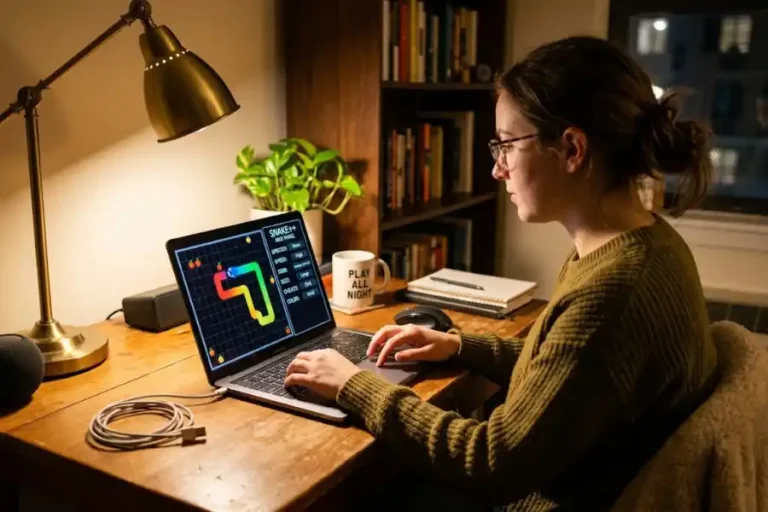
- Snake Game: The classic snake that grows longer every time it eats something.
- Google Block Breaker: A full arcade brick-breaker game that Google added to search in January 2025, with colored blocks, combo multipliers, power-ups, and three lives.
These games are free, instant, and need no downloads at all. They are perfect for a quick five-minute break.
The Coolest Google Easter Eggs to Try in 2026
Google hides surprises all over its products. If you are hunting for the best google search easter eggs active today, these are some of the best verified ones to try right now.
Squid Game
Search for “Squid Game” on Google. A button appears on the screen showing the circle, square, and triangle symbols from the show. Click it and you can play a version of the Red Light, Green Light game that featured in the series. This was added to celebrate the second season.
Stranger Things
Search for “Stranger Things” and a 20-sided dice will appear. Click it and the screen turns red, flipping everything into the look of the Upside Down from the show. Google created this to promote the fifth and final season.
Minecraft
Search “Minecraft” and a grass block button appears. Press it and Steve’s hand shows up in the corner of your screen. You can click on the page and the hand will mine away sections of the screen, revealing a tiny Minecraft world underneath.
Pac-Man on Google Maps
Open Google Maps on your desktop. Look for the dice icon on the left side of the screen. Click it and you will be taken to a random location somewhere in the world. Click again and again to keep going. You can read about each place, scroll through photos, and even open Wikipedia articles about wherever you land. It is a great way to stumble upon parts of the world you have never thought about before.
Conway’s Game of Life
Search “Conway’s Game of Life” on Google. A zero-player simulation will begin running in the background of your search results. Tiny cells appear on the screen and follow a set of rules that cause them to grow, shrink, and evolve on their own. Watch long enough and the pattern will eventually spell out the word Google.
Why Google Keeps Adding These Surprises
You might wonder why a company worth trillions of dollars spends time building silly Easter eggs and hidden games. The answer is simple.
Google has always believed that a search engine does not have to feel cold or mechanical. From the very beginning, the founders wanted Google to feel like something built by real humans who had a sense of humor and a sense of wonder. The I’m Feeling Lucky button was the first sign of that personality.
Every Easter egg, every hidden game, and every surprise animation is Google’s way of saying the same thing: we are a tool, yes, but we are also something you can enjoy.
And that approach has worked. People share these tricks with friends. They post them on social media. They show them to their kids. Each one creates a small moment of delight that no advertisement could ever buy.
Tips for Getting the Most Out of the I’m Feeling Lucky Game
- Always use the full Google homepage at google.com on a desktop browser for the best experience. The button is often hidden or missing on mobile.
- Type your phrase as written and click the Lucky button before Google’s autocomplete suggestions appear and change your query.
- Some tricks work better with a standard search rather than the Lucky button. “Do a barrel roll” and “askew” are good examples.
- If a trick does not work, try it on a different browser. Some Easter eggs behave differently in Chrome, Firefox, or Edge.
- Google changes and updates its Easter eggs regularly. Some that worked a year ago may no longer be active, and new ones are added all the time.
- If you cannot find the button at all, try going to google.com and making sure you are not already in a Google Instant Search session, which can hide the button.
Frequently Asked Questions
What does the I’m Feeling Lucky button do?
It skips the search results page and takes you directly to the first-ranked website for whatever you searched. It also works as a gateway to hidden games, Easter eggs, and fun surprises when you hover over it without typing anything.
Is the I’m Feeling Lucky button still available in 2026?
Yes. The button still exists on the Google homepage for desktop users. Some mobile browsers and certain Google settings may hide it, but it has not been removed.
Why did Google keep the button even though it cost $110 million a year?
Google kept it because the button gave the company a human, friendly identity that was more valuable than the lost ad revenue. It helped build trust and loyalty with users in the early days when Google was still growing.
What are the best I’m Feeling Lucky tricks to try?
Google Gravity, Google Sphere, Google Underwater, Zerg Rush, and Google Pacman are among the most popular and entertaining. For games that load straight in search results, try searching Solitaire, Minesweeper, or Google Block Breaker directly in Google Search.
Can you play I’m Feeling Lucky games on your phone?
Some games and Easter eggs work on mobile by doing a regular Google search. However, the I’m Feeling Lucky button itself is often hidden or not available on mobile. For the best experience with the button specifically, use a desktop or laptop computer.
Does Google add new Easter eggs regularly?
Yes. Google adds new Easter eggs often, especially to celebrate movie releases, sports events, holidays, and anniversaries. Searching for the name of a popular TV show or movie on Google is often a good way to find new surprises.
Final Thoughts
The I’m Feeling Lucky game is one of the most underrated things about Google. Most people walk right past it every single day without realizing what is hiding behind that button.
But now you know. It is a gateway to hidden games, wild visual tricks, funny Easter eggs, and moments of genuine surprise. It is proof that even the world’s most powerful search engine has a playful side.
So the next time you open Google, skip your usual search routine. Hover over that button. Type in a phrase. Click “I’m Feeling Lucky” and see where it takes you.
You might just find something you never expected.