Edge Surf Game: Every Mode, Cheat Code and Easter Egg
Most people open Microsoft Edge every single day without ever knowing there is a free, fully playable game sitting right inside it. No download required. No account needed. No internet connection necessary. The game loads in a matter of seconds and gives you something genuinely fun to do, whether your Wi-Fi is running perfectly or has completely dropped out.
The game goes by the name Edge Surf, and it has been hiding inside the Microsoft Edge browser since May 2020. Over the years, it has grown from a quiet offline distraction into a polished browser game with four distinct modes, multiple playable characters, typed cheat codes, and a set of Easter eggs that most players never find on their own.
This article covers everything worth knowing about the Edge Surf game. How to get into it, how each of the four modes works, what every cheat code does, where every Easter egg is hiding, and how the game holds up against Google Chrome’s famous dinosaur game. Whether you just heard about the Edge Surf game for the first time or have been playing it for a while without knowing what you were missing, this article has something new for you.
What Is the Edge Surf Game?
Edge Surf is a free arcade-style browser game built directly inside Microsoft Edge. Microsoft shipped it in May 2020 alongside Edge version 83. At the time, the design intention was simple: give users something entertaining to do when their internet connection goes out, similar to how Google Chrome shows its dinosaur game on the no-connection page. It was a small, thoughtful addition to a browser that was still working to win people over.
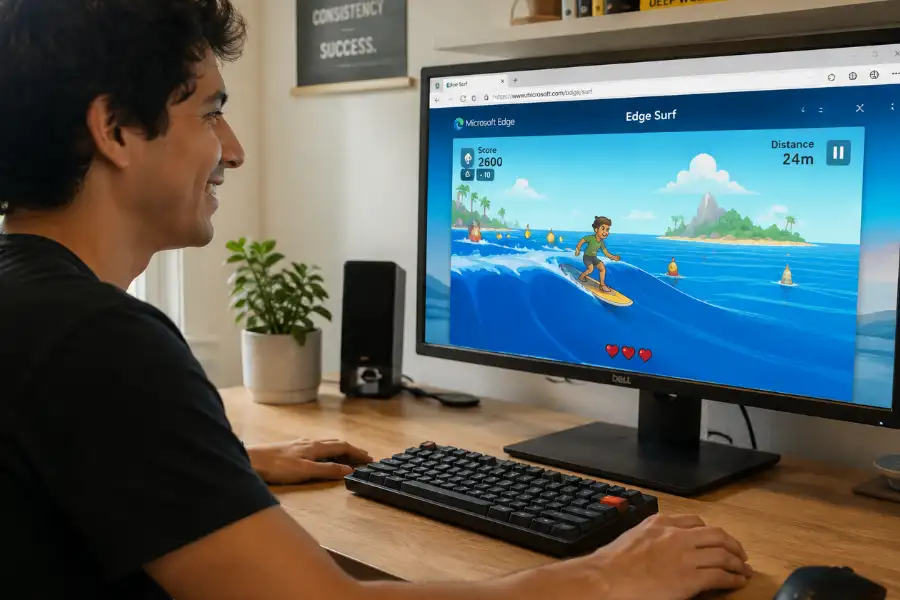
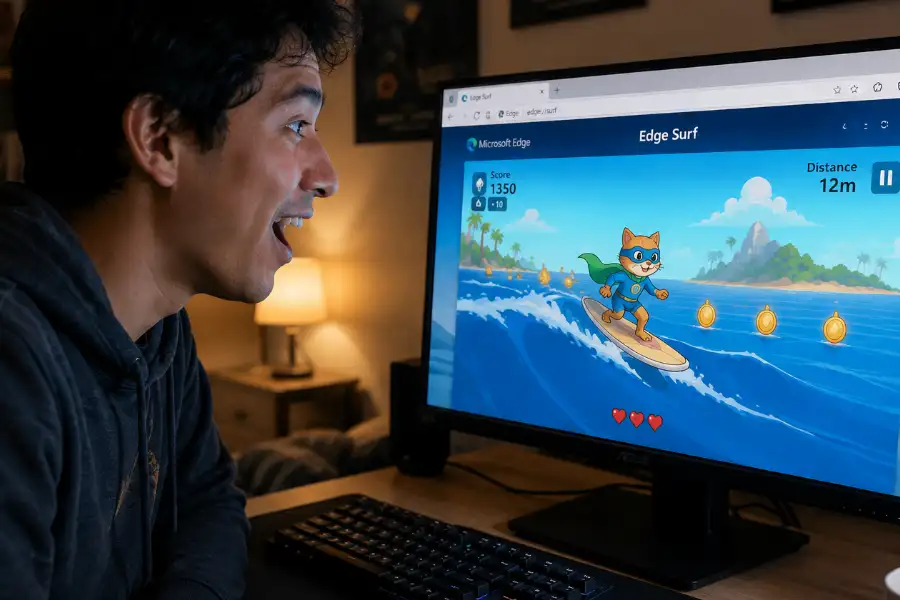
The game puts you in control of a surfer riding ocean waves. Your goal is to travel as far as possible while dodging rocks, islands, ships, and sea creatures. After a certain distance, the Kraken, a giant tentacled sea monster, appears and begins chasing you with increasing speed. Along the way, you pick up coins, and green lightning bolt power-ups let you surge forward when things get tight.
What started as a simple offline page has grown into something far more developed. A major update in February 2025 brought remastered graphics, a fourth game mode, a full character creator, and a themes menu. Today the Edge Surf game runs on Windows, macOS, Linux, Android, and iOS, as long as you have Microsoft Edge version 83 or newer installed.
How to Open the Edge Surf Game
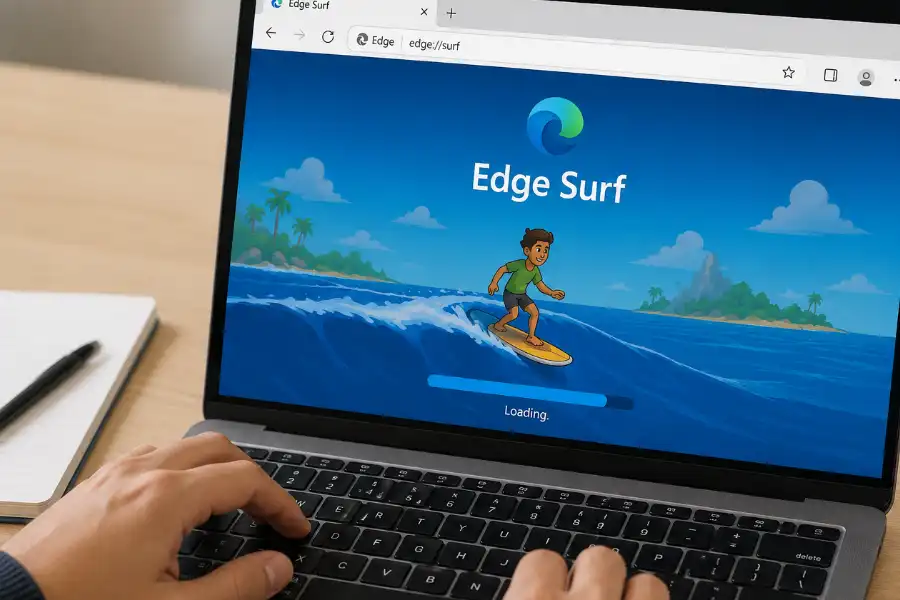
Getting into the game takes about three seconds. Open Microsoft Edge on any device, click the address bar at the top, type edge://surf, and press Enter. The game loads immediately in a new tab.
On Android or iOS, open the Edge app, tap the address bar, type edge://surf, and tap Go. The mobile version uses touch controls automatically and loads just as quickly as the desktop version.
If the game does not load, check your Edge version. Go to edge://settings/help to see your current version. If the number is below 83, update Edge from that same settings page. On work or school devices, your IT administrator may have blocked the game through a policy setting. On personal devices, this is not something you will run into.
One thing worth knowing right away: you do not need any internet connection to play. The game lives entirely inside the browser itself. Even when your connection is completely down, you can still open Edge, type edge://surf, and start playing. This is one of the main reasons Microsoft added it in the first place, and it works as advertised every single time.
All Four Game Modes
Edge Surf gives you four different ways to play. Each one demands a different approach, and together they keep the game interesting long after the first few runs.
Let’s Surf (Endless Mode)
This is the default mode and the first one the game shows you. You ride ocean waves and try to travel as far as possible while avoiding everything that gets in your path. You start with three lives, losing one each time you crash into an obstacle. The game speeds up gradually as your distance increases, and once the Kraken shows up, it relentlessly pursues you from that point on. Your score is the number of meters you travel. There is no finish line. You keep going until your lives run out.
This is the best starting point for new players. The early portion of a run is forgiving enough to get comfortable with the controls, and the increasing difficulty gives you a clear goal to push against as you get better.
Time Trial Mode
In Time Trial, you get a fixed course with a finish line waiting at the end. Your job is to reach it as fast as possible. Collecting coins along the route shaves seconds off your final time, which means the fastest runs tend to be the ones that take slightly risky angles to chase coins in tight spots. The course layout stays the same between runs, so repeat attempts reward players who take the time to learn the course and memorize the best path through it.
Zig Zag Mode
Zig Zag swaps obstacles for gates. Each gate is a pair of buoys that you need to pass through as you move forward. Every gate you thread correctly builds your streak. Missing a gate drops your streak back to zero but does not end the run. You keep playing until all your lives are gone. The focus in this mode is precision and steady rhythm rather than quick reactions. Once you start anticipating where the next gate will be rather than reacting to it as it appears, your performance in this mode jumps noticeably.
Collector Mode
Collector Mode arrived with the February 2025 update. In this mode, traveling far and beating a timer are no longer the point. The entire goal is to collect as many coins as possible. Every coin adds to your score, and the core tension of the mode is deciding whether to go after coins sitting in dangerous or tight positions. This is the most score-focused mode in the game and the best fit for players who want a clear number to chase and beat.
Controls on Every Platform
Edge Surf handles four types of input: keyboard, mouse, touchscreen, and game controllers.
Keyboard: The Left and Right arrow keys steer your surfer. The Up arrow stops your surfer completely. The Down arrow gets you moving again after a stop. Press F to fire a speed power-up when a green lightning bolt icon is on screen. Spacebar pauses and resumes the game. Press Ctrl and R together to restart a run instantly without going through any menus.
Mouse: Move your cursor left and right to steer. Double-click to trigger the speed power-up. On a touchpad, drag left or right to steer and double-tap to use the power-up.
Touchscreen: Swipe left or right to steer your surfer. This works on both Android and iOS and feels natural on both phone and tablet screen sizes.
Game controllers: Edge Surf supports Xbox, PlayStation, Switch Pro, and the Xbox Adaptive Controller. Connect your controller via Bluetooth or USB and Edge picks it up automatically. The left stick or D-pad handles steering. The right trigger fires the speed power-up. The A button on Xbox (or X on PlayStation) pauses the game. One particularly nice detail: the controller vibrates when obstacles are approaching, giving you a physical signal about what is coming before you see it on screen.
Characters and the Character Creator
When Edge Surf first launched, it offered a small set of preset characters to choose from. The February 2025 update replaced that with a full Character Creator. You can now put together a completely custom surfer by selecting an outfit, hairstyle, and accessories including hats and sunglasses. None of your choices change how the game plays. Your speed, the frequency of obstacles, and your score all stay the same regardless of how the character looks. The whole system exists for fun, and that is the right reason to include it.
The same 2025 update also brought a Themes menu. If you prefer the original pixel-art visual style over the newer remastered graphics, you can switch back to the classic look from the themes menu at any point. Both themes work across all four game modes without any restrictions.
Cheat Codes Worth Knowing About
Edge Surf includes several text-based cheat codes you type directly from the game screen. The letters do not appear on screen while you type them, but the game registers each one silently. Once a code goes through, the effect starts immediately.
Keep in mind that activating most cheat codes turns off score tracking for that run. They are there for experimentation and entertainment rather than setting high scores.
MICROSOFT gives you infinite lives. Crashing into any obstacle no longer costs a life. The Kraken, however, can still catch and end your run regardless of how many lives you have.
EEDGE gives your surfer unlimited energy, meaning the speed power-up never needs to recharge. You can use it continuously throughout the entire run.
BIG makes your surfer character appear significantly larger on screen. This shifts how distances and gaps between obstacles look, which changes how the game feels even though the course itself is unchanged.
SAFE makes you invincible to nearly every obstacle. Rocks, ships, and sea creatures no longer end your run when you crash into them. This code also summons the dog companion to ride alongside your surfer, which brings extra protection against the Kraken. Scoring is disabled while SAFE is active.
You can combine multiple codes in a single run. Using MICROSOFT and SAFE together, for example, removes almost every way to fail and lets you focus entirely on seeing how far the game goes or looking for Easter eggs without being interrupted.
Every Easter Egg in the Edge Surf Game
This is where the Edge Surf game rewards the curious. Several Easter eggs are hiding throughout the game that the vast majority of players never find on their own. Each one requires either knowing where to look or doing something the game never tells you to do.
The Ninjacat Skin
Ninjacat is a Microsoft mascot that first appeared as an emoji in Windows 10, a small cat wearing rocket-powered roller skates, zooming across the screen. It made its way into Edge Surf as a playable character, but it does not show up in the character selection screen under normal circumstances.
To play as Ninjacat, enter the Konami Code on the game mode selection screen before starting a run. The Konami Code is one of the most famous sequences in video game history: Up, Up, Down, Down, Left, Right, Left, Right, B, A. Type this sequence on the mode or character selection screen, and your character changes to Ninjacat instantly. This is an Easter egg inside another Easter egg, since the Edge Surf game itself is already a hidden feature (functioning just like a classic software egg) inside the browser.
Becoming the Kraken
The Kraken is the monster that hunts you down and ends your run in Endless Mode. With the right knowledge, you can switch sides and become it.
Start a game in Endless Mode and steer as far to the left as possible from the very beginning. Keep pressing left and keep moving forward. At approximately 800 to 900 meters of total travel distance, you will see a circle of small Kraken creatures on the water’s surface. Steer your surfer into the center of that circle and hold your position there for a few seconds. Your character will change into the Kraken itself.
As the Kraken, you can crash through almost every obstacle in the game without consequence. Rocks, ships, and islands shatter when you hit them. You can even knock other surfer characters sideways. The one thing that can stop you is running into sandbars, so watch for those. Your score does not save while you are playing as the Kraken, but the experience of being the monster rather than the person running from it is well worth it.
The Dog Companion
Start a run in Endless Mode and go perfectly straight down the center of the course from the very beginning without steering left or right at all. At around 3,200 to 3,300 meters of travel distance, you will find a dog sitting on a small surfboard in the middle of the water. The dog joins your surfer automatically and rides beside you from that point forward.
The dog creates a small green protective circle around your surfboard. Any Kraken that enters that circle slows down enough that it cannot catch you as long as you keep moving forward at a regular pace. The dog stays with you until you crash into an obstacle, at which point it falls into the water and cannot be picked back up. It acts more like a single-use shield against the Kraken than a permanent companion.
The Purple Sea Monster Collectible
As you move through the game, you will occasionally spot clusters of small purple sea monsters grouped together on the water. Look carefully inside those clusters. Sometimes a collectible item sits in the middle of them. Pick it up, and your surfer temporarily changes into one of those purple creatures. While you are in that form, most obstacles break apart when you hit them. Like the Kraken transformation, your score does not save during this period, but finding it and experiencing it is its own reward.
The Zig-Zag URL Easter Egg
This one was found by a community member experimenting with URL variations after the game launched. Instead of typing the standard edge://surf into the address bar, type edge://surf/zones/zig-zag. The game loads with a completely different visual style. The regular color palette switches to white and blue tones, and the objects that normally appear in bright colors take on a rougher, more muted look. The gameplay itself stays the same, but the whole visual presentation shifts in a way that feels surprisingly different. Microsoft never announced this variation publicly, and it was found entirely by accident.
Edge Surf vs. Chrome’s Dinosaur Game
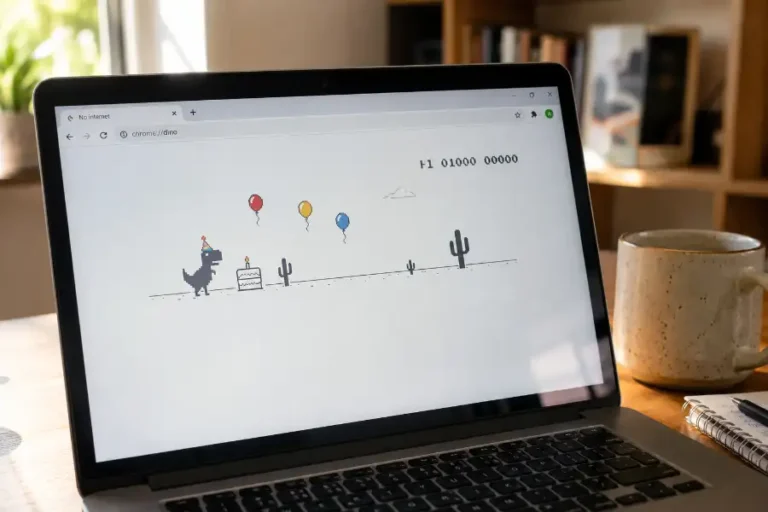
The Chrome dinosaur game (especially when players use chrome dino game cheats) is likely the most widely known hidden browser game ever made. It appears automatically on Chrome’s no-connection page, runs on a single button press, and has a simplicity that makes it immediately accessible to anyone. It has an arcade mode and a high score system, but it stays deliberately minimal in everything it offers.
Edge Surf approaches things differently. Four separate game modes versus one. A full character creator. Theme switching. Controller support with vibration feedback. Multiple typed cheat codes. Several Easter eggs. The steering mechanic asks more of you than the dinosaur game’s single-tap timing does. Both games accomplish the same core goal, giving you something free and readily available to play right inside your browser, but Edge Surf offers notably more variety for players who want to spend more than a few minutes with it.
Neither game is better for all situations. The dinosaur game wins on pure simplicity and muscle memory. Edge Surf wins when you want something with more to figure out.
Tips for Going Further in Endless Mode
A few habits make a meaningful difference when you are trying to push your distance record in the default Endless Mode.
Stay near the center of the course whenever possible. Obstacles tend to cluster more heavily toward the edges of the screen, and the center lane generally stays a little cleaner. Holding a central position gives you more time to see what is coming and choose which direction to dodge.
Save the speed power-up for moments when the Kraken is closing in rather than using it on open stretches of water. Firing it in clear space wastes the advantage it provides. Holding it for the Kraken gives you a meaningful window of separation at the moment you need it most.
In Zig Zag Mode, run the same course several times in a row. The gate placement follows a pattern that becomes readable after a few attempts. Anticipating a gate rather than reacting to it as it appears is the difference between steady streaks and constant resets.
In Time Trial, go after coins even when the angle looks slightly awkward. The seconds removed from your time by collecting coins usually outweigh the small detour, particularly in the mid-sections of the course where coin clusters appear most frequently.
Conclusion
The Edge Surf game is one of the better-kept secrets sitting inside a piece of software that hundreds of millions of people use every day. From the moment you type edge://surf and the game loads, it delivers something genuinely fun and far more full-featured than most people expect from a hidden browser game.
The four modes give it real staying power. The cheat codes make short sessions feel different every time. The Easter eggs, particularly the Kraken transformation and the Ninjacat skin, reward players who take the time to go looking rather than staying on the surface.
If you use Microsoft Edge and have never opened edge://surf, now is a good time to try it. If you have played before but did not know about the Easter eggs or cheat codes, go back and put them to use. This game has considerably more going on than what it shows you when you first load it up.