Google Search Easter Eggs That Still Work in 2026 (40+ Tested)
What Are Google Search Easter Eggs?
A Google search easter egg is a hidden feature, game, animation, or joke that Google’s engineers have secretly built into the search engine. When you type a specific word or phrase into Google Search, something unexpected happens on your screen. Your page might spin, tilt, or shake. A game might pop up. Or Google might show a funny answer that makes you laugh.
The term “Easter egg” comes from the tradition of hiding eggs for people to find. In the software world, it means the same thing: a hidden surprise placed inside a program by the people who built it. Google has been doing this since the early 2000s, and they keep adding new ones every year.
I went through every collection of all google easter eggs I could find and tested each one myself to see which ones still work in 2026. Some of the older ones have been removed. But dozens of them are still active right now, and Google recently added some brand-new ones too. Below is everything I found, sorted by category, with clear steps on how to try each one. Whether you are new to google search easter eggs or a longtime fan, this article covers everything, including every confirmed google easter eggs 2025 addition tested and verified.
What Google Easter Egg Games Can You Play for Free?
Google hides fully playable hidden google games right inside its search results. You do not need to install anything or visit another website. Just type the right words into the Google search bar and the game loads on the spot. Some of the most exciting google easter eggs 2025 updates include brand new games and interactive tools worth checking out first. Here are the ones that work right now.
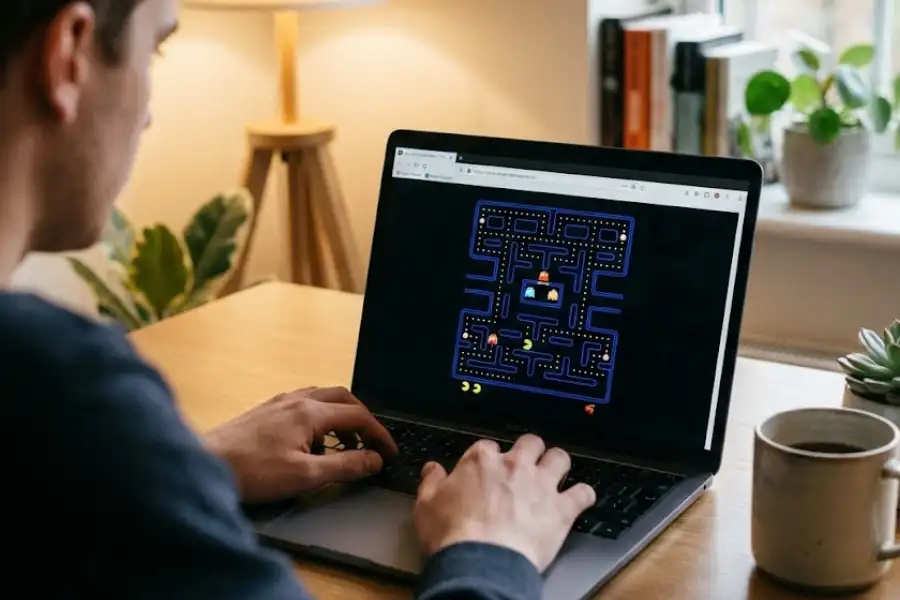
How Do You Play Pac-Man on Google?
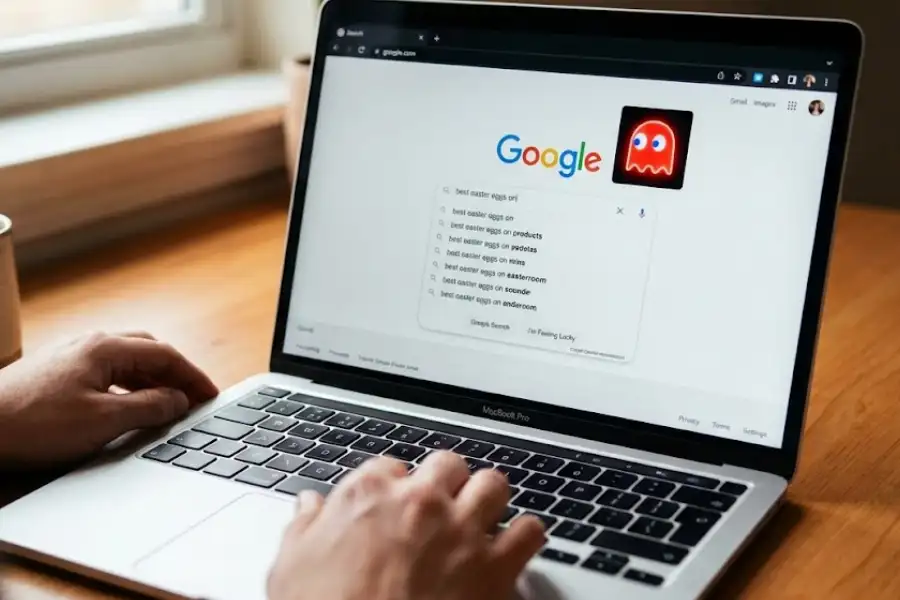
Type “Pac-Man” into Google Search. A playable version of the classic 1980 Namco arcade game loads right below the search bar. Use the arrow keys on your keyboard to move Pac-Man through the maze. Eat all the dots, grab the power pellets, and avoid the four ghosts: Blinky, Pinky, Inky, and Clyde. This Easter egg first appeared as a Google Doodle in 2010 for Pac-Man’s 30th birthday, and Google kept it permanently because so many people enjoyed it.
How Do You Play Snake on Google?
Search for “play snake” and the classic Snake game shows up in the results. If you grew up playing this on Nokia phones in the late 1990s and early 2000s, you know exactly how it works. Guide the snake using your arrow keys, eat the food that appears on screen, and try not to crash into your own tail. The longer you survive, the longer the snake gets, and the harder it becomes.
Can You Play Tic Tac Toe on Google?
Yes. Type “tic tac toe” into Google and the game opens right in your browser. You can play against Google’s computer AI or hand your device to a friend and take turns. There are three difficulty settings: easy, medium, and “impossible.” The impossible mode uses a perfect strategy, so getting a win against it takes some real thinking.
Can You Play Solitaire on Google Search?
Yes. Search for “solitaire” and the classic Klondike card game loads on the results page. Google gives you two modes: easy (one-card draw) and hard (three-card draw). It works on desktop computers, Android phones, and iPhones without any app or download.
Can You Play Minesweeper on Google?
Yes. Google “minesweeper” and the classic Microsoft puzzle game appears. Click squares to reveal numbers, figure out where the mines are hiding, and try to clear the board without hitting one. You can pick easy, medium, or hard difficulty before you start.
How Do You Access the Chrome Dinosaur Game?
The Chrome Dinosaur Game (also called the T-Rex Runner) is the most famous google secret game ever made. It shows up when you lose your internet connection in the Google Chrome browser. A small pixelated T-Rex dinosaur appears on the “No Internet” page. Press the space bar, and it starts running. You jump over cacti and duck under pterodactyls to survive as long as possible (or if it gets too hard, you can use some secret Chrome Dino game cheats to become invincible and get a high score!).
You do not need to disconnect your internet to play it. Type chrome://dino into the Chrome address bar and the game loads even when you are online. Google’s own data shows that the Dinosaur Game gets over 270 million plays every month, making it one of the most-played games in the world. It remains the single most popular google secret game Google has ever created.
What Is the Zerg Rush Easter Egg on Google?
Search for “zerg rush” on Google and small letter O’s start falling from the top of the screen. They attack and destroy your search results one by one. Your job is to click each O fast enough to stop them. The name comes from a strategy in the 1998 Blizzard Entertainment game StarCraft, where “zerging” means overwhelming your opponent with a huge swarm of cheap units. This Easter egg does not always work on the main Google page today, but you can sometimes trigger it by searching from the Google homepage.
Is There a Squid Game Easter Egg on Google?
Yes. Search for “Squid Game” and you might see a mini-game appear in the results. It is tied to the popular Netflix series Squid Game, created by Hwang Dong-hyuk. In the mini-game, you guide characters across a finish line. Google added this after Squid Game became the most-watched series in Netflix history. These kinds of hidden google games show just how creative Google’s engineers can get.
What Google Easter Eggs Make Your Screen Do Weird Things?
Some google tricks do not start a game. Instead, they change what happens on your screen. The page spins, tilts, shakes, or shows a visual effect that catches you off guard. These are quick and fun to try.

What Happens When You Type “Do a Barrel Roll” in Google?
The entire search results page spins 360 degrees in about two seconds. This is one of the most well-known google easter eggs that still work today. Google built this as a tribute to Nintendo’s Star Fox 64 video game, released in 1997. In the game, a character named Peppy Hare tells the player to “do a barrel roll” to dodge enemy fire. You can also try do a barrel roll twice to see the effect repeat back-to-back — some browsers will spin the page a full two rotations in one go. The keyboard shortcut “z or r twice” triggers the same move from the original game.
If you are looking for google easter eggs that still work in 2026, the barrel roll is always a reliable first one to show a friend. And if you want an extra challenge, do a barrel roll twice in a row and see how dizzy your screen gets.
What Does Searching “Askew” Do on Google?
When you type “askew” into Google, the entire results page tilts slightly to the right. It is subtle, and many people do not notice it at first. But once you see it, you cannot unsee it. Searching for “tilt” does the exact same thing. The word “askew” means crooked or tilted, so Google is showing you the meaning rather than just telling you.
What Is Google Gravity?
Search for “Google Gravity” and click the first result. When the page loads, everything on it falls to the bottom of the screen as if gravity pulled it down. The Google logo, the search bar, the buttons, the links: they all crash to the bottom of the screen. You can even pick up the pieces with your mouse and throw them around.
What Was the Thanos Snap Easter Egg?
When Marvel released Avengers: Infinity War and Avengers: Endgame, Google added an Easter egg for the villain Thanos. You would search for “Thanos” and see the Infinity Gauntlet icon in the knowledge panel. Click it, and half of your search results would disappear with a snapping sound and a dust animation, matching what Thanos did in the movie. Google has since removed this Easter egg from Search.
How Does the Wizard of Oz Easter Egg Work?
Search for “Wizard of Oz” and look for a pair of ruby slippers in the knowledge panel on the right side of your screen. Click the slippers, and the entire page turns sepia-toned, imitating the black-and-white scenes from the beginning of the 1939 MGM film. Click again, and a tornado animation brings the page back to full color, just like Dorothy’s arrival in the Land of Oz. This Easter egg has been active since 2019 when Google celebrated the film’s 80th anniversary.
What Is the DVD Screensaver Easter Egg?
Search “DVD screensaver” and the Google logo starts bouncing around your screen, exactly like the classic bouncing logo that appeared on DVD players when a disc was left idle. If you ever sat and waited for the logo to hit the exact corner of the screen, you will appreciate this one.
How Do You Trigger the Asteroid Easter Egg on Google?
Type “chicxulub” into Google Search. An animated asteroid falls from the top of the screen and crashes into the page, causing it to shake. Chicxulub is the name of the asteroid crater in Mexico’s Yucatan Peninsula, created by the impact that wiped out the dinosaurs around 66 million years ago. You can also trigger this same effect by searching “meteorite” or “asteroid”.
What Is the 67 Easter Egg on Google? (Added in 2025)
This is one of the newest google easter eggs 2025 additions. Type “67”, “6-7”, or “six seven” into Google and the screen wiggles and shakes for a few seconds, as if the page is dancing. This Easter egg went viral on TikTok and other social media platforms, and Google added it quickly to match the trend. It works right now in 2026. If you are keeping a list of google easter eggs 2025 finds, this one is a must-try.
What Does “Blink HTML” Do on Google?
Search for “blink html” and look carefully at the search results. The words “blink” and “HTML” will flash on and off on the page. This is a joke about the old HTML blink tag, which web developers used in the 1990s to make text flash on websites. No modern browser supports the blink tag anymore, but Google keeps this Easter egg alive as a throwback for web developers who remember the early internet.
What Are the Cleverest Google Search Easter Eggs?
Some google secrets are not games or visual tricks. They are wordplay jokes, math references, or pop culture tributes built into the search results. Google gives you a witty answer, a funny “did you mean” suggestion, or a calculator result that makes you think twice. These are the google secrets that reward curious and clever searchers the most.
Why Does Google Show 42 as the Answer to Everything?
Type “the answer to life the universe and everything” into Google Search. The calculator appears and shows the number 42. This is a reference to the science fiction novel The Hitchhiker’s Guide to the Galaxy, written by Douglas Adams in 1979. In the book, a supercomputer called Deep Thought takes 7.5 million years to calculate the “Answer to the Ultimate Question of Life, the Universe, and Everything.” The answer? Just 42. Google pays tribute to Adams’s humor by keeping this Easter egg alive.
What Happens When You Search “Recursion” on Google?
Search for “recursion” and Google shows a “Did you mean: recursion?” suggestion. Click it. It takes you to the same page. Click again. Same thing. The joke is that recursion, in computer programming, means a function that calls itself. Google is being recursive by sending you back to the same search in an endless loop.
What Happens When You Search “Anagram” on Google?
Type “anagram” into Google and it says: “Did you mean: nag a ram?” The letters of “anagram” have been rearranged to spell “nag a ram,” which is itself an anagram. Try “define anagram” and Google suggests “nerd fame again.” It is pure wordplay and one of the smartest Easter eggs Google has built.
What Does Google Show for “Once in a Blue Moon”?
Type “once in a blue moon” and the Google calculator appears with the result: 1.16699016 x 10⁻⁸ hertz. That is the measured frequency of a blue moon occurrence. Google took a common English saying and gave it a real scientific answer.
What Is the Loneliest Number According to Google?
Search “the loneliest number” and Google’s calculator displays 1. This is a reference to the 1969 song “One” by Harry Nilsson, which includes the famous lyric about one being the loneliest number.
What Does “The Number of Horns on a Unicorn” Show on Google?
Type “the number of horns on a unicorn” and the calculator shows 1. It is a silly question with an obvious answer, but the fact that Google’s engineers programmed it in shows their sense of humor.
What Is the Marquee HTML Easter Egg?
Search for “marquee html” and the results count line at the top of the page starts sliding from right to left, just like the old HTML marquee tag used to make text scroll across a webpage. Browsers no longer support the marquee tag, but Google gives you a live demonstration of it here.
What Is the Kerning Easter Egg on Google?
Search “kerning” and Google adjusts the letter spacing in the word “kerning” across the results page. Kerning is a typography term for the spacing between individual letters. Graphic designers and typographers will get this one right away.
How Do the Friends Easter Eggs Work on Google?
Search for any main character from the NBC television series Friends (1994-2004). Try “Ross Geller”, “Monica Geller”, “Joey Tribbiani”, “Chandler Bing”, “Rachel Green”, or “Phoebe Buffay”. In the knowledge panel on the right side, look for a small icon next to the character’s name. Click it and something specific to that character happens. For Ross, the page pivots because “PIVOT!” is his most famous moment. Every character has a different animation.
What Is the Super Mario Bros. Easter Egg on Google?
Search for “Super Mario Bros.” and look at the knowledge panel. You will see a flashing question mark block, exactly like the coin blocks from Nintendo’s 1985 game. Click the block, and it makes the classic coin-collecting sound. Keep clicking to collect more coins. After 100 coins, you hear the 1-UP sound effect.
What Happens When You Search “Sonic the Hedgehog” on Google?
Search for “Sonic the Hedgehog” and look for the small Sonic icon in the knowledge panel. Click on it and Sonic performs his signature spin dash move. Click repeatedly, and he turns into Super Sonic with a golden glow.
What Useful Tools Are Hidden Inside Google Search?
Some google easter eggs games and tools are more than fun. They are real utilities that save you time. Google has quietly placed these inside the search bar, and most people have no idea they exist. Beyond entertainment, these google easter eggs games double as genuinely useful everyday tools.
How Do You Flip a Coin on Google?
Type “flip a coin” into Google Search. A virtual coin appears, flips with a short animation, and lands on heads or tails. It is genuinely random, and it is a quick way to make a decision without reaching for a physical coin.
How Do You Roll a Die on Google?
Search “roll a die” and a 3D dice appears on screen. Click it to roll. Google also lets you add multiple dice and choose different types, including 4-sided, 6-sided, 8-sided, 10-sided, 12-sided, and 20-sided dice. If you play tabletop games like Dungeons & Dragons, this is a quick substitute when you do not have physical dice with you.
Does Google Have a Spinner Tool?
Yes. Type “spinner” and Google shows a colorful spinning wheel. You can set how many segments it has (from 2 to 20). Click and it spins, then lands on a random section. There is also a tab to switch it to a fidget spinner that you can flick with your mouse.
Does Google Have a Free Metronome?
Yes. Search “metronome” and a working metronome appears on the results page. You can adjust the tempo from 40 BPM to 218 BPM. Musicians, music students, and anyone practicing rhythm can use it right from Google.
Is There a Color Picker on Google?
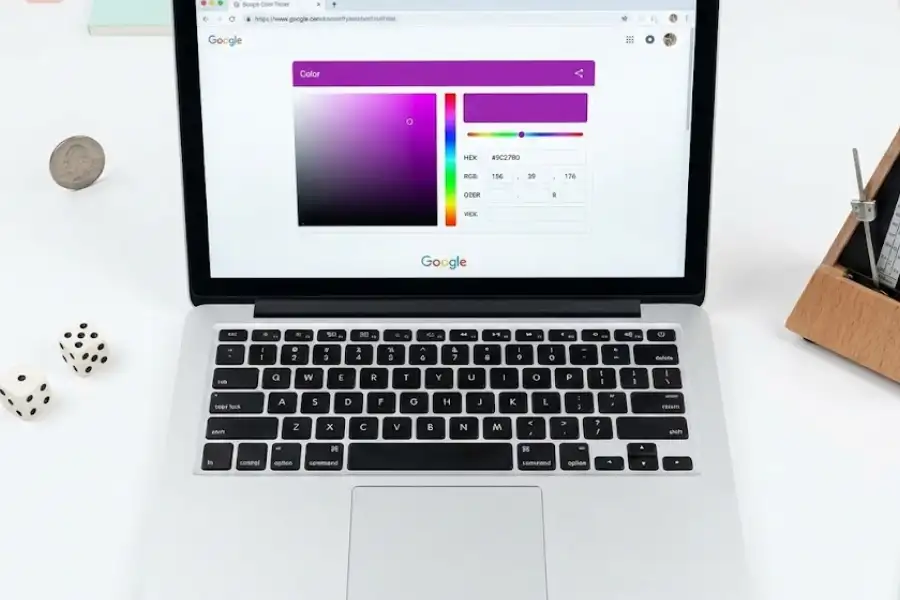
Yes. Search “color picker” and Google shows a full color selection tool. You can pick any color from the spectrum and get its HEX code, RGB values, HSV values, HSL values, and CMYK values. Web designers, graphic designers, and developers use this constantly.
Does Google Have a Breathing Exercise?
Yes. Type “breathing exercise” and Google walks you through a guided one-minute breathing session. A bubble on screen expands and contracts slowly, showing you when to breathe in and when to breathe out.
Does Google Have a Random Number Generator?
Yes. Search “random number generator” and a tool appears. Set a minimum number and a maximum number, click “Generate,” and you get a random number within that range.
Can You Set a Timer on Google?
Yes. Type “timer” or “stopwatch” and a working countdown timer or stopwatch loads on the page. Set the time you want, press start, and it runs even if you switch to another browser tab.
How Do You See What Google Looked Like in 1998?
Search “Google in 1998” and the search page redesigns itself to look like the original Google homepage from 1998, when Larry Page and Sergey Brin first launched it from a garage at Stanford University. When you look at all google easter eggs together, this nostalgia trip stands out as one of the most unique ones Google has ever built.
What Are the Newest Google Easter Eggs Added in 2025?
Google adds new google eastereggs regularly, often connected to trending movies, viral memes, or world events. The google easter eggs 2025 batch is one of the most creative and varied collections Google has released in a single year. These are the newest ones confirmed working right now. If you enjoy discovering fresh google eastereggs, bookmark this section and check back, Google keeps adding more throughout the year.
What Is the John Cena “You Can’t See Me” Easter Egg?
After professional wrestler John Cena announced his retirement from in-ring competition with WWE in 2025, Google added an Easter egg as a tribute. Search “John Cena” and look for a waving hand icon in the results. Click it, and a giant hand does his famous “You Can’t See Me” wave across the screen.
What Is the Superman / Krypto Easter Egg on Google?
Google added this Easter egg in 2025 to promote the new Superman movie by James Gunn. Search for “Superman” or “Krypto” and a pawprint button appears. Click it, and you hear the Superman theme music while Krypto’s animated paw appears on screen.
What Does Searching “2025 PN7” Show on Google?
Search “2025 PN7” and two animated moons float slowly across your screen. This Easter egg is connected to astronomy news about near-Earth objects tracked by NASA.
How Do You See the Aurora Borealis on Google?
Search “aurora borealis” or “northern lights” and a button appears at the top of the results. Click it, and green, purple, and blue light waves dance across the top of your screen, imitating the Northern Lights. This is one of the most visually impressive Easter eggs Google has ever made. These google tricks tied to real-world events show how Google keeps its search engine fun and relevant.
What Is the Diwali Easter Egg on Google?
During the Diwali season, searching “Diwali” shows a small lamp icon. Click it and you enter a mini-game where you light virtual oil lamps. It is seasonal, so it may not be visible year-round.
Which Google Easter Eggs Have Been Removed?
Google removes Easter eggs from time to time. Here are the most well-known ones that no longer work, along with why they were taken down.
| Easter Egg | What It Did | Why It Was Removed |
|---|---|---|
| Star Wars Opening Crawl | Search results scrolled upward like the Star Wars movie intro | Removed by Google in June 2017 |
| Atari Breakout (Google Images) | Image search results turned into a playable Breakout game | No longer supported in Google Images |
| Thanos Snap (Infinity Gauntlet) | Half of search results disappeared with a snap animation | Removed after Avengers movie promotion ended |
| Zerg Rush | Letter O’s attacked and consumed your search results | Works inconsistently on Google Search |
All Google Search Easter Eggs in One Table
Here is a quick-reference table of every google search easter egg covered in this article.
| Easter Egg | What to Type in Google | Category | Works in 2026? |
|---|---|---|---|
| Pac-Man | pac-man | Game | Yes |
| Snake | play snake | Game | Yes |
| Tic Tac Toe | tic tac toe | Game | Yes |
| Solitaire | solitaire | Game | Yes |
| Minesweeper | minesweeper | Game | Yes |
| Chrome Dinosaur Game | chrome://dino | Game | Yes |
| Squid Game | squid game | Game | Yes |
| Do a Barrel Roll | do a barrel roll | Visual Effect | Yes |
| Askew / Tilt | askew | Visual Effect | Yes |
| 67 Dancing | 67 | Visual Effect | Yes (Added in 2025) |
| Blink HTML | blink html | Visual Effect | Yes |
| DVD Screensaver | DVD screensaver | Visual Effect | Yes |
| Chicxulub Asteroid | chicxulub | Visual Effect | Yes |
| Wizard of Oz | wizard of oz | Visual Effect | Yes |
| Recursion | recursion | Wordplay | Yes |
| Anagram | anagram | Wordplay | Yes |
| Answer to Everything (42) | the answer to life the universe and everything | Wordplay | Yes |
| Once in a Blue Moon | once in a blue moon | Wordplay | Yes |
| Loneliest Number | the loneliest number | Wordplay | Yes |
| Marquee HTML | marquee html | Wordplay | Yes |
| Kerning | kerning | Wordplay | Yes |
| Friends Characters | ross geller (or other characters) | Pop Culture | Yes |
| Super Mario Bros. | super mario bros | Pop Culture | Yes |
| Sonic the Hedgehog | sonic the hedgehog | Pop Culture | Yes |
| John Cena | john cena | Pop Culture | Yes (Added in 2025) |
| Superman / Krypto | superman | Pop Culture | Yes (Added in 2025) |
| Flip a Coin | flip a coin | Tool | Yes |
| Roll a Die | roll a die | Tool | Yes |
| Spinner | spinner | Tool | Yes |
| Metronome | metronome | Tool | Yes |
| Color Picker | color picker | Tool | Yes |
| Breathing Exercise | breathing exercise | Tool | Yes |
| Random Number Generator | random number generator | Tool | Yes |
| Timer / Stopwatch | timer | Tool | Yes |
| Google in 1998 | google in 1998 | Nostalgia | Yes |
| Aurora Borealis | aurora borealis | Visual Effect | Yes (Added in 2025) |
| 2025 PN7 | 2025 PN7 | Visual Effect | Yes (Added in 2025) |
| Diwali Lamp Game | diwali | Seasonal | Seasonal |
Why Is My Google Easter Egg Not Working?
If you tried one of these Easter eggs and nothing happened, there are several common reasons.
Google took it down. Some Easter eggs are tied to specific movie releases, events, or viral trends. When the moment passes, Google sometimes removes the Easter egg from Search. Your system or browser needs an update. Just like you need the correct Elecom Mouse Driver for Windows 11 for hardware to function properly, older browsers may lack the required JavaScript or CSS support for these Easter eggs. An extension is blocking it. Browser extensions like ad blockers or privacy tools can prevent Easter eggs from loading. JavaScript is turned off. Almost every interactive Easter egg requires JavaScript to work. You are using a regional Google domain. Some Easter eggs only appear on google.com. The Easter egg is region-locked. A small number only appear in certain countries.
Frequently Asked Questions About Google Easter Eggs
What is the most popular Google Easter egg?
The Chrome Dinosaur Game is the most popular, getting over 270 million plays per month. “Do a barrel roll” is the second most well-known.
How many Easter eggs does Google have?
Google has more than 100 Easter eggs spread across Google Search, Chrome, Android, Google Sheets, Google Earth, and YouTube.
Did Google add new Easter eggs in 2025?
Yes. The google easter eggs 2025 lineup was one of the biggest batches yet. In 2025, Google added the “67” dancing screen trick, a John Cena tribute, a Superman/Krypto animation, an Aurora Borealis effect, and the 2025 PN7 moon animation.
Are Google Easter eggs safe?
Yes. Google Easter eggs are created and maintained by Google’s own software engineers. They do not install anything on your device and do not collect any additional personal data.
Can I play Google Easter egg games on my phone?
Most work on mobile devices. Pac-Man, Snake, Solitaire, Tic Tac Toe, and Minesweeper all work on both Android and iOS.
Why does the Google Easter egg not work for me?
The four most common causes are: Google removed it, your browser is outdated, an ad blocker is interfering, or you are using a regional Google domain instead of google.com.
Does Google hide Easter eggs in other products besides Search?
Yes. Google has placed Easter eggs in Chrome, Android, Google Sheets, Google Earth, and YouTube.
Who creates Google Easter eggs?
Google Easter eggs are created by Google’s software engineers as side projects or fun additions, often tied to official marketing campaigns as well.
Do Google Easter eggs affect search rankings or SEO?
No. They are purely cosmetic and entertaining, with no effect on rankings, indexing, or SEO metrics.
Final Thoughts
Google Easter eggs are small surprises hidden inside the world’s most-used search engine. Some are games. Some make your screen do strange things. Some give funny answers to obscure questions. And the collection keeps growing every year. The google easter eggs 2025 additions alone are worth exploring if you have not tried them yet.
If you have never tried one, start simple. Type “do a barrel roll” and watch your screen spin. Search “pac-man” and play a round. Or try the newest ones: search “67” to see your screen dance, or look up “John Cena” for a fun surprise.