Discord Easter Eggs: Every Fun Surprise Hiding Inside the App
Discord is one of the most popular chat platforms in the world right now. Millions of people use it every single day to chat with friends, hang out in gaming communities, study with classmates, and connect with people who share the same interests. But here is something a lot of those people have never noticed: Discord is hiding a whole collection of fun little surprises inside the app, and most users walk right past them without ever knowing they exist.
These surprises go by the name “Easter eggs.” And if this is the first time you are hearing about them, you are genuinely in for a treat.
This article walks you through every Discord Easter egg worth knowing about. We cover the ones hiding on the desktop app, the ones that only work on mobile, the ones tucked away inside Discord’s website, and even a few that long-time users have somehow never come across. Whether you have had your Discord account for five years or five days, this list has something new for you.
So open Discord, get comfortable, and get ready to see an app you thought you knew in a completely different light.
What Is an Easter Egg in an App?
Before getting into the list itself, it helps to understand what the term Easter egg means in the world of software. The term borrows from the old tradition of hiding Easter eggs for children to find. In apps and video games, developers hide small, playful surprises inside their products on purpose. These are not glitches. They are not unfinished features. Much like discovering a classic software egg, someone on the development team sat down and built them specifically because they thought it would be fun.
Discord’s developers are well known in the tech world for their sense of humor and love of internet culture. They have placed a generous number of these little surprises throughout the app over the years. Some of them are easy to stumble across by accident. Others require very specific steps to trigger. A few of them are so well hidden that only a small percentage of Discord’s massive user base has ever seen them.
All of them share the same spirit: they are there to make you smile.

Desktop Easter Eggs
The desktop version of Discord, whether you use the downloadable app or access Discord through a web browser on your computer, holds the largest collection of Easter eggs. This is where most of the fun is hiding.
The Discordo Sound Effect
If there is one Discord Easter egg that almost everyone eventually hears about, it is this one. To trigger it, click the Discord logo sitting in the top left corner of the app sixteen times in a row. On the sixteenth click, a voice will say “Discordo” in a low, dramatic tone. This is a Japanese-style pronunciation of the word “Discord,” and it sounds genuinely hilarious the first time it plays.
Here is the part that catches people off guard: once you activate this Easter egg, it plays every single time you open the Discord app from that point on. It does not go away by itself. If you want to turn it off, you click the logo sixteen more times. This time, instead of the “Discordo” voice, you will hear the familiar sound that plays when someone leaves a voice channel. That sound is the signal that the Easter egg has been switched back off.
This Easter egg works on both the downloaded desktop app and the browser version of Discord. It is one of the best ones to show a friend who has never seen it before.
The Username Copy Combo
This Easter egg might be the most creative one in the entire app. To start it, click on your own username in the lower left corner of the Discord interface. Clicking it copies your username to your clipboard. That part is a normal feature. But keep clicking, and things get interesting fast.
After each click, a small pop-up message appears. The messages start simple: “Copied!” But if you keep clicking quickly without stopping, they start to build up. “Double Copy!” comes next, followed by “Triple Copy!” Keep going and you move through “Dominating!!” and “Rampage!!” and “Mega Copy!!” As you push further, the messages reach “Monster Copy!!!” and eventually the magnificent “BEYOND GODLIKE!!!!” The final messages shake and vibrate on screen for extra theatrical impact.
This Easter egg is a direct reference to kill streak announcements in classic first-person shooter games. If you grew up playing Unreal Tournament, Quake, or similar games from that era, the language and the tone will feel very familiar. It is a brilliant little tribute to gaming history sitting right in the main Discord interface where you would never expect to find it.
The Raging Demon Animation
This one requires a specific key sequence, but it is absolutely worth the effort. Start by pressing Control and the forward slash key at the same time (or Command and forward slash on a Mac). This opens the keyboard shortcuts help menu. Once that menu is open, type the following sequence of keys one at a time: H, H, Right Arrow, N, K.
If you enter that sequence correctly, your Discord window will flicker for a moment and then display a short animation. The animation looks very similar to Akuma’s famous super move from the Street Fighter video game series. The move is called “Shun Goku Satsu” by Street Fighter fans, and it has been one of the most iconic moments in fighting game history since the 1990s.
A Discord developer named tcoil built this Easter egg as a personal tribute to the franchise. It is a wonderful example of how personal and handcrafted these hidden features feel. Someone who loved Street Fighter wanted to share that love with the people using their product.
Play Musical Notes in the Shortcuts Menu
This one is simple and surprisingly fun to play around with. Open the keyboard shortcuts help menu again with Control and forward slash (or Command and forward slash on Mac). Once the menu is open, press any arrow key on your keyboard. Each arrow key plays a different synthesized musical note. Press up, down, left, and right in different combinations, and you can piece together little melodies.
It is quiet and easy to overlook, but once you know about it, you will catch yourself opening the shortcuts menu just to play around with the notes when you are bored.
Lofi Beats with Wumpus
Wumpus is the beloved mascot of Discord. This small purple creature pops up throughout the app in loading screens, error pages, and various notifications. As it turns out, Wumpus has excellent taste in music.
To trigger this Easter egg, open the keyboard shortcuts menu with Control and forward slash (or Command and forward slash on Mac). Then press Control, Shift, Alt, and W all at the same time. When you hit the combination correctly, Discord starts playing a lofi beats track. The music has that classic mellow, laid-back quality that lofi music fans will recognize right away.
This Easter egg does not get nearly enough attention in conversations about Discord’s hidden features. It is one of the most relaxing and pleasant surprises in the whole app.
The humans.txt File
This Easter egg lives outside the app itself, on Discord’s website. If you type discord.com/humans.txt into your web browser and visit that page, you will find a plain text file. Inside that file, Discord’s logo has been recreated using only letters and symbols, a style of art known as ASCII art. Below the artwork, there is a link pointing back to Discord’s About page.
The humans.txt file is a tradition in web development where companies use a simple text file to acknowledge the real human beings who built their product. Discord took that tradition and gave it their own personality by adding the artistic touch. It is a quiet little detail that most people will never stumble across unless they know to look for it.
The Profile Editing Pencil
This Easter egg tests your patience. When you open your Discord profile to make edits, a timer starts running quietly in the background. If you stay on the profile editing screen for an entire hour without saving or closing it, something unexpected happens: the small pencil icon that represents the editing mode starts behaving erratically. It moves around wildly and goes a bit frantic.
Discord is, essentially, telling you that you have been staring at your profile for way too long. Almost nobody will ever trigger this one by accident because most people do not sit in profile editing mode for an hour at a time. But the fact that Discord’s team bothered to add it anyway says a lot about how much care they put into the smallest details of the app.
The Username Disapproval Button
This one is triggered by doing something a little silly on purpose. Go into your account settings and change your username to something completely ridiculous, the more absurd the better. Once you do, look at the “Edit” button next to your username field. The normal edit icon will have changed to show a face of disapproval. Discord is quietly judging your username, and it is doing so with a small but perfectly timed visual joke.
It is a tiny detail that the vast majority of users will never notice. But it shows that Discord’s development team has a genuinely good sense of humor and pays real attention to the little moments users experience while navigating the app.
Web-Only Easter Eggs
A handful of Discord Easter eggs only appear when you use Discord through a web browser rather than the downloaded desktop app. These ones are worth checking out even if the browser is not your usual way of accessing Discord.
The 404 Page Snek Game
Every website has a 404 error page. That is the page you land on when you type in a URL that does not exist on the site. Most 404 pages are plain and forgettable. Discord’s is not.
When you land on a page that does not exist on Discord’s website, you are greeted by an animated image of Wumpus sitting contentedly at a ramen shop. It is already charming on its own. But in the lower right corner of the screen, you will spot a small board decorated with a snake pattern. Click that board, and it launches a game called Snek, which is Discord’s take on the classic Snake arcade game that many people played on old Nokia phones.
You can also start Snek by entering the Konami Code on that same 404 page. The Konami Code is one of the most famous cheat codes in video game history. The sequence is: Up, Up, Down, Down, Left, Right, Left, Right, B, A. Enter it on the 404 page and the game launches automatically.
Snek is a fully playable game. You guide the snake around the screen, collect food to grow longer, and try not to crash into the walls or your own tail. It is a genuinely fun time waster hiding on a page most people only land on by mistake.
The Printer Easter Egg
This one is wonderfully strange. Type printer.discord.com into your web browser and press enter. Instead of finding anything remotely related to printers, Discord will redirect you to a video clip from a Canadian children’s television series called Vid Kids. The clip plays, you watch it in mild confusion, and then you wonder what you just experienced.
Nobody has ever fully explained why this redirect exists or what connection it has to Discord. It has been live for years, and it continues to surprise and confuse people who come across it. That mystery is part of what makes it so memorable.
The API Rate Limits Colon
This one is specifically for developers and people who spend time reading documentation. On Discord’s official API documentation page for rate limits, there is a colon sitting after one particular sentence. That colon is clickable. Click it, and it takes you somewhere unexpected.
It is a tiny joke buried several layers down inside developer documentation that most regular Discord users will never see. The fact that it exists at all is a perfect reflection of Discord’s culture. Even the driest, most detailed parts of their platform have a personality.
Mobile Easter Eggs
Discord users on phones and tablets have their own set of Easter eggs to find. Some of these are exclusive to Android, and a few work on both Android and iOS.
AMOLED True-Black Dark Mode
AMOLED screens, found on many Android phones, work differently from standard LCD displays. They can display true black by turning off individual pixels entirely, which saves battery life and makes dark themes look far sharper and more vivid on those screens.
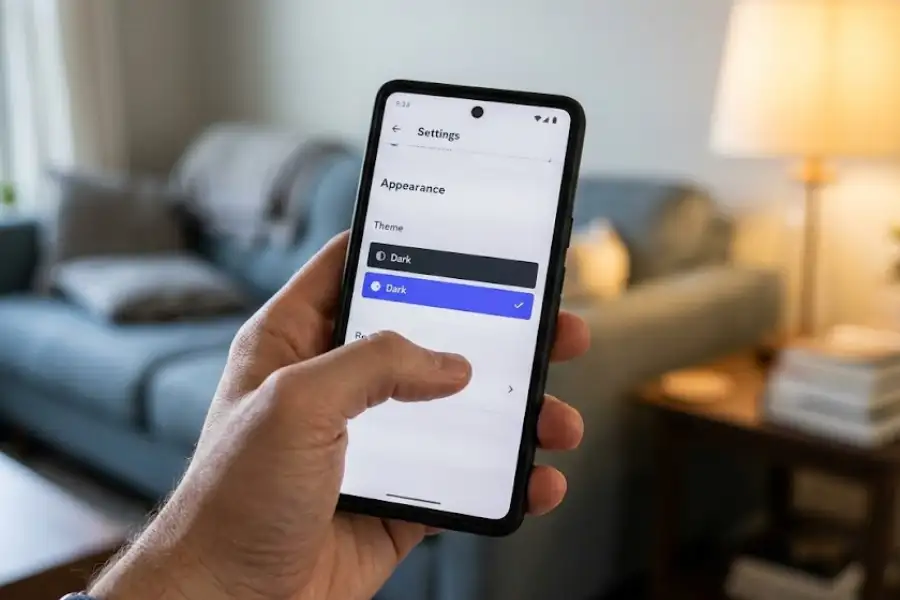
Discord hid a special AMOLED-friendly dark mode inside the Android app. To reach it, open User Settings, tap Appearance, and then tap the “Dark” option ten times in a row. After the tenth tap, a new toggle will appear that lets you switch on the true-black mode.
It is worth knowing that this Easter egg has since become an official, fully supported feature called “Midnight” in newer versions of the Discord app. For a long time, though, this hidden tapping sequence was the only way to get it.
The Light Theme Flashlight
This Easter egg is clearly a joke aimed at people who find Discord’s light theme blinding. On mobile, go to User Settings, tap Appearance, and then tap the “Light” option six times in a row. Rather than turning on any kind of theme, your screen will flash completely white and your phone’s flashlight will switch on. A message appears on screen reading “When Light theme isn’t enough!”
It is a playful nod to the running joke inside the Discord community where dark theme users tease light theme users about their choices. Discord is firmly on the side of the dark theme crowd, and this Easter egg makes that very clear.
New User Wumpus Greetings
When you tap on the profile of someone whose Discord account is less than one week old, a special banner pops up featuring Wumpus. The banner carries the message “I’m new to Discord, say hi!” But the fun detail is that Wumpus shows up wearing a different accessory each time, and there are six known variations.
Wumpus can appear wearing no hat but surrounded by question marks, a Mario and Luigi style hat with a matching mustache, a green cap styled after Link from The Legend of Zelda, a red Pokemon Trainer cap with a green logo on the front, a wizard hat decorated with a yellow star, or Pikachu’s ears complete with the pink blush marks on the cheeks.
The accessory changes randomly, so you never know which version of Wumpus you will see when you click on a brand new user’s profile.
Hidden Interface Details Worth Knowing
Beyond the Easter eggs that require specific steps to trigger, Discord also hides fun surprises inside everyday parts of the interface that most people walk right past without noticing.
The Empathy Banana
When you search for something in Discord and the search comes back with no results, Discord does not show you a generic “no results found” message. Instead, it sometimes shows you an image of a banana holding a magnifying glass. The Discord community has given this image the nickname “Empathy Banana,” and it has become one of the more beloved little details in the app.
Other times, the no-results screen shows a broken magnifying glass instead. Discord switches between the two images at random. It is a small design choice, but it genuinely changes the feeling of a frustrating moment into something that makes you smile instead.
Nitro Server Confetti and the Wumpus Click
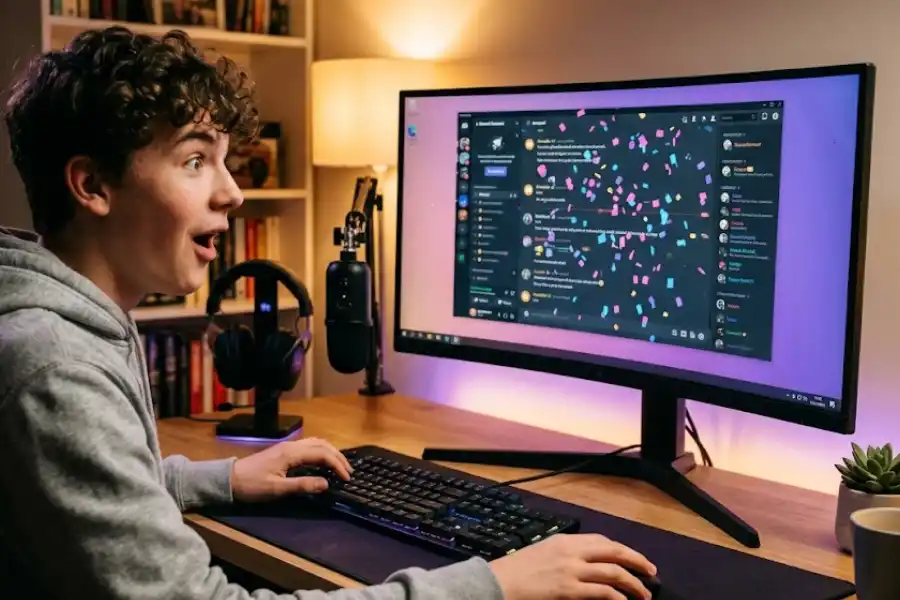
When someone uses Discord Nitro to support a server with a Nitro upgrade, a special notification message shows up in the server’s chat. Hover your mouse cursor over that message, and confetti begins to appear around it. Keep moving your mouse around the message for a while, and eventually Wumpus will appear in the middle of the confetti celebration. Click on Wumpus when it shows up, and you activate Party Mode.
Party Mode adds a confetti effect to your entire Discord window and keeps it going every time a new message is sent. Some people love it. Some people find it overwhelming. Almost everyone activates it by accident the first time and then spends a few minutes figuring out how to turn it off.
The Super Reaction Wumpus Screen
If you try to use Discord’s Super Reactions feature on mobile when you have used all of yours up, a special screen pops up to let you know you have run out. On this screen, instead of showing standard emoji reactions, Discord displays a row of Wumpus versions styled as bubble emojis. Each little Wumpus wears a different expression, and the whole row of them is surprisingly charming for what is essentially an out-of-stock notification.
The Culture Behind Discord Easter Eggs
At this point, you might be wondering why Discord puts this kind of effort into hiding little surprises that most users will never even find. The answer tells you a lot about the company and the community it has built.
Discord started as a platform designed specifically for gamers. The people who created it grew up with video game culture, internet humor, and communities where inside jokes and shared references were part of how people connected. When they built Discord, they brought that same energy into every corner of the product.
Easter eggs are not a business strategy for Discord. They do not appear in marketing campaigns or investor presentations. They are not there to help with growth metrics. They are there because the team building the app thought it would be fun, and because they knew their users would genuinely appreciate finding something unexpected hiding in an app they use every day.
This spirit shows up throughout the entire Discord experience. It is in the silly loading screen messages, in the way Wumpus appears during error states, and in the names the company chooses for its features and mascots. Discord has always treated its users as people who are in on the joke, and the Easter eggs are one of the clearest expressions of that relationship.
When an app hides a fully playable Snake game on its 404 page, it is making a statement about what kind of company it is. It is saying: we care about the experience of using this product, even in the moments when things are not going perfectly.
How to Find New Discord Easter Eggs on Your Own
Now that you know the major ones, you might wonder whether there are more out there waiting to be found. The truth is, Discord has removed some Easter eggs over the years as the app has changed, and the team adds new ones from time to time without any public announcement. So how do you keep up with them?
Start by following Discord’s official update notes and changelogs. When a major update rolls out, the Discord community tends to comb through the new version looking for anything out of the ordinary. The Discord Wiki on Fandom is one of the best places to find documented Easter eggs, and it gets updated as new ones are spotted.
Also, get into the habit of clicking on things that do not obviously seem meant to be clicked. Many Discord Easter eggs live in places like loading screens, error messages, and settings pages. Anywhere the app slows down, pauses, or shows you a placeholder is a good place to poke around.
Pay close attention to keyboard shortcuts and key combinations. Several of Discord’s Easter eggs require entering a specific sequence of keys. If you are ever playing around with keyboard shortcuts and something unexpected happens, you may have just found something new.
Joining Discord communities that focus on Discord news and features is also a smart approach. Servers dedicated to Discord updates, datamining, and behind-the-scenes information tend to be the first to spot and share newly found Easter eggs. Half the joy of these discoveries comes from sharing them with others as soon as you find them.
Finally, keep an eye on Discord’s official social media accounts around April Fools’ Day each year. Discord has a long tradition of adding seasonal Easter eggs around that time, and they occasionally drop hints publicly. The April Fools’ events have produced some of the most creative and elaborate hidden features Discord has ever put out.
Easter Eggs That No Longer Exist
Not every Easter egg lasts forever. As Discord grows and its interface evolves, some older Easter eggs get retired or quietly replaced. Knowing about a few of these gives you a better sense of how the app has changed over time.
The Mario Question Mark Box was an Easter egg that lived on the old Discord homepage between roughly 2016 and 2019. Clicking the box caused Mario-themed items to fly out of it in an animation. That version of the homepage no longer exists, but you can still see what it looked like through the Wayback Machine website if you are curious about Discord’s earlier design.
The original Username Click Easter egg also worked differently in older versions of the app. Before a particular update changed the interface layout, the trigger for the copy combo messages required clicking your username in a slightly different location. The Easter egg itself still exists in an updated form, but the original method no longer applies.
The Super Reaction Wumpus screen was also effectively retired in a different sense. Once Discord gave all Nitro subscribers unlimited Super Reactions, the screen that showed Wumpus as emoji replacements stopped appearing for those users. You can no longer run out of Super Reactions as a Nitro subscriber, which means the Easter egg rarely shows up anymore.
These retired Easter eggs are a reminder that the app is always moving forward. What you can find today might not be available six months from now, which makes finding and sharing these things feel a little more urgent and a little more special.
Why Discord Easter Eggs Genuinely Matter
You might be tempted to think of Easter eggs as trivial. They are little bonus features with no obvious use, and most users never even find them. So why do they matter?
They matter because of what they represent. Finding an Easter egg gives you a genuine moment of surprise in an app you thought you already knew completely. It creates a real, personal connection between you as a user and the people who built the product. It is a signal that real human beings made this software, and that those human beings wanted to share something fun with the people using their work, even knowing that most users would never find it.
That feeling of finding something unexpected is worth more than it sounds. Most software feels cold and purely functional. Discord’s Easter eggs are a consistent reminder that the app was made by people who care about the experience of using it, far beyond the features listed on a product page.
When you show a friend the Discordo Easter egg for the first time, or watch their face when the Snek game loads up on the 404 page, you are not only sharing a fun trick. You are sharing part of what makes Discord feel genuinely different from other platforms. That sense of warmth and personality is woven into the app’s identity, and the Easter eggs are one of the most direct ways that identity gets expressed.
The community aspect matters too. Discord Easter eggs are fun to find on your own, and they are even more rewarding to share. The moment of showing someone something they have never seen before in an app they use every day is a small but real kind of joy.
Conclusion
Discord Easter eggs are one of the most underappreciated parts of one of the world’s most widely used apps. From the low, dramatic “Discordo” voice that plays after you click the logo sixteen times, to the fully playable Snek game hiding on a boring 404 error page, to Wumpus showing up in a shower of confetti to celebrate a server upgrade, these little surprises add personality and warmth to an app that millions of people rely on every day.
Some are easy to stumble into by accident. Others require knowing the right sequence to follow. A few are so buried that you could use Discord for years and never come close to finding them on your own. But all of them are worth knowing about, because they tell you something true and important about what Discord is and what the people behind it genuinely care about.
So go ahead and try a few right now. Click the Discord logo sixteen times and wait for that voice. Open the keyboard shortcuts menu and press arrow keys until you find your favorite note. Visit printer.discord.com and prepare to be confused in the best possible way. Then share what you find with someone else, because that is what Easter eggs are really for.
Discord is full of little surprises. You just need to know where to start looking.