
The Wizard of Oz Google Trick: Click the Ruby Slippers (2026)
Have you ever heard about the Wizard of Oz Google trick? It is one of the coolest hidden surprises ever added to Google Search. With just one click, your whole screen spins like a tornado and turns into the soft brown color of 1939 Kansas. It feels like real movie magic, right inside your browser.
The first time I tried it, I sat there laughing. The page spun, the slippers clicked, and Judy Garland’s voice softly said, “There’s no place like home.” It was simple, fun, and a little bit nostalgic, all at the same time.
In this article, I will show you how the trick works, why it sometimes does not show up today, and how you can still enjoy it in 2026. I will also share some fun facts and other hidden Google tricks you might love.
What Is the Wizard of Oz Google Trick?
The Wizard of Oz Google trick is a hidden Easter egg. Much like finding a hidden software egg, an Easter egg is a small, secret feature that companies place inside apps, games, or websites just for fun.
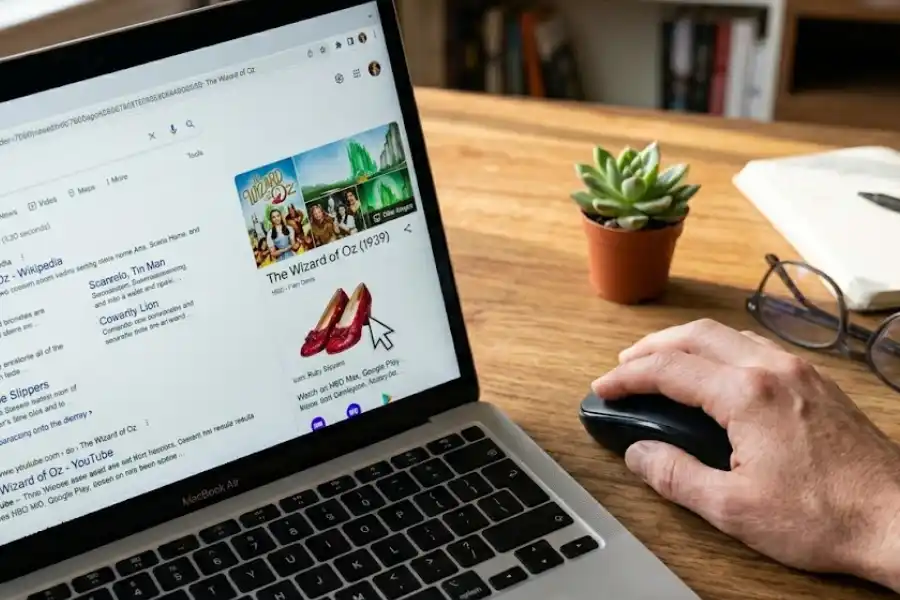
Google added this one in August 2019 to celebrate the 80th birthday of the famous 1939 movie, The Wizard of Oz. When users searched for the movie name, a pair of sparkling red ruby slippers showed up next to the search results. Clicking those slippers started the magic.
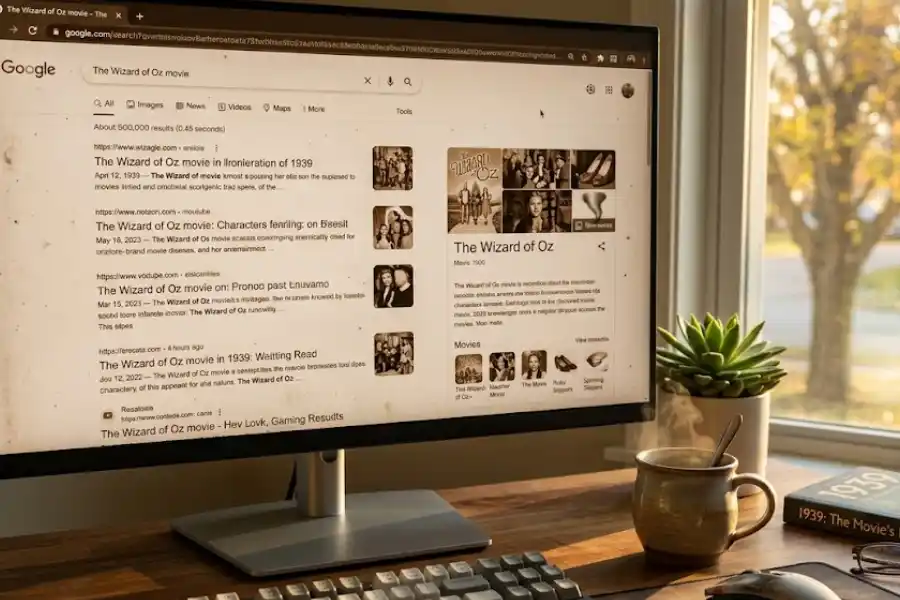
The page spun around like a tornado. Then it settled into a soft, brown sepia tone, just like the Kansas scenes in the movie. A small tornado icon then appeared. Clicking the tornado made the screen spin again and brought your search results back to full color, just like Dorothy stepping into the bright land of Oz.
How to Do the Wizard of Oz Google Trick (Step by Step)
The steps are super simple. Here is how it worked when Google still had it live:
- Open Google.com in any web browser.
- Type Wizard of Oz into the search bar.
- Press Enter or tap the Search button.
- Look to the right side of the screen for the movie’s Knowledge Panel.
- You should see a pair of sparkling ruby red slippers.
- Click or tap on the slippers.
- Watch your screen spin like a tornado.
- Listen for Dorothy’s voice say, “There’s no place like home.”
- Your search results will now look brown and old, just like Kansas in the movie.
- To go back to color, click the small tornado icon that appears.
- The page will spin one more time and bring back the full color.
That is the complete trick. Two clicks, one tornado, and a quick trip to 1939.
Why the Trick Sometimes Does Not Work Anymore
Here is something most blogs will not tell you. Google removed the official Wizard of Oz Easter egg in 2020. It was a special, time-limited feature meant only for the movie’s 80th anniversary. Once the celebration ended, Google quietly took it down.
So if you search “Wizard of Oz” on Google today and do not see the ruby slippers, you are not doing anything wrong. The feature is simply no longer active on Google’s official search page.
A few users still report seeing it sometimes, but most of the time, the slippers are gone. Do not feel sad. There is still a way to enjoy the magic.
How to See the Wizard of Oz Google Trick Today (2026 Update)
Even though Google removed the official version, fans were not ready to say goodbye. A team built a perfect copy of the trick on a website called elgooG. It is a fan site that saves and recreates Google’s coolest Easter eggs so people can still enjoy them.
To try it today:
- Open your browser.
- Visit elgoog.im/wizard-of-oz.
- A fake Google search results page will load.
- Click the sparkling ruby slippers.
- Watch the page spin and turn sepia.
- Click the tornado to bring full color back.
It looks just like the real thing. Same animation, same Dorothy voice, same magic. You can also share the page with your friends and family using a single link.
What Happens When You Click the Ruby Slippers
The trick is short, but small details make it feel very special. Here is everything that happens in those few seconds:
- The page spins five times in a tornado-like motion.
- Judy Garland’s voice plays the famous line, “There’s no place like home.”
- All the text and images turn sepia brown, like an old photo.
- The ruby slippers icon changes into a small spinning tornado.
- When you click the tornado, you hear Dorothy yell, “Auntie Em!”
- The page spins back the other way and returns to full color.
Every detail is a small love letter to the 1939 movie. The spin copies how Dorothy entered and left Oz. The sepia copies the Kansas scenes. The audio clips are real lines from the film. It is short, but it is packed with meaning.
Why Did Google Make This Trick?
Google created this Easter egg to honor the 80th anniversary of The Wizard of Oz. The film was first released on August 25, 1939. It is still one of the most loved movies in American history.
For many years, families have watched Dorothy follow the Yellow Brick Road. Google wanted to give those fans a small, surprise gift. The Wizard of Oz Google trick was that gift.
Google often makes these Easter eggs to celebrate movies, holidays, and famous people. Some are silly like the googly eyes google trick (made for the movie Everything Everywhere All at Once), and some are sweet. This one was both.
Fun Facts About The Wizard of Oz You Might Not Know
Since you are already here, here are some fun movie facts you can share with friends:
- The original ruby slippers were silver in the book by L. Frank Baum. The movie team changed them to red so they would pop in Technicolor.
- Judy Garland was only 16 years old when she played Dorothy.
- The famous tornado was made using a 35-foot long muslin sock.
- Toto, Dorothy’s little dog, was paid more per week than some of the human actors.
- The movie was nominated for six Academy Awards and won two of them.
So the next time you click those ruby slippers, you will know the story behind the magic.
Other Cool Google Easter Eggs to Try Right Now
The Wizard of Oz Google trick is just one of many on the master list of google search easter eggs. Here are a few other hidden Google tricks you can try today. Most still work in 2026:
- Search “do a barrel roll”. Your screen will spin in a full circle.
- Search “askew” or “tilt”. The whole page will lean to one side.
- Search “Google in 1998”. You will see what Google looked like long ago.
- Search “dvd screensaver”. The Google logo will bounce around like an old DVD player.
- Search “Friends” plus a character name (like “Friends Phoebe”). A small icon will appear with a fun animation.
If you love hidden tricks, these are simple, free, and a great way to surprise your friends.
Tips to Make the Wizard of Oz Google Trick Work Better
If you are using the elgooG version, or hoping the slippers come back on Google one day, here are a few quick tips:
- Turn on your computer’s sound. The audio is a big part of the magic.
- Use a desktop or laptop for the best view. Phones work, but the spin looks better on a bigger screen.
- Use Chrome, Firefox, or Edge. These browsers handle the animation smoothly.
- Turn off ad blockers if the page looks broken. Some blockers stop animations.
- If the page seems stuck, refresh and try again.
Frequently Asked Questions
Does the Wizard of Oz Google trick still work in 2026?
The official Google version is no longer live. Google removed it back in 2020. But you can still enjoy a perfect recreation of it on the fan website elgooG.
Why was the Easter egg removed?
It was created to celebrate the 80th anniversary of the movie in 2019. After the anniversary year ended, Google retired the feature, just like many of its other time-limited tricks.
Is elgooG safe to use?
Yes. elgooG is a popular, well-known fan website that saves old Google Easter eggs. It does not ask for personal info or any downloads.
Does the trick work on phones?
Yes. When the trick was live on Google, it worked on both desktop and mobile. The elgooG version also works on phones, but the animation looks best on a bigger screen.
Can I show this to my kids?
Absolutely. The Wizard of Oz Google trick is family-friendly, safe, and a fun way to share a piece of classic movie history with children.
Are there other Wizard of Oz related Google tricks?
Right now, this is the only one tied to the movie. But Google has hundreds of other Easter eggs from films, shows, and pop culture. Trying them is a great rainy-day activity.
Final Thoughts
The Wizard of Oz Google trick is more than a silly animation. It is a small reminder that the internet can still feel a little bit magical. A pair of ruby slippers, a spinning page, and a sweet voice from 1939. That is all it takes to make people smile.
Even though the official Google version is gone, the fan recreation on elgooG keeps the magic alive. The next time you need a quick break from your day, click those slippers. Spin into Kansas. Then click your way back home.
“Toto, I’ve a feeling we’re not in Kansas anymore.” Sometimes, with one click, you really can be.