
Zerg Rush Easter Egg: How to Play Google’s Hidden Game in 2026
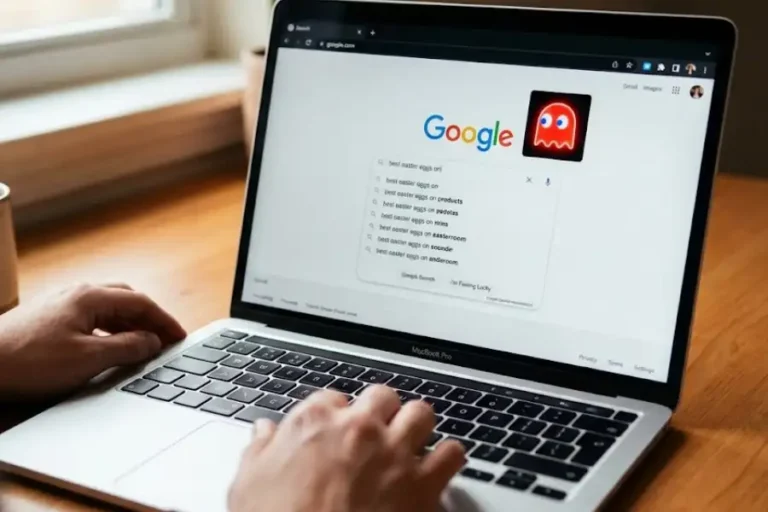
You open Google and you type two simple words. And out of nowhere, a swarm of tiny letter O’s drops from the top of the screen and starts eating your search results like hungry little ants at a picnic.
That is the Zerg Rush easter egg. It is one of the most fun, weird, and oddly stressful tricks Google ever hid inside its search engine.
If you have heard about it but never seen it, you are in for a treat. And if you tried it recently and nothing happened, do not panic. There is still a way to play it, and I will walk you through how to do it.
What Is the Zerg Rush Easter Egg?
The Zerg Rush easter egg is a hidden mini-game (and a brilliant software egg) that Google built right into its search page back in 2012. When you typed “zerg rush” into the search bar, the page suddenly turned into a battlefield.
Tiny letter O’s in red, blue, yellow, and green would fall from the top of the screen. Each one slowly chewed through your search results, line by line. Your only job was to click each O fast enough to destroy it before it ate the whole page.
Each O needed a few clicks to die. The more you missed, the faster they multiplied. After a while, the screen looked like a colorful storm of bouncing dots. When everything ended, the surviving O’s would line up at the center of the screen and form two giant letters: GG. In gamer language, that means “Good Game.”
It was simple, fast, and stupidly addictive. People shared their scores everywhere. Office workers skipped meetings for it. Kids forgot about their homework. All because of a swarm of cartoon letters.
Where the Name Came From: A Quick StarCraft Story
To get the joke, you need to know about StarCraft. It is a famous space strategy game made by Blizzard Entertainment in 1998.
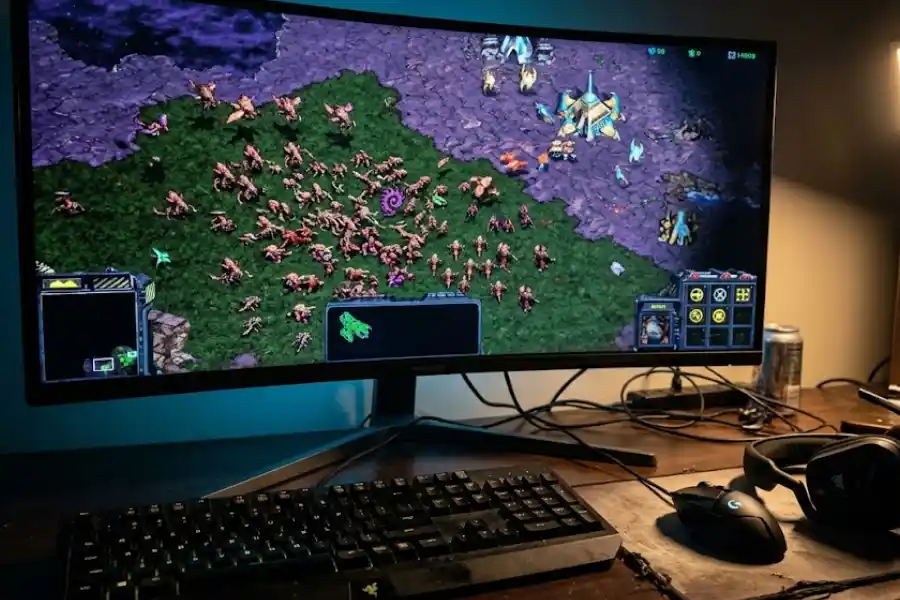
In StarCraft, there are three races. One of them is called the Zerg. The Zerg are insect-like aliens. Each one is weak on its own. But they breed fast and attack in huge groups.
Smart players quickly learned a sneaky trick. Instead of building a slow, strong army, they would rush the enemy with cheap, weak Zerg units very early in the match. The opponent would not have enough defenses yet. Most games ended in seconds. People started calling this move a “Zerg rush.”
Over time, the term jumped out of the game and into everyday gaming talk. Today, anyone who attacks with sheer numbers is doing a Zerg rush. Google’s developers, who clearly loved the game, decided to turn that idea into a tiny browser game inside the search engine. That is how the easter egg was born on April 27, 2012.
How the Easter Egg Plays Out
The gameplay is short but surprisingly tense. Here is what happens once you trigger it.
- Small colorful O’s start dropping from the top of your screen.
- Each O moves on its own and heads straight for your search results.
- If you do not click them fast, they start chewing your text.
- Each O takes several clicks to destroy.
- If you ignore them, more O’s keep coming until the page is empty.
- The round ends when either you wipe them all out or they wipe out your page.
- A “GG” message appears with your final score.
It is the kind of game that lasts about a minute. But somehow it feels much longer because your fingers start hurting halfway through.
Does the Zerg Rush Easter Egg Still Work on Google?
Here is the part most people really want to know. The real answer is a bit mixed.
The original easter egg ran on Google Search for many years. But Google has slowly removed or paused many of its older easter eggs as the search page got cleaner and more modern. Most users today report that searching “zerg rush” on Google does not trigger the game anymore. Wikipedia’s own list of Google easter eggs notes that this one appears to have been discontinued.
So if you searched for it last week and saw nothing fun happen, you were not crazy. The original version is mostly gone from the live Google page.
The good news? You can still play it. Fans rebuilt the game piece by piece, with the same colorful O’s, the same chaos, and the same sweet “GG” finish. The most popular recreation lives at elgoog.im/zergrush. It runs in any modern browser, and you do not need to download anything.
How to Play Zerg Rush Right Now (Step by Step)
If you want to relive the magic, follow these easy steps.
- Open your browser on a laptop or desktop. A real mouse helps a lot.
- Go to a working recreation site such as elgoog.im/zergrush.
- Click “Play” or wait a moment for the game to load.
- Once the O’s start dropping, click them as fast as you can.
- Try to destroy as many as possible before they eat your page.
- When the round ends, your final score will appear with the “GG” sign.
You can also try typing “zerg rush” on Google directly. Sometimes a link to play the game shows up in the top results. It only takes a second to check.
Smart Tips to Beat the Zerg Rush (or At Least Survive Longer)
Beating the Zerg Rush feels almost impossible. The whole point of the game is that the swarm wins in the end. But you can still rack up a high score with the right tricks.
- Focus on the closest O’s first. The ones near the top can wait. The ones already chewing your results need to die right now.
- Click fast, not perfect. Speed beats accuracy here. Tap rapidly, even if some clicks miss.
- Use both hands. One hand on the mouse, one on the trackpad. Or two fingers on a touchscreen. More fingers, more damage.
- Break up groups early. When O’s clump together, they get harder to handle. Split them before they form a wall.
- Stay calm. Panic clicking does nothing useful. A steady rhythm works better than wild slapping.
Even with all this, do not expect to truly “win.” The game is built to feel a bit unfair, just like a real Zerg rush in StarCraft. The fun is in fighting back as long as you can.

Other Google Easter Eggs to Try After Zerg Rush
If you enjoyed Zerg Rush, you should explore the ultimate list of google search easter eggs, as Google has hidden plenty of other small surprises over the years. Some still work. Others have moved to fan recreation sites. Try these next:
- Do a Barrel Roll: Type those words in the Google search bar and watch the page spin.
- Askew: Type “askew” and the whole page tilts to one side.
- Atari Breakout: A classic brick-breaking game once hidden inside image search.
- Pac-Man: A full playable Pac-Man that lived on Google’s homepage years ago.
- Recursion: Search the word and Google asks if you meant “recursion.” Click it. Repeat forever.
- Thanos Snap: A famous one where half your search results vanished into dust.
Most of these have been pulled from live Google but still live on recreation sites. They are pure internet nostalgia, much like playing offline and using chrome dino game cheats to get an unbeatable high score.
Why This Tiny Easter Egg Still Matters
You might wonder why people still talk about Zerg Rush in 2026. After all, it is just a small browser game.
The reason is simple. It is one of those rare moments when a giant tech company stopped being serious for a minute and just had fun. Google did not need to make Zerg Rush. It earned them zero dollars. It served no business goal. Someone on the team just thought, “This would be cool.” And it was.
Easter eggs like this make the internet feel human. They remind us that real people, with real hobbies and real senses of humor, build the tools we use every day. In a world full of sleek, polished, profit-driven apps, a swarm of dancing O’s eating your homework is weirdly comforting.
That is why it still matters. And that is why fans keep rebuilding it, long after Google quietly retired the original.
Frequently Asked Questions
Is the Zerg Rush easter egg still working on Google in 2026?
Mostly no. The original version on the live Google search page appears to have been discontinued. But faithful copies of the game still run smoothly on fan websites like elgoog.im. You can still play it without much trouble.
Can you ever win the Zerg Rush easter egg?
Technically yes, if you destroy every single O before they finish eating your page. But it is brutally hard. Most players just see the “GG” screen with a partial score. Winning is almost a myth among regular players.
Does Zerg Rush work on mobile phones?
The recreations do work on mobile, but the experience is much harder. Phone screens are small, and your finger covers parts of the page. A laptop or desktop with a mouse gives you a much better shot at a high score.
Who created the Zerg Rush easter egg?
It was built by Google engineers, most likely during their personal project time. Google has never named a single creator in public. The game launched on April 27, 2012.
What does “GG” mean at the end of the game?
“GG” stands for “Good Game.” Gamers say it after a match to show respect, win or lose. The Zerg Rush easter egg uses it as a fun, friendly closing message.
Is the Zerg Rush easter egg safe to play?
Yes. The original was made by Google itself. The fan recreations are simple browser games with no downloads, no sign-ups, and no personal data. Just stick to trusted sites and you are completely fine.
Final Thoughts
The Zerg Rush easter egg is a small, silly, nearly forgotten gem from a more playful era of the internet. A swarm of letter O’s, a few seconds of panic clicking, and a friendly “GG” at the end. That is all it ever was. And somehow, that is enough.
Try it today. Beat your friends’ scores. Show your kids what the early 2010s internet really felt like. Or just enjoy a tiny moment of chaos in your day. The swarm is still out there, waiting for someone to come back and play.
Click fast. Hold the line. And whatever happens, remember to say GG at the end.