Googly Eyes Google Trick: The Easter Egg That Follows You
Ever notice how Google loves to hide little surprises in its search bar? Some are famous, like “do a barrel roll.” Others are cute and almost secret. The googly eyes google trick is one of those cute ones. It is simple, silly, and it makes people smile every time. If you have never tried it, you are in for a fun treat today.
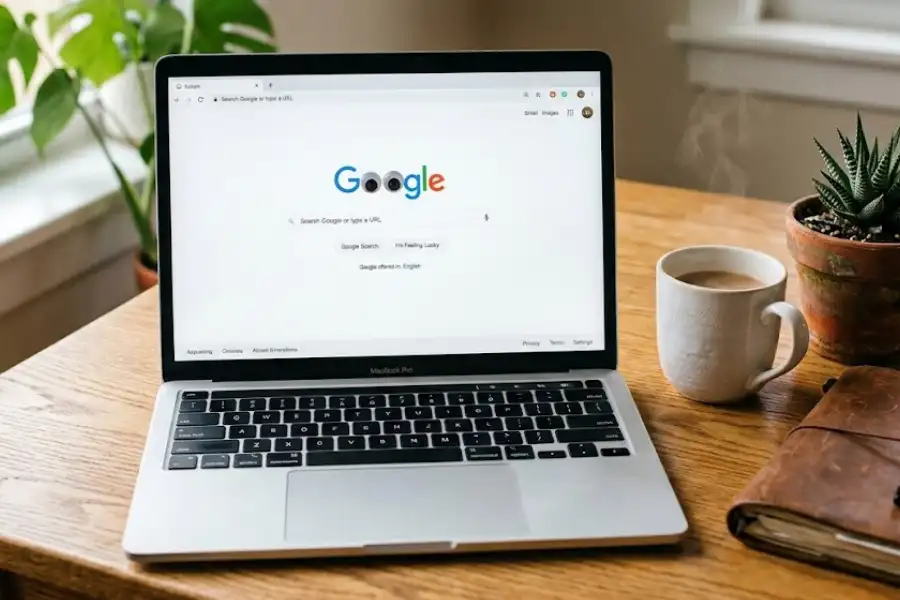
I found this trick by accident a few years ago. I was just goofing around on Google. I typed “googly eyes” into the search bar. To my shock, two cartoon eyes slid down from the top of the page. They landed right on the two O’s in the word “Google.” Then they started to look at my mouse. I moved my cursor, and the eyes followed. I laughed out loud. Since then, I have shown it to my family, friends, and even my little nephew. Every single person has smiled or giggled. That is the magic of this tiny trick.
Let me walk you through what it is, how to do it, and the sweet story behind it.
What Is the Googly Eyes Google Trick?
The googly eyes google trick is a hidden Easter egg on Google search. Much like a classic software egg, an ‘Easter egg’ is a small, fun feature that the makers of a website or a game hide inside their product. It is like a little joke only curious people find.
When you search the words “googly eyes” on Google, two round cartoon eyes drop down from the top of the screen. They cover the two O’s in the Google logo. The black parts of the eyes move around. They follow your mouse, just like real googly eyes wiggle when you shake them.
It is not a game. You do not need to download anything. It just works when you type two simple words. That is what makes it so fun.
How to Do the Googly Eyes Google Trick (Step by Step)
It takes about five seconds. Just follow these steps:
- Open your web browser. Chrome, Safari, Edge, or Firefox all work fine.
- Go to google.com.
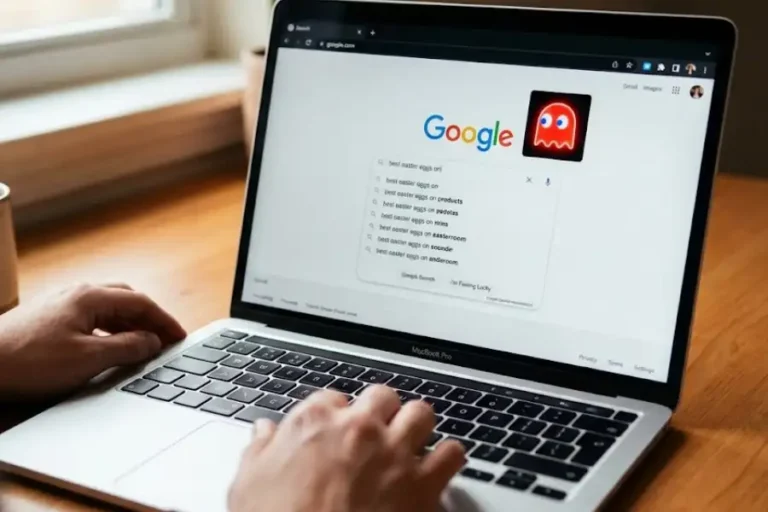
- Click on the search bar.
- Type the words: googly eyes
- Press Enter or click the search button.
- Look up at the Google logo. You will see two eyes slide in from the top.
- Move your mouse around the screen. Watch the eyes follow you.
That is it. No tricks, no tools, no apps.
Pro tip from me: It works best on a laptop or desktop. The bigger the screen, the funnier it looks.
Why Does Google Have This Googly Eyes Trick?
This is the part most people do not know. And it is really cool.
The googly eyes trick is linked to a movie. The movie is called Everything Everywhere All at Once. It came out in 2022. It won seven Oscars in 2023, including Best Picture. That is a huge deal.
In the movie, googly eyes are a big symbol. The main character, Evelyn, meets them through her husband Waymond. He sticks googly eyes on things to make life softer and kinder. Later in the film, googly eyes stand for love, hope, and choosing to see the good side of life.
Google added this Easter egg as a fun nod to the movie. It is their way of saying, “We love this film too.” That is also why googly eyes pop up when you search for the names of the movie’s stars. More on that in a second.
Other Searches That Trigger the Googly Eyes
Now for a little bonus. The googly eyes do not only show up when you type “googly eyes.” They also appear when you search for the lead actors of Everything Everywhere All at Once.
Try these names on Google:
- Michelle Yeoh
- Ke Huy Quan
- Stephanie Hsu
When you search any of them, the googly eyes will slide down and cover the O’s again. Most people have no clue this works. Now you do. Show it to a friend and watch their face light up.
Does the Googly Eyes Trick Work on Mobile Phones?
Yes, but not as well as on a computer.
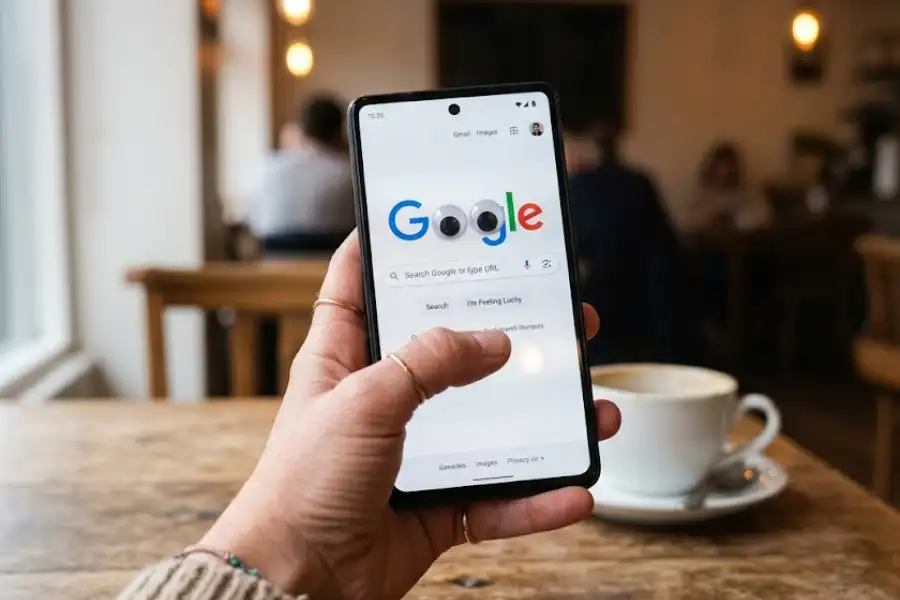
I tested it on my iPhone and on an Android phone. Both showed the eyes on the Google logo. But the eyes do not follow your finger the way they follow a mouse. That is because phones do not have a cursor to track.
If you want the full, wiggly fun, use a laptop or a desktop. The trick really shines with a mouse.
What to Do If the Googly Eyes Trick Does Not Work
Sometimes the trick does not show up. That can feel like a bummer. Try these fixes:
- Use a fresh search. Clear the search bar and type “googly eyes” again.
- Check your browser. Older browsers may not show the effect. Update your browser (and while you are at it, maybe hunt for some hidden chrome easter eggs).
- Turn off ad blockers. Some ad blockers stop the animation from loading.
- Make sure JavaScript is on. The trick runs on JavaScript. If it is turned off, the eyes will not work.
- Use Google.com, not a Google app. The effect is baked right into the Google website, not the mobile app.
- Try a different device. If your phone fails, try a laptop.
If none of this works, try again in a day or two. Google sometimes tweaks its Easter eggs.
Fun Ways to Use the Googly Eyes Trick
This trick is small, but you can have real fun with it. Here are a few ideas I have tried myself:

- Show your kids. My niece laughed so hard she begged me to do it five times in a row.
- Use it as a class warm-up. Teachers can show it at the start of a lesson to get kids smiling.
- Prank a coworker. Open it on their screen while they are away. They will jump and laugh.
- Post it on social media. Record your screen and share it. People love finding new Easter eggs.
- Cheer up a friend. Send them the link. A silly surprise can turn a rough day around.
Other Google Tricks Like the Googly Eyes
If you love this one, there is a massive list of other google search easter eggs you can try too:
- “Do a barrel roll” makes the whole page spin.
- “Askew” tilts the search results to one side.
- “DVD screensaver” bounces the Google logo like an old DVD player.
- “Google gravity” makes everything fall to the bottom of the page (click the first result).
- “Blink HTML” makes certain words blink on your screen.
Each one is a tiny smile hiding in plain sight.
FAQs
Is the googly eyes google trick real?
Yes. It is a real Easter egg made by Google. It is still live on Google search today.
Does it cost money to use?
No. It is 100% free. You do not need any app, sign-up, or tool.
Is it safe to try?
Yes. It is just a cartoon effect on the Google page. Nothing is downloaded to your device.
When did Google add this trick?
Google added it in 2023, around the time Everything Everywhere All at Once swept the Oscars.
Does it work in every country?
Yes, in most places. It works on google.com and on most local Google sites like google.co.uk or google.com.pk.
Do the eyes really follow my mouse?
Yes. The eyes are coded to track where your cursor goes on the page. It feels almost real.
Can I turn the effect off?
The animation goes away when you click on a search result or move to a new page.
Why is it called an Easter egg?
An “Easter egg” is a hidden feature in software or on a website. Just like a hidden egg on Easter, you only find it if you look for it, whether it is a visual gag or a hidden challenge like the Pi Game Google Calculator.
Will the trick stay forever?
No one knows for sure. Google adds and removes Easter eggs all the time. Try it while it is still there.
Final Thoughts
The googly eyes google trick is proof that even giant tech companies have a fun side. It is small, free, and super easy to try. It also has a sweet story behind it, tied to one of the best-loved films of the last ten years.
Next time you feel bored, sad, or just need a tiny laugh, pull up Google. Type two little words. Watch those silly eyes drop down and follow you around. It is a small moment of joy, hiding right in plain sight.
So go ahead. Try it now. And do not forget to show it to someone you love.