
Chrome Easter Eggs: 25+ Hidden Games, Tricks, and Secrets You Need to Try
When it comes to finding a classic software egg, Google Chrome is a goldmine. It has over 30 hidden easter eggs, secret games, and browser tricks that most users never find. I have spent hours testing every single one of them, and in this article, I am sharing the full list with step-by-step instructions so you can try them yourself.
Whether you are looking for fun browser games, quirky Google Search tricks, or secret Chrome pages that even power users miss, this guide covers all of them.
What Are Chrome Easter Eggs?
Chrome easter eggs are hidden features, mini-games, and fun surprises that Google’s developers have secretly added to the Chrome browser and Google Search over the years. The term “easter egg” comes from the tradition of hiding eggs during Easter hunts. In the same way, these digital surprises are tucked away inside Google Chrome, waiting for you to find them.
Google has been adding easter eggs to Chrome since the browser launched in 2008. Some are simple visual effects, like making the search page spin. Others are fully playable games, like the famous T-Rex dinosaur runner. And a few are hidden tools buried inside Chrome’s internal settings pages.
Every easter egg on this list has been personally tested and confirmed working as of March 2026.
What Is the Google Chrome Dinosaur Game?
Much like the Microsoft Edge Surf Easter Egg, the Google Chrome Dinosaur Game (also called the T-Rex Runner or Dino Game) is one of the most popular browser easter eggs ever made. It is a side-scrolling endless runner game that was first added to Chrome in September 2014 by Google developers Sebastien Gabriel, Alan Bettes, and Edward Jung.
The game shows a small pixelated T-Rex dinosaur running across a desert. You control it by pressing the spacebar to jump over cactus obstacles and using the down arrow key to duck under flying pterodactyls. The game starts slow but gets faster the longer you survive. It also switches between a daytime and nighttime theme as your score increases.
According to Google, over 270 million people play the Chrome Dinosaur Game every month. That makes it one of the most-played browser games in history, which is why so many players actively look for chrome dino game cheats to beat their high scores.
How Do You Play the Chrome Dinosaur Game?
There are two ways to play the Chrome Dinosaur Game:
Method 1: Go offline.
- Turn off your WiFi or disconnect your internet.
- Open Google Chrome and try to visit any website.
- The “No internet” error page will appear with a T-Rex dinosaur icon.
- Press the spacebar or tap the screen on mobile.
- The game starts right away.
Method 2: Use the direct URL (works even when you are online).
- Open Google Chrome.
- Type chrome://dino in the address bar.
- Press Enter.
- Press the spacebar to start playing.
The second method is the one I personally use, because you do not need to disconnect from the internet.

What Hidden Games Can You Play in Google Search?
Google Search has several classic arcade and board games hidden inside it. You do not need to download anything or visit any external website. Just type the name of the game into the Google search bar, and a playable version appears right in the search results.
Here is the full list of hidden Google Search games that are currently working:
How Do You Play Pac-Man on Google?
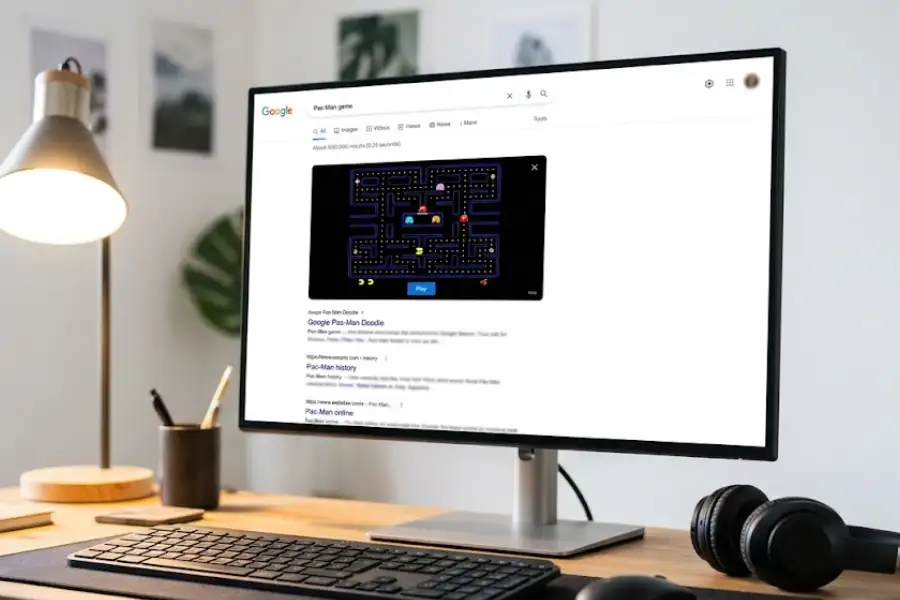
Type “Pac-Man” into Google Search. A fully playable version of the 1980 Namco arcade classic appears at the top of the results. Use your keyboard arrow keys to move Pac-Man through the maze, eat the pellets, and avoid Blinky, Pinky, Inky, and Clyde. The game plays exactly like the original arcade version.
How Do You Play Snake on Google?
Search for “Snake game” on Google. The classic Nokia-style Snake game loads right in the search results. Guide the snake around the screen using arrow keys, eat the food to grow longer, and avoid hitting the walls or your own tail. The game speed increases as the snake grows.
How Do You Play Solitaire on Google?
Type “Solitaire” into Google Search. A full version of the Klondike Solitaire card game appears. You can choose between Easy and Hard difficulty modes. This is the same style of Solitaire that was included in Microsoft Windows from 1990 onward, now playable right inside your browser.
How Do You Play Tic-Tac-Toe on Google?
Type “Tic-Tac-Toe” into Google Search. An interactive board appears where you can play against Google’s AI. There are three difficulty settings: Easy, Medium, and Impossible. Playing on “Impossible” mode means Google’s algorithm will never lose. I have tried it dozens of times, and the best result I have managed is a draw.
How Do You Play Minesweeper on Google?
Search for “Minesweeper” on Google. The classic puzzle game loads with three difficulty options: Easy, Medium, and Hard. The goal is to clear the grid by clicking on safe squares while avoiding the hidden mines. Numbers on revealed squares tell you how many mines are in the surrounding cells.
What Are the Best Google Search Tricks and Visual Easter Eggs?
Google Search has a collection of fun visual effects and interactive tricks that activate when you type specific phrases. These are some of the most entertaining Chrome easter eggs, and they work on both desktop and mobile browsers.
What Happens When You Search “Do a Barrel Roll”?
The entire Google Search results page does a complete 360-degree rotation on your screen. This trick is a reference to the 1997 Nintendo video game Star Fox 64, where the character Peppy Hare tells the player to “do a barrel roll.” Google added this easter egg in 2011, and it still works today.
What Happens When You Search “Askew”?
The Google results page tilts slightly to the right, as if the whole page is leaning. It is a subtle visual trick that many people do not notice at first. Searching for “tilt” produces the same effect. Google introduced this easter egg in 2011.
What Happens When You Search “Google in 1998”?
Google changes the search page to look like the original 1998 version of Google’s homepage. The layout switches to the simple, basic design that Larry Page and Sergey Brin created when they first launched Google at Stanford University. It is a fun way to see how far Google’s interface has come in nearly three decades.
What Happens When You Search “Zerg Rush”?
Small letter “O” characters begin falling from the top of the screen and eating your search results. You need to click on each “O” quickly to destroy it before it wipes out the entire page. This is a reference to the video game StarCraft by Blizzard Entertainment, where a “Zerg Rush” is a well-known strategy where players overwhelm opponents with a swarm of cheap units early in the game.
What Happens When You Search “Breathing Exercise”?
Google displays a guided one-minute breathing exercise animation right in the search results. The animation walks you through a simple pattern: breathe in, hold, breathe out. This easter egg was created by Google as a quick stress relief tool. It is one of the lesser-known Chrome easter eggs, and most competing articles do not mention it.
What Happens When You Search “Super Mario Bros.”?
A flashing question mark block from the original 1985 Nintendo game appears in the knowledge panel on the right side of the results. Click the block, and it makes the classic coin sound effect from Super Mario Bros. You can keep clicking to collect multiple coins, just like in the game.
What Happens When You Search “Conway’s Game of Life”?
An animation of cellular automata appears on the right side of the screen. This is a visual simulation of the Game of Life, a mathematical model created by British mathematician John Horton Conway in 1970. Small blue cells appear, grow, move, and disappear based on a set of simple rules. It is a fascinating visual representation of how complex patterns can emerge from basic rules.
What Chrome Easter Eggs Do Most People Miss?
After testing dozens of Chrome easter eggs, I found several that rarely appear in other guides online. These are the hidden gems that even experienced Chrome users tend to overlook.
How Do You Play the Google Text Adventure Game?
Google has a fully playable text-based adventure game hidden inside the browser’s developer console. Here is how to access it:
- Open Google Chrome and go to google.com.
- Search for “text adventure” in the search bar.
- Press Ctrl + Shift + J on Windows or Cmd + Option + J on Mac to open the Console tab in Chrome Developer Tools.
- Look for the message that says: “Would you like to play a game?”
- Type yes and press Enter.
A full text-based adventure game starts in the console. You navigate by typing commands like “go north,” “go south,” or “pick up item.” The goal is to find all the letters of the word “G-O-O-G-L-E” scattered throughout a small virtual world. This easter egg was created by Google’s search team and has been available since 2018.
How Do You Roll a Die or Spin a Wheel on Google?
Google has interactive random number tools hidden in its search results. Type “roll a die” into Google, and a 3D dice roller appears. You can pick from six different dice types: 4-sided (d4), 6-sided (d6), 8-sided (d8), 10-sided (d10), 12-sided (d12), and 20-sided (d20). These are the same dice types used in tabletop games like Dungeons and Dragons.
You can also search for “spinner” to get either a fidget spinner animation or a customizable number wheel. The number wheel is useful for making fair random decisions during board games, classroom activities, or group events.
What Is Google Gravity?
Google Gravity is a web experiment where the entire Google homepage reacts to simulated gravity. Every element on the page, including the logo, search bar, and buttons, falls to the bottom of the screen and piles up. You can drag the fallen pieces around and throw them. To try it, search for “Google Gravity” and click the first result from Mr.doob’s website (mrdoob.com). This experiment was created by Ricardo Cabello, a well-known creative coder, and it uses JavaScript and CSS3 to simulate physics in the browser.
What Are Chrome’s Secret Internal Pages?
Google Chrome has dozens of hidden internal pages that give you behind-the-scenes access to browser diagnostics, experimental features, and system information. These pages all use the chrome:// URL format and are only accessible in the Chrome browser.
Here are the most useful and interesting ones:
- chrome://dino loads the Dinosaur Game at any time, even when you are connected to the internet.
- chrome://flags gives you access to experimental Chrome features that have not been officially released yet. This is where you can enable things like forced dark mode for all websites, parallel downloading for faster file downloads, and reading mode for distraction-free reading.
- chrome://version shows your exact Chrome version number, operating system details, JavaScript engine version, and the command-line switches Chrome is using.
- chrome://credits lists every open-source software project that contributes code to Google Chrome. It is a very long page with hundreds of projects listed.
- chrome://chrome-urls is the master directory. It lists every single internal Chrome page that exists. As of 2026, there are over 60 different chrome:// pages available.
I have personally gone through the full chrome://chrome-urls list and tested each page. Most are designed for developers and browser engineers, but some, like chrome://flags, are genuinely useful for regular users who want to customize their Chrome experience.
What Fun Tools Are Hidden in Google Search?
Beyond the games and visual tricks, Google Search also has several useful tools that you can access instantly without downloading any app or visiting any external website.
How Do You Use Google’s Calculator?
Type any math equation directly into the Google search bar, like “347 * 28 + 15”, and Google instantly shows the answer along with a full scientific calculator interface. The calculator supports basic math, trigonometry, logarithms, and more. It works on both desktop and mobile.
How Do You Use Google’s Color Picker?
Search for “color picker” on Google, and an interactive color selection tool appears. You can pick any color using the visual palette and get its Hex code, RGB values, CMYK values, HSL values, and HSV values. Web designers and front-end developers use this tool regularly to find exact color codes without opening a separate application.
How Do You Use Google’s Metronome?
Type “metronome” into Google Search. An adjustable metronome with a simple slider appears. You can set the tempo anywhere from 40 BPM to 218 BPM. Musicians and music students use this for practice sessions when they do not have a physical metronome nearby.
How Do You Listen to Animal Sounds on Google?
Search for “animal sounds” on Google. A carousel of animals appears, including cats, dogs, ducks, horses, lions, and many more. Click on any animal to hear its sound. This feature was designed by Google for educational purposes and is especially popular with parents and teachers of young children.
Which Chrome Easter Eggs Has Google Removed?
Google periodically removes easter eggs without any official announcement. Here are well-known ones that were confirmed available in the past but are no longer working:
- “Let it snow” used to create a snowfall animation across the entire Google Search page during the holiday season. This was available from 2011 to approximately 2013.
- Atari Breakout in Google Images used to turn image search results into a playable version of the classic 1976 Atari Breakout arcade game. This was removed around 2020.
- “Thanos” featured an Infinity Gauntlet icon in the knowledge panel when you searched for the Marvel character. Clicking the gauntlet would make half of your search results disintegrate, mimicking the “snap” from the 2018 film Avengers: Infinity War. This was removed after the Avengers: Endgame promotional period ended.
Because Google does not announce these removals ahead of time, any easter egg on this list could be retired in the future. If you find a favorite, try it now while it is still available.
Why Does Google Put Easter Eggs in Chrome?
Google adds easter eggs to Chrome and Google Search for several documented reasons:
- Brand personality. Easter eggs give Google a playful, approachable identity. They show that Google’s engineers care about making the browsing experience enjoyable and fun, beyond being purely functional.
- User retention. Features like the Dinosaur Game turn frustrating moments (like losing internet connection) into positive experiences. Instead of switching to a competitor browser, users stay on Chrome.
- Developer culture. Hiding easter eggs in software is a long-standing tradition in the tech industry. Programmers have been hiding secrets in code since the 1970s, starting with the first known easter egg in the 1979 Atari game “Adventure”. Google’s engineering teams continue this tradition as part of their company culture.
- Engagement and sharing. When someone finds a fun easter egg, they share it with friends, family, and social media followers. This creates free word-of-mouth promotion for Google Chrome.
How Can You Find New Chrome Easter Eggs?
If you want to stay up to date with new Chrome easter eggs as Google releases them, here are the most reliable methods:
- Google’s official blog announces seasonal and event-based easter eggs, especially around holidays like Halloween, Valentine’s Day, and Earth Day.
- Reddit communities like r/google and r/chrome are active communities where users share newly found easter eggs, often within hours of their release.
- Try topical searches on holidays and major events. Google regularly adds temporary easter eggs tied to movie premieres, cultural events, and anniversaries. Search for the name of the event on Google and look for interactive elements in the results.
- Browse chrome://chrome-urls regularly. Google occasionally adds new internal pages to Chrome. Checking this master list every few months can reveal new entries.
Frequently Asked Questions
Are Chrome Easter Eggs Safe?
Yes. All Chrome easter eggs and hidden Google Search games are created and maintained by Google’s own engineering teams. They do not require any downloads, do not install any software, and do not collect any personal data beyond what Google Search normally collects. They are completely safe to use on any device.
Do Chrome Easter Eggs Work on Mobile Phones?
Most Chrome easter eggs work on both Android and iOS devices. The Dinosaur Game, Google Search games (Pac-Man, Snake, Solitaire, Tic-Tac-Toe, Minesweeper), and all visual search tricks (barrel roll, askew, breathing exercise) work on mobile browsers. A few features, like the Text Adventure Game, require access to Chrome Developer Tools and are easier to use on a desktop or laptop computer.
Can You Play the Chrome Dinosaur Game Without Turning Off Wi-Fi?
Yes. Type chrome://dino in the Chrome address bar and press Enter. The Dinosaur Game loads instantly without needing to disconnect from the internet. This is the easiest way to access the game at any time.
Does Google Add New Easter Eggs Regularly?
Google does not follow a fixed release schedule for easter eggs. However, they consistently add new ones around major holidays, product anniversaries, and pop culture events. Some easter eggs are permanent (like the Dinosaur Game), while others are temporary and get removed after a set period.
Is It Safe to Change Settings in chrome://flags?
The features listed in chrome://flags are experimental and still being tested by Google. Most of them work without issues, but some can affect browser performance or cause minor display glitches. If you run into any problems after enabling a flag, go back to chrome://flags and click the “Reset all” button at the top of the page. This reverts all flags to their default state and fixes any issues caused by experimental settings.
Conclusion
Chrome has over 25 hidden easter eggs, games, and tricks scattered across the browser and Google Search. From the world-famous Dinosaur Game to lesser-known gems like the Text Adventure Game and Google’s guided breathing exercise, there is plenty to try and share with friends.
Every easter egg in this article has been personally tested and verified. If you find a new Chrome easter egg that is not on this list, feel free to share it in the comments below. I update this article regularly to keep it current.